scroll top

Your phone bill went up $8 three months ago. You paid it without noticing. There’s a gas station two exits back charging 22 cents less per gallon than the one you pull into out of habit. And somewhere on your phone, there’s probably a cashback account with $14 in it you forgot to collect.

Most people don’t have a budget problem, so much as an attention problem. The savings are out there, but tracking every price, every subscription, every cashback offer is a second job nobody signed up for. These apps do the tracking, or better yet, skip it entirely and just move money on your behalf.

Some of them build savings without any conscious decision from you. Some pay you back for purchases you were already going to make. Some catch the slow leaks, the forgotten subscriptions and the overpriced bills that renew every year without a review. You don’t have to use all 15. Start with the two or three that match where your money actually goes.

Acorns

paying by card
Image Credit: Andrej Lišakov via Unsplash

Acorns rounds up every purchase on your linked card to the next dollar and automatically invests the spare change into a diversified portfolio of ETFs. Buy a $4.50 coffee and it invests 50 cents. Pay $12.80 for lunch and $1.20 goes into your account. The amounts are small, but they add up consistently without you deciding anything.

The fee structure is worth understanding before you sign up. Acorns charges a flat $3 per month for the basic Bronze plan. On a small balance, that’s a high effective rate. At $100 in the account, you’re paying $36 a year in fees, which wipes out a significant chunk of any returns. The app makes more financial sense as your balance grows, or if you add a small recurring deposit on top of round-ups to build the account faster.

Where Acorns earns its place is with people who’ve been meaning to start investing for years and haven’t. It removes every decision from the process. You don’t pick stocks, you don’t choose how much to invest, you don’t have to remember anything. The money moves on its own, into a professionally managed portfolio, every time you buy something.

Qapital

Qapital
Image Credit: Թամարա Նալբանդյան, CC BY-SA 4.0 via WikiCommons

Qapital works through rules you build yourself. You set conditions, and money moves automatically when those conditions are met. Spend at a coffee shop? Save $2. Get paid? Set aside 10%. Hit your step goal? Save $1. Once the rules are running, saving happens without any decision from you. Plans start at $3 per month after a 30-day free trial.

The goal structure keeps things organized. You create separate savings buckets for different purposes, an emergency fund, a vacation, a car repair fund, and rules can direct money to different buckets independently. That prevents the single-pot problem where savings feel abstract and get spent on the next unplanned expense.

The Payday Divvy feature does something particularly useful: it splits your direct deposit automatically the moment it arrives, routing set percentages to spending, savings, and investing before you ever see the full amount in your checking account. Taking that allocation decision off the table at payday is often the difference between saving something and spending it all.

Rocket Money

Rocket Money
Image Credit: Rocket Companies, Public Domain via Wiki Commons

Rocket Money scans your linked bank and credit card accounts and pulls every recurring charge into a single list. Most people who try it find at least one subscription they’d forgotten about. A free trial that converted months ago. A streaming service nobody in the household watches. A gym membership from a city they moved away from. Rocket Money has cancelled nearly 2.5 million subscriptions on behalf of its members.

The basic tracking and subscription audit features are free. To have Rocket Money cancel services on your behalf, you need the premium plan, which runs $6 to $12 per month on a sliding scale you set yourself at signup. Bill negotiation, where Rocket Money’s team contacts your cable, internet, or phone provider to argue for a lower rate, is a separate add-on service.

One practical note before committing to a paid plan: some users have had difficulty cancelling the premium subscription itself. The cancellation runs through your device’s app store settings rather than through the app, and many people miss that step. Start with the free version to do the subscription audit, then decide whether the premium features are worth the cost.

Ibotta
ibotta logo
Image Credit: Ibotta, public domain via Unsplash

Ibotta pays cash back on groceries and retail purchases. The mechanics: browse available offers in the app before you shop, add the ones that match what’s already on your list, shop normally, then scan your receipt when you get home. The app also integrates with many store loyalty programs, so your cashback tracks automatically when you shop with a linked card, skipping the receipt scan entirely.

Offers change weekly and cover brand-name products at Walmart, Target, CVS, Kroger, Publix, and hundreds of other stores. Cashback bonuses are available for completing sets of offers within a shopping trip, which is how the higher earners stack up their returns. Regular users report anywhere from $5 to $20 back on a typical grocery trip depending on what offers match their list. Cash out to PayPal or Venmo, or as a gift card, once you hit a $20 minimum.

The one thing Ibotta requires is checking the app before the trip. Trying to reverse-engineer offers after the fact doesn’t work well. The people who get the most out of it build a five-minute pre-shop Ibotta check into their grocery routine. If that sounds like too much friction, Fetch Rewards covers much of the same territory with no pre-planning required at all.

Fetch Rewards

woman scanning receipts
Image Credit: Shutterstock

Fetch Rewards works the opposite way from Ibotta. No offers to activate in advance. You shop wherever you normally shop, at any store, and scan the receipt when you’re done. The app awards points on every receipt from any retailer, gas stations, grocery stores, restaurants, liquor stores, and pharmacies included. Points convert to gift cards for Amazon, Target, Starbucks, Walmart, and others.

Fetch also has featured offers similar to Ibotta’s, specific branded products that earn bonus points for users who want to maximize earnings. But even ignoring those, the base points from scanning add up over time without any planning. Casual users typically accumulate enough for $5 to $10 in gift cards per month with no effort beyond the scan.

The reason to run Fetch alongside Ibotta rather than choosing between them: they don’t compete for the same receipts. Ibotta pays higher cashback on specific pre-activated products. Fetch pays something on everything else, no pre-planning needed. Stack them and most grocery receipts earn from at least one of them, usually both.

Rakuten

Rakuten logo
Image Credit: Kashiwa Sato, Public Domain, via Wiki Commons

Rakuten is a browser extension and app that pays cash back on online purchases at participating retailers. Install it once and it activates on its own whenever you’re on a supported site. Cashback ranges from 1% to 10% depending on the retailer, with rates increasing during promotional windows like Black Friday. Rakuten pays out every three months by check or PayPal, with no action required on your end.

The network covers more than 3,500 retailers including Amazon, Target, Walmart, Best Buy, and Macy’s. The extension tracks your purchases automatically, confirms cashback is available when you land on a supported site, and does nothing else until your quarterly payout shows up. It’s one of the few cashback tools that’s genuinely passive after setup.

One reason Rakuten stands out right now: its main browser-extension competitor, Honey, was the subject of a significant controversy in late 2025 over affiliate link practices that cost it millions of users. Rakuten Advertising cut ties with Honey in January 2026. For reliable online cashback through a browser extension, Rakuten is currently the cleaner option.

Upside

Paying for a meal at a restaurant
Photo by Getty Images on Unsplash

Upside pays cash back at gas stations, restaurants, and some grocery stores. Open the app, see a map of nearby participating locations and their active offers, claim one, pay with your linked card, and the cashback posts automatically. Frequent users earn an average of $290 per year from routine gas fill-ups and dining without changing where they go.

Gas cashback typically runs 10 to 25 cents per gallon, with occasional promotions going higher. On a 15-gallon fill-up, that’s $1.50 to $3.75 back per visit. Regular commuters and rideshare drivers, who fill up multiple times per week, report earning $80 to $150 per month. Restaurant cashback reaches as high as 45% at some participating locations, which tends to be where the bigger dollar amounts come from.

The only active step is claiming the offer before your purchase, not after. That takes about 30 seconds and is the only part of the process that isn’t automatic. Pair Upside with a cashback credit card and you’re earning from both on the same tank of gas. Use it alongside GasBuddy to find the cheapest price and an active cashback offer at the same time.

GasBuddy
GasBuddy
Image Credit: Gas Buddy, Public Domain via Wiki Commons

GasBuddy shows you which gas stations near you are currently selling at the lowest price, using prices reported by drivers and updated throughout the day. In most metro areas, the difference between the cheapest and most expensive station within a few miles is 20 to 40 cents per gallon. On a 15-gallon fill-up, that gap is $3 to $6 per visit.

Fill up once a week and that adds up to $150 to $300 per year saved by driving to the right station. GasBuddy is free. Price data in populated areas is generally current enough to be useful, updated within hours by the community. In rural areas with fewer contributing users, accuracy can be less reliable.

The most practical pairing is GasBuddy with Upside. GasBuddy finds the station with the lowest pump price. Upside shows which nearby stations have cashback offers active. Sometimes those two answers point to the same station. When they don’t, you can decide whether the cashback at a slightly pricier station is worth more than the price difference at the cheaper one. Most of the time, checking both takes less than a minute.

Capital One Shopping

capital one logo
Image Credit: Capital One, Public domain, via Wikimedia Commons

Capital One Shopping is a browser extension that automatically finds and applies coupon codes at online checkout. When you reach the payment page on a supported site, the extension tests available codes in the background and applies the best one before your order goes through. You don’t click anything or search anywhere. The extension works at over 100,000 online retailers and doesn’t require a Capital One account.

Price comparison is built in. When you’re viewing a product, the extension checks whether the same item is available for less at competing stores, including after shipping costs. Price tracking lets you set an alert on something you’re not ready to buy yet, and the extension emails you when the price drops to the threshold you choose, so you don’t have to keep checking back manually.

Capital One Shopping is completely free. Rewards earned through purchases at participating retailers redeem as gift cards. The extension works best on desktop browsers, where it has the most functionality, though a mobile app handles coupons and deal alerts as well. Pop-up notifications during checkout can feel intrusive, but the coupon success rate is high enough to be worth the occasional interruption.

Slickdeals
Slickdeals.net
Image Credit: Slickdeals.net, CC BY-SA 4.0 via Wiki Commons

Slickdeals is a community-driven deal platform where millions of shoppers post price drops, coupons, and limited-time offers across every retail category. The most useful feature for passive saving is Deal Alerts. You tell the app what you’re watching, a specific TV model, a brand of appliance, running shoes under a certain price, and it notifies you when something matching that search appears in the community feed.

That means you don’t check anything until there’s a reason to. Slickdeals is free, and community vetting pushes the best deals to the front before most users see them. Price history is visible on many products, so you can tell whether the current “sale” price is actually below typical market price or just a markdown from an inflated number.

The app works best for planned, non-urgent purchases. If you know you’re going to need a new laptop, a kitchen appliance, or winter gear sometime in the next few months but don’t need it today, setting a Slickdeals alert means the right price comes to you. That’s a meaningful shift from how most people shop, and it consistently produces better outcomes on larger purchases without much ongoing effort beyond the initial setup.

Retire at 62 and your monthly Social Security benefit is permanently cut by 30% compared to what you’d receive at 67. Wait until 67 but enroll in Medicare Part B, and $202.90 comes straight off the top before the money reaches you. Earn more than $34,000 as a single retiree and up to 85% of your benefit can become taxable income on top of that. The rules compound in ways that a lot of people don’t see coming until they’re already collecting.

Most of this is avoidable, or at least manageable, if you know what you’re dealing with. The problem is that Social Security’s reduction mechanisms are spread across different agencies, different income thresholds, and different life decisions, none of which tend to be explained in one place before you file.

Claiming before your full retirement age

early retirement ahead sign
Image Credit: Shutterstock

For anyone born in 1960 or later, full retirement age is 67. Every month you claim before that date triggers a permanent reduction, and the math gets steep fast.

Claim at 62 and your benefit is cut by 30%, permanently. That is not a penalty that reverses when you turn 67. Someone eligible for $2,000 a month at full retirement age collects only $1,400 at 62, every month, for the rest of their life. The maximum monthly benefit at full retirement age in 2026 is $4,152. At 62, that ceiling drops to $2,969.

The reduction runs at 5/9 of 1% per month for the first 36 months before full retirement age, then 5/12 of 1% per month for each additional month beyond that. At 62, all 60 months count. Delaying past 67 earns 8% per year in delayed retirement credits, all the way to 70, where the maximum monthly benefit in 2026 reaches $5,181.

Not everyone can afford to wait. Job loss, health problems, and caregiving obligations push a lot of people into filing early. But if you’re on the fence, understanding what each additional year of delay actually adds to your lifetime income is worth doing before you file. Once you claim, that reduction is locked in. It compounds with every annual cost-of-living adjustment for the rest of your life, which means the dollar amount of the gap grows every year.

Working while collecting before full retirement age

older person working in store
Image Credit: Shutterstock

You can collect Social Security and continue working, but if you haven’t reached full retirement age, there is a ceiling on how much you can earn before your benefit starts shrinking. In 2026, the annual earnings limit for people under full retirement age for the entire year is $24,480. For every $2 you earn above that threshold, SSA withholds $1 from your benefits. The withholding typically comes as skipped monthly payments rather than a direct deduction from each check.

The rules shift in the year you actually hit full retirement age. The earnings limit rises to $65,160, and the withholding rate drops to $1 for every $3 above that amount. Count only the months before your birthday. The moment you reach full retirement age, the limit disappears completely, and you can earn as much as you want with no reduction at all.

Only earned income counts toward the limit. Wages and self-employment income qualify. Pension payments, IRA distributions, rental income, investment returns, and interest do not.

The money withheld is not lost permanently. The SSA recalculates your benefit at full retirement age to account for the months it skipped, and your monthly payment goes up slightly. The recovery is gradual, and for most people it plays out over more than a decade before the higher future payments offset what was withheld earlier. If you have control over your hours or earnings, tracking your annual wages against the $24,480 threshold can spare you a jarring gap in payments.

Federal income taxes on your benefit

tax sign and a calculator
Image Credit: Shutterstock

Social Security benefits are not automatically tax-free. Whether any portion becomes taxable depends on a calculation called combined income: your adjusted gross income, plus nontaxable interest, plus half of your annual Social Security benefit.

For single filers, once that combined figure exceeds $25,000, up to 50% of benefits can become taxable. Above $34,000, up to 85% of your benefit may be included in taxable income. For married couples filing jointly, the thresholds are $32,000 and $44,000. These thresholds have not moved since 1984. Benefits and other income rise every year, which means more retirees cross the line without realizing it.

One thing that catches people off guard: interest from municipal bonds counts toward combined income even though it does not appear in your adjusted gross income. A traditional IRA withdrawal counts too. Each new income source can drag a larger share of your Social Security into taxable territory.

A temporary $6,000 senior deduction is available for tax years 2025 through 2028 for filers 65 and older, which reduces taxable income for many retirees. It phases out for individuals with modified AGI above $75,000 and joint filers above $150,000. Roth IRA distributions are another useful tool: they don’t count toward combined income, which makes Roth accounts worth considering for anyone managing exposure to this rule.

Medicare Part B premiums deducted from your check

medicare written on blackboard
Image Credit: Shutterstock

For most people on Medicare, Part B premiums come straight out of the Social Security payment before it reaches your account. In 2026, the standard premium is $202.90 per month, up from $185 in 2025. It is automatic, and a lot of retirees are surprised by how large that deduction is before they even see the deposit.

For higher-income beneficiaries, there is an additional surcharge called IRMAA, the income-related monthly adjustment amount. It kicks in once modified adjusted gross income exceeds $109,000 for single filers or $218,000 for married couples filing jointly. The income used to calculate your 2026 surcharge comes from your 2024 tax return, a two-year lag that regularly catches people off guard when a high-income year catches up with them.

IRMAA operates as a cliff system. Cross a threshold by a single dollar and you owe the full surcharge for that bracket, not just on the amount above the line. At the highest bracket in 2026, total Part B premiums reach $689.90 per month. For a couple, both on Medicare, both at that tier, that is nearly $16,600 a year in Part B premiums alone, taken before either person sees a Social Security payment. Part D prescription drug coverage carries its own IRMAA surcharge ranging from $14.50 to $91 per month.

If your 2024 income was unusually high due to a one-time event like a home sale, business sale, or large IRA distribution, you can appeal the surcharge using Form SSA-44 with documentation showing your current, lower income. SSA can substitute the more recent year’s figure.

Zero-earning years in your record

graph on a computer for earnings
Image Credit: Shutterstock

Your Social Security benefit is calculated using your 35 highest-earning years. Work fewer than 35, and the missing years go into the formula as zeros. Those zeros count in the average just like any other year, pulling your average indexed monthly earnings lower and trimming your monthly benefit for life.

Consider someone with a strong 30-year career who retired at 52. Their benefit calculation includes five zeros, regardless of how high those 30 earning years were. Someone with the same total lifetime earnings stretched across 35 years would receive more each month.

This hits hardest for people who took significant time away from the workforce for caregiving, illness, or early retirement, and for those who spent several years working very low-wage part-time jobs. Even a modest income year is dramatically better than a zero in the formula. A year with $15,000 of earnings replaces a zero with real numbers and moves the average in your favor.

If you are approaching retirement with fewer than 35 years on your record, continuing to work, even part-time, replaces zeros with actual earnings and permanently increases your monthly benefit. Your earnings record is available through your account at ssa.gov. It is worth reviewing for accuracy, especially if you changed names, worked for multiple employers across years, or had periods of self-employment. Errors do occur, and they reduce your benefit just as surely as a zero does.

SSA overpayment clawbacks

social security
Image Credit: Shutterstock

If the Social Security Administration determines that you were overpaid at any point, it can recover that money by reducing your future monthly checks. The current default withholding rate for new overpayments of retirement, survivors, and disability benefits is 50%. That means the SSA can take up to half of your monthly payment until the debt is cleared.

Overpayments happen for a range of reasons. Common causes include failing to report a change in income, marital status, or employment to the SSA, agency processing errors, and benefits continuing after a beneficiary’s death. Many people receive no warning until a letter arrives demanding repayment, sometimes for thousands of dollars accumulated over months or years.

Losing half of a fixed monthly payment is genuinely disruptive. Someone receiving $1,400 a month who gets hit with a 50% withholding order is managing on $700 while the same rent, utilities, and medical costs continue. SSI benefits carry a lower default withholding rate of 10%.

If you receive an overpayment notice, you have options. Within 90 days, you can request reconsideration if you believe the determination is incorrect, ask for a reduced withholding rate if 50% would create financial hardship, or apply for a waiver of recovery if the overpayment was not your fault and repayment would make it difficult to cover basic expenses. The waiver is not guaranteed, but it is available and worth requesting in genuine hardship situations. Reporting income changes, new pensions, a remarriage, and address updates to the SSA promptly is the most reliable way to avoid this situation entirely.

State income taxes on Social Security

social security words
Image Credit: Shutterstock

Most states leave Social Security income alone. In 2026, eight states still tax it for at least some residents: Colorado, Connecticut, Minnesota, Montana, New Mexico, Rhode Island, Utah, and Vermont. Each applies its own income thresholds and exemption rules, and the exposure varies depending on where your income lands within each state’s calculation.

West Virginia completed a phase-out of its Social Security tax this year. Nebraska, Kansas, and Missouri eliminated theirs in recent years as well. The list is shrinking, but if you live in one of the remaining eight states and your income exceeds the relevant thresholds, your benefit can face state income tax on top of whatever federal taxes apply. Most of these states protect lower-income retirees through income-based exemptions, so the exposure tends to be more significant at higher income levels.

This is not something to discover after you’ve filed. If you are in one of these states, running the state tax calculation alongside your federal tax projection gives you a clearer picture of what your net benefit will actually be.

For anyone considering a retirement move, 42 states plus the District of Columbia exempt Social Security entirely, and 9 states have no income tax at all. Depending on your monthly benefit, the annual difference can reach several thousand dollars. Some people factor it directly into where they choose to retire.

Remarrying before 60 as a surviving spouse

older wedding
Image Credit: Shutterstock

A widow or widower who remarries before turning 60 loses eligibility for survivor benefits on the deceased spouse’s record. The rule is an absolute cutoff with no gradual phase-out. Marry the day before your 60th birthday and the survivor benefit is forfeit. Marry the day of, or any day after, and it is fully preserved.

The financial stakes are significant. A surviving spouse receiving $1,950 a month who remarries at 57 and lives to 85 forfeits roughly 30 years of payments, plus every cost-of-living adjustment that would have kept increasing the monthly amount over that period. The cumulative loss can reach hundreds of thousands of dollars.

There is one exception to the cutoff: if the second marriage ends in death, divorce, or annulment, survivor benefit eligibility on the original spouse’s record is restored. That is a safety net rather than a planning strategy, but it is worth knowing.

For surviving spouses who are disabled, the remarriage cutoff is 50 instead of 60. The same logic applies: marrying before that age ends the survivor benefit while that marriage continues.

Most people in this situation are not making a cold financial calculation when they consider remarriage. But being unaware of this rule, and losing a substantial income stream as a result, is the kind of thing that creates genuine hardship later in retirement. If you are widowed and approaching 60, understanding what is at stake before setting a wedding date is worth the conversation.

Claiming survivor benefits too early

man on phone claiming survivor benefits
Image Credit: Shutterstock

Surviving spouses can start collecting survivor benefits at 60, two years earlier than any other Social Security benefit. The cost of that early access is a permanent reduction. Claiming at exactly 60 locks in 71.5% of the deceased spouse’s benefit. The percentage rises gradually with each month of delay, reaching 100% at full survivor retirement age, which is 66 and 6 months for those born in 1959, and 67 for those born in 1962 or later.

On a $2,400 survivor benefit, claiming at 60 means collecting $1,716 per month instead of $2,400. Over 20 years, that gap exceeds $164,000, before any cost-of-living adjustments are factored in.

There is a compounding problem specific to survivor benefits: the amount you receive is based on what the deceased spouse was actually collecting at death, not on what they could have received at full retirement age. If your spouse claimed their own retirement benefit early and accepted a permanent reduction, your survivor benefit is built on that already-reduced number.

A useful strategy is available for people eligible for both their own retirement benefit and a survivor benefit. You can claim one and let the other grow. Starting survivor benefits at 60 while allowing your own retirement benefit to accumulate delayed retirement credits until 70 can significantly boost your eventual monthly income if your own benefit is expected to end up larger. The reverse works too: claim your own reduced benefit early and switch to full survivor benefits at survivor FRA. Running both scenarios against your actual benefit estimates before filing either claim is worth the time.

The dual entitlement rule for spousal benefits

senior couple looking up spousal benefits online
Image Credit: Shutterstock

If you are eligible for both your own Social Security retirement benefit and a spousal benefit based on your partner’s record, you do not receive both in full. The dual entitlement rule caps your total at the higher of the two amounts. Your own benefit is paid first, and only the difference between that and the spousal amount, if any, is added on top.

This trips up a lot of couples who plan retirement income around the assumption that both a personal benefit and a full spousal benefit will arrive separately. They will not.

Here is how it works in practice. Say your own full retirement age benefit is $800 and your spouse’s full retirement age benefit is $2,000. The maximum spousal benefit is $1,000, which is 50% of your spouse’s amount. Since your own benefit is $800, you receive only an additional $200 to bring your total to $1,000. Your own benefit plus the spousal top-up, not two separate full amounts.

If your own benefit is $1,200, which is already higher than the $1,000 spousal ceiling in that example, you receive no spousal payment at all. You simply collect your own.

One more thing that surprises people: the spousal benefit is always based on 50% of the higher-earning spouse’s benefit at full retirement age, not at age 70. If your spouse delays claiming to accumulate delayed retirement credits, those credits increase your spouse’s own monthly check and eventually your potential survivor benefit after their death. They do not flow through to your spousal payment. Understanding this before either spouse files makes the claiming strategy considerably clearer.

May is when the small household drains start stacking up. End-of-school snacks, quick dinners, cookout food, allergy-season tissues, and dish cleanup all hit at once, which is exactly where Costco’s Kirkland Signature line can pull some weight.

These picks stay under $20 and lean practical, with a mix of pantry staples, easy meals, cleaning basics, and snack backups that do more than take up shelf space. Prices are accurate at the time of publishing but may vary by store, delivery method, or location.

Kirkland Signature rotisserie chicken

Rotisserie Chicken
Image Credit: Costco

The rotisserie chicken is still one of the easiest ways to turn one Costco stop into several meals. It is fully cooked, ready to shred, slice, or eat with whatever vegetables and starch you already have at home.

At $5.66 through Costco Same Day, it is cheaper than most takeout sandwiches and more useful than another frozen meal you forget about. Use it for tacos, soup, chicken salad, rice bowls, or a no-thinking dinner after work.

Kirkland Signature organic extra virgin olive oil

olive oil
Image Credit: Costco

Olive oil has gotten painfully expensive at regular grocery stores, so the 2-liter Kirkland Signature organic extra virgin olive oil is worth paying attention to. It is cold extracted, USDA organic, and comes in a large plastic bottle that makes sense if you cook at home often.

The bottle is $19.17, which keeps it just under the cap for a product you will use in salad dressing, roasting, marinades, eggs, pasta, and skillet meals. This is not a flashy buy. It is a “stop paying tiny-bottle prices” buy.

Kirkland Signature organic pure maple syrup

Maple Syrup
Image Credit: Costco

Real maple syrup is one of those grocery items where the small bottle price can feel rude. Kirkland Signature’s organic pure maple syrup comes in a 33.8-ounce jug, so you are not rationing it one teaspoon at a time.

It is $14.29, which is useful if pancakes, oatmeal, yogurt, baking, or homemade granola show up in your kitchen. It also stretches beyond breakfast. A little maple syrup can sweeten marinades, roasted carrots, and salad dressings without buying a separate specialty sauce.

Kirkland Signature grass-fed butter

butter
Image Credit: Costco

This four-count pack gives you two pounds of salted grass-fed butter from New Zealand. Butter freezes well, so you do not have to use it all quickly or sacrifice precious fridge space if your kitchen is small.

At $15.88, it is a solid stock-up for baking, toast, vegetables, sauces, and weeknight cooking. Grass-fed butter can be pricey when bought one stick at a time, and this pack keeps the per-stick math more reasonable.

Kirkland Signature organic chicken stock

chicken stock
Image Credit: Costco

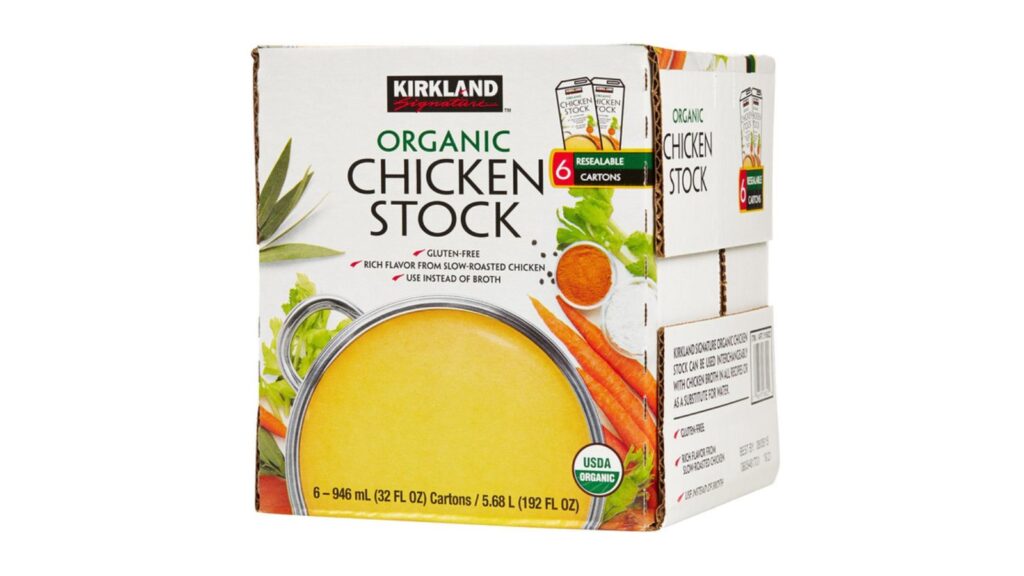
Chicken stock is one of those boring pantry items that saves dinner when you are down to rice, pasta, frozen vegetables, and hope. This Kirkland Signature pack includes six 32-ounce cartons, and the cartons are resealable.

The six-count is $10.77, which is useful for soups, slow cooker meals, sauces, stuffing, and cooking grains with more flavor. If you are trying to eat more leftovers without feeling punished by them, stock helps.

Kirkland Signature canned chicken breast

Canned chicken breast
Image Credit: Costco

Canned chicken is not glamorous, but it is shelf-stable protein that can become lunch in five minutes. This six-count pack is packed in water and gives you enough for chicken salad, wraps, casseroles, pasta, or emergency pantry meals.

At $14.29, it is a practical buy for anyone who needs backup meals that do not require thawing meat first. It is especially useful for work lunches, quick kid dinners, or weeks when the grocery plan has quietly fallen apart.

Kirkland Signature wild Alaskan pink salmon

pink salmon
Image Credit: Costco

This six-count pack of wild Alaskan pink salmon gives you boneless, skinless cans that can sit in the pantry until you need a fast protein. It works for salmon patties, salads, rice bowls, sandwiches, or pasta.

The pack is $19.28, which is not cheap in the absolute sense, but it is useful if you are trying to keep fish in the rotation without buying fresh salmon every week. Fresh seafood prices can get silly fast.

Kirkland Signature organic diced tomatoes

diced tomatoes
Image Credit: Costco

Diced tomatoes are pantry glue. They turn into chili, soup, pasta sauce, shakshuka, taco filling, casseroles, and slow cooker meals without much effort. This pack includes eight 14.5-ounce cans.

At $10.77, the price works out well for organic canned tomatoes, especially if you cook at home more than once a week. This is the kind of item you are glad to have when dinner needs to happen without another store trip.

Kirkland Signature organic Tuscan marinara

Tuscan marinara
Image Credit: Shutterstock

Jarred marinara can be a money saver or a trap, depending on the price and size. Kirkland Signature’s organic Tuscan marinara comes in a three-count pack of 24-ounce jars, which gives you a few easy dinners without paying boutique sauce prices.

The pack is $12.47. Use it for spaghetti, meatball subs, baked ziti, pizza bagels, or a quick skillet meal with sausage and vegetables. It is not fancy. It is useful, which is better on a Tuesday.

Kirkland Signature almond flour

Almond Flour
Image Credit: Costco

Almond flour is one of the more expensive baking staples when bought in small bags, especially if you need it for gluten-free baking or lower-carb recipes. Kirkland Signature’s superfine almond flour comes in a 3-pound bag.

At $15.88, it makes sense if you already use almond flour for muffins, pancakes, breading chicken, or cookies. This is not a smart buy if you will use one cup and abandon it. It is a smart buy for regular bakers.

Kirkland Signature organic applesauce pouches

Apple Sauce
Image Credit: Costco

Snack pouches are not the cheapest snack on earth, but they are convenient, shelf-stable, and less messy than many kid snacks. This pack includes 24 organic applesauce pouches with no added sugar.

The box is $11.34, which helps if you are packing lunches, keeping snacks in the car, or feeding kids between activities. Adults can use them too. Nobody has to be dignified about applesauce.

Kirkland Signature soft and chewy granola bars

Granola Bars
Image Credit: Costco

This 64-count box gives you individually wrapped chocolate chip granola bars that work for lunches, road trips, office drawers, and after-school hunger. They are not a full meal, but they are useful when someone needs food before everyone gets unpleasant.

At $12.25, the per-bar cost is low compared with buying smaller boxes at a grocery store. If your household burns through snack bars, this is the kind of bulk buy that actually earns its cabinet space.

Kirkland Signature peanut butter filled pretzel nuggets

Peanut Butter Pretzels
Image Credit: Costco

The giant jar of peanut butter filled pretzel nuggets is a useful snack buy because it covers salty, crunchy, and filling in one container. It is better for households that portion snacks into bowls or lunch containers, unless you enjoy watching a 55-ounce jar disappear in two days.

The jar is $11.34, which is reasonable for the size. It works for lunch boxes, road trips, office snacks, and the weird dinner gap when everyone is hungry but no one is cooking yet.

Kirkland Signature organic tortilla chips

Tortilla Chips
Image Credit: Costco

A 40-ounce bag of tortilla chips can pull more weight than it seems. Use them for nachos, taco salad, soup topping, snack plates, or an easy side with beans and salsa when dinner needs bulk.

The Kirkland Signature organic tortilla chips are $5.55 right now, marked down from $7.65 on Costco Same Day. That is low enough to make sense for cookouts, graduations, or regular snack duty, as long as your household can finish a large bag before it goes stale.

Kirkland Signature kettle Himalayan salt potato chips

Pink Salt Potato Chips
Image Credit: Costco

Potato chips are not a necessity, but paying convenience-store prices for snack bags is one of those small leaks that adds up. This 32-ounce bag is better suited for parties, cookouts, packed lunches, or families that actually finish chips before they soften.

The bag is $7.03, which is a better deal than buying several smaller bags for the same weekend. The honest caveat: skip it if chips are not already on your list. Bulk snacks are only savings if they get eaten, not inhaled out of boredom.

Kirkland Signature facial tissue

Facial Tissue
Image Credit: Costco

Allergy season, spring colds, and school-year germs can run through tissue boxes faster than expected. This Kirkland Signature pack includes 12 boxes of 3-ply facial tissues, with 84 tissues per box.

At $18.15, it is a practical under-$20 stock-up for bathrooms, bedrooms, offices, and cars. It also keeps you from paying inflated single-box prices when everyone suddenly has a runny nose. Very glamorous. Very necessary.

Kirkland Signature UltraShine dishwasher detergent pacs

dishwasher detergent pacs
Image Credit: Costco

Dishwasher pacs are one of those household items you notice only when you are out. This Kirkland Signature tub includes 115 dishwasher pacs with a lemon citrus scent and no pre-wash required.

The tub is $13.27, which puts each load at a much lower cost than most smaller grocery-store bags. If your dishwasher runs daily, this is an easy under-$20 household buy that saves repeat trips and last-minute full-price purchases.

Kirkland Signature Ultra Shine plant based dish soap

Dish soap
Image Credit: Costco

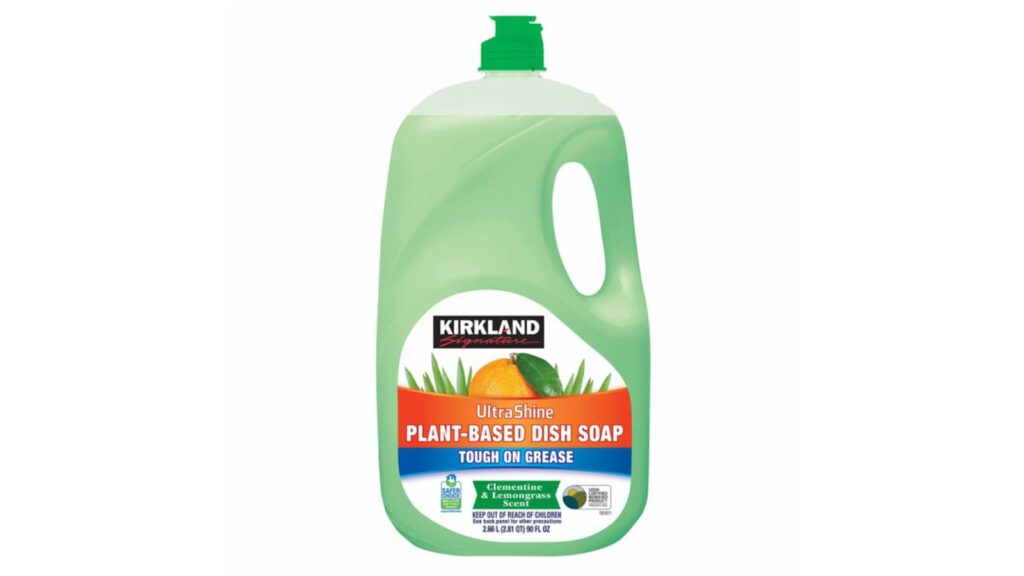
Even if you have a dishwasher, dish soap still gets used for pans, knives, water bottles, lunch containers, and all the random things no one wants to admit they left in the sink. This bottle gives you 90 fluid ounces, so it lasts.

At $9.07, it is a low-risk stock-up for a product every kitchen burns through. The large bottle is not cute on the counter, but that is what refillable soap pumps are for.

Remote job hunting can feel rough right now. A lot of listings are fake, vague, underpaid, or packed with hundreds of applicants before lunch.

The better remote jobs usually sit in less flashy corners of health care, compliance, insurance, legal work, training, and regulated tech. They still need people because the work involves rules, judgment, sensitive data, and real humans on the other end.

These roles generally land around $70,000 to $90,000 per year, depending on experience, credentials, employer, and workload. Some need a license or degree, but they are real remote career paths, not side hustles dressed up as jobs.

Remote utilization review nurse

Remote utilization review nurse
Image Credit: Shutterstock

Utilization review nurses work behind the scenes for health plans, hospitals, and managed care companies. They review medical records, treatment plans, and insurance rules to decide whether care meets clinical guidelines. It is remote-friendly because most of the job happens in electronic health records, phone calls, and secure case management systems.

Average pay is about $80,131 per year, and experienced nurses can move higher with specialty experience. You usually need an active RN license and several years of bedside or clinic experience. This job is hard to hand off to software because it involves reading messy charts, spotting missing details, and knowing when a case needs a human conversation instead of a quick denial.

Remote nurse case manager

Remote nurse case manager
Image Credit: Shutterstock

Nurse case managers help patients move through treatment, insurance approvals, follow-up care, and home services. Some work with people recovering from surgery. Others focus on chronic illness, workers’ comp, disability claims, or high-risk pregnancies. Much of the job can be done from home by phone, video, and secure health platforms.

Average pay is about $83,932 per year. Employers usually want an RN license, strong charting skills, and real clinical judgment. This is steady work because patients, insurers, and providers all need someone who can connect the dots. The job depends on trust, follow-through, and knowing when a person is slipping through the cracks.

Telephone triage nurse

remote telephone triage nurse
Image Credit: Shutterstock

Telephone triage nurses take calls from patients who are not sure what to do next. You may help someone decide whether symptoms can wait for a clinic visit, need urgent care, or require emergency help. These jobs are common with hospital systems, nurse advice lines, telehealth companies, and insurance plans.

Average pay is about $87,470 per year. You need an RN license, calm communication, and enough clinical experience to ask the right questions fast. Remote triage keeps needing workers because patients still want a trained person when they are scared, in pain, or unsure. Scripts can help, but the judgment call still sits with the nurse.

Clinical documentation improvement specialist

Clinical documentation improvement specialist
Image Credit: Shutterstock

Clinical documentation improvement specialists review medical records and help make sure a patient’s chart clearly supports the care given. This work matters because hospitals, insurers, and care teams rely on accurate records for payment, quality reporting, and patient safety. Many CDI jobs are remote because the work is done inside electronic medical records.

Average pay is about $87,790 per year. Many workers come from nursing, coding, health information, or clinical quality backgrounds. You need to understand medical terms, billing logic, and how doctors document care. The role stays in demand because health care rules keep changing, and unclear records can create expensive problems.

Telehealth licensed clinical social worker

Telehealth licensed clinical social worker
Image Credit: Shutterstock

Telehealth licensed clinical social workers provide therapy, assessments, care planning, and support for people dealing with anxiety, grief, trauma, family stress, substance use, and major life changes. Many work for online therapy platforms, hospitals, employee assistance programs, schools, and community health systems.

Average pay for licensed clinical social workers is about $83,581 per year. You need a master’s degree, supervised clinical hours, and state licensure. Demand is strong because mental health needs are not slowing down, and many clients now expect virtual options. This work depends on listening, trust, boundaries, and judgment, not just filling out forms.

Telehealth registered dietitian

Telehealth registered dietitian
Image Credit: B.Y.G. via Unsplash

Telehealth dietitians help people manage diabetes, kidney disease, heart health, digestive issues, eating concerns, pregnancy nutrition, and medication-related diet changes. Remote jobs show up with hospitals, health plans, weight management programs, dialysis providers, and virtual care companies.

Median pay for dietitians and nutritionists is about $73,850 per year. Most roles require a registered dietitian credential, supervised training, and often state licensure. This job keeps needing workers because chronic disease care is personal and ongoing. A meal plan is not enough; patients need someone who can adjust advice around money, culture, habits, family pressure, and real life.

Pediatric teletherapy speech-language pathologist

Teletherapy speech-language pathologist
Image Credit: Shutterstock

Pediatric teletherapy speech-language pathologists help children with speech sounds, language delays, fluency, swallowing-related concerns, and communication skills. Remote roles are common with school districts, therapy companies, and virtual health platforms, especially where local shortages make it hard to fill in-person positions.

Average pay for pediatric speech-language pathologists is about $73,402 per year. You usually need a master’s degree, clinical fellowship experience, and licensure. This work has strong long-term need because children still need screening, therapy plans, parent coaching, and progress tracking. Software can support practice, but it cannot replace a therapist who sees when a child is frustrated, tired, avoiding, or finally making a breakthrough.

Remote clinical research associate

Remote clinical research associate
Image Credit: Shutterstock

Clinical research associates help monitor drug, device, and treatment studies. They check that trial sites follow protocols, protect patient safety, and keep records clean. Many CRA jobs are home-based, though some include travel to clinics or research sites for monitoring visits.

Average pay is about $72,580 per year. A life sciences, nursing, pharmacy, or health background helps, and research certifications can strengthen your odds. The work stays needed because clinical trials are heavily regulated and mistakes can delay approvals or put patients at risk. You are not just moving data around; you are checking whether real-world research is being done correctly.

Drug safety specialist

Drug safety specialist
Image Credit: Shutterstock

Drug safety specialists, also called pharmacovigilance specialists, review reports about side effects, medication errors, and safety concerns after a drug is used in the real world. They work for pharmaceutical companies, biotech firms, clinical research organizations, and safety vendors. Many roles are remote because cases are handled through secure databases and written narratives.

Average pay is about $87,416 per year. Employers often look for health care, pharmacy, nursing, life science, or clinical research experience. This is not casual data entry. You need to understand medical language, timelines, seriousness, and reporting rules. As more therapies reach the market, companies still need trained people to catch safety patterns and document them correctly.

Medical device regulatory affairs specialist

Medical equipment repairer
Image Credit: Shutterstock

Medical device regulatory affairs specialists help companies get products cleared, labeled, updated, and reported correctly. They work on submissions, product changes, quality documents, and responses to regulators. Remote roles are common with device makers, consultants, and companies that support global product launches.

Average pay for regulatory affairs specialists with medical device skills is about $79,551 per year. A science, engineering, health care, or quality background can help. This job stays useful because medical products cannot simply be shipped and hoped for the best. Someone has to understand the rules, risks, labels, evidence, and paperwork that keep a device legally on the market.

Clinical informatics specialist

clinical informatics specialist
Image Credit: Shutterstock

Clinical informatics specialists sit between patient care and health technology. They help hospitals and clinics improve electronic health records, workflows, order sets, templates, and reporting tools. Many remote roles are with health systems, EHR vendors, consulting firms, and telehealth companies.

Average pay is about $87,944 per year. Nurses, medical assistants, coders, analysts, and other health care workers can move into this field after learning systems, workflow design, and data basics. Demand is steady because health care technology breaks down when it ignores how clinicians actually work. This job needs someone who can translate between software teams and tired people trying to care for patients.

Provider contracting analyst

Provider contracting analyst
Image Credit: Getty Images via Unsplash

Provider contracting analysts work with health plans, hospital networks, and managed care companies. They help review contracts with doctors, clinics, hospitals, labs, and other providers. The work may include rate schedules, contract language, network gaps, renewals, and data checks.

Average pay is about $71,741 per year. You do not have to be a nurse for many of these roles, but health care, insurance, Excel, contract, or claims experience helps. Remote work is common because the job is document-heavy and meeting-heavy. It keeps needing workers because provider networks are always changing, and health plans need people who understand both the numbers and the human mess behind access to care.

Security compliance analyst

Security compliance analyst
Image Credit: Shutterstock

Security compliance analysts help companies prove they are protecting data. They review policies, vendor risks, audit requests, access controls, incident records, and security questionnaires. Remote jobs are common because the work is done through ticketing systems, documents, calls, and compliance platforms.

Average pay is about $72,657 per year. Helpful credentials include Security+, CISA, privacy training, or hands-on audit experience. This is a good path for people who like rules and risk more than coding. Companies keep needing this role because cyber insurance, customer contracts, health privacy, finance rules, and vendor reviews are only getting more demanding.

Digital accessibility engineer

Digital accessibility engineer
Image Credit: Shutterstock

Digital accessibility engineers help make websites, apps, documents, and online tools usable for people with disabilities. They test screen reader behavior, keyboard navigation, captions, color contrast, forms, and other barriers. Remote work is common because testing and advising teams can happen from anywhere.

Average pay is about $80,578 per year. You may come from QA testing, user support, design, product, education, or front-end work, though this is not the same as a web developer job. Accessibility keeps needing people because legal risk, customer access, and public-facing services all matter. Automated scans can catch some issues, but human testing is still needed to know whether a disabled user can actually get through the task.

E-discovery project analyst

E-discovery project analyst
Image Credit: Shutterstock

E-discovery project analysts help law firms, companies, and legal vendors collect, organize, search, and produce digital records for lawsuits and investigations. The work can include email collections, document review databases, search terms, privilege logs, deadlines, and client updates. Many roles are remote because the tools are cloud-based.

Average pay for discovery analysts is about $74,879 per year. A paralegal, legal operations, records, IT, or compliance background can help. This work keeps growing because lawsuits now involve huge amounts of digital data. Tools can sort and search, but someone still has to understand deadlines, legal risk, client pressure, and the cost of getting production wrong.

Discover job hunting tips, ways to earn more, and flexible working options:

Practising job interview
Image Credit: Shutterstock

21 high-paying careers that desperately need workers, but nobody wants to do them: The pay is generous, but these jobs are searching for workers.

No background check jobs: 12 background friendly jobs: If you’re struggling to find a job due to past issues, here are jobs you can get without background checks.

15 remote jobs you probably didn’t know pay $150,000+ In 2026: High income and flexible work hours from home is not a myth — here are some remote-friendly careers.

Three weeks without a paycheck and the refrigerator gets scary very quickly. Whether you’ve been laid off, took a voluntary exit, or are between contracts, the gap between “I’ll figure it out” and “we’re out of groceries” can close faster than anyone wants to admit.

A family of four with a gross income up to $41,795 a year still qualifies for SNAP food benefits in 2026. A pregnant woman or parent of kids under five can qualify for WIC with household income up to nearly $60,000. These programs are built for exactly this kind of gap, and they’re not the only options.

Most people between jobs qualify for several of the resources below at the same time, and most can be set up within the week.

Apply for SNAP before your last check clears

SNAP
Image Credit: United States Department of Agriculture, Public domain, via Wikimedia Commons

The Supplemental Nutrition Assistance Program issues benefits back to the date you submitted your application, not the date you were approved. That means the sooner you file, the sooner the clock starts. For a family of three with no income at all, that benefit is up to $785 per month in fiscal year 2026. Even households with some income can qualify if their gross income falls below 130% of the federal poverty level.

The application process varies by state, but many now allow you to apply online. You can find your state’s SNAP office and application link at the USDA’s state directory. If your household has less than $100 in liquid resources and under $150 in monthly gross income, you may qualify for expedited processing and receive an EBT card within seven days of applying.

Work requirements tightened under rules that took effect in 2025 and 2026. If you have kids under 14 at home, you’re exempt from them. If you don’t have dependents, check your state’s specific rules, since many states have active waivers in areas with higher unemployment.

Find your nearest food bank

people working in a food bank
Image Credit: Shutterstock

Feeding America’s network of 200 food banks and 60,000 food pantries serves more than 46 million people a year. They are not exclusively for people in deep poverty. Many food banks operate with no strict income verification, and some require nothing more than showing up.

A food bank is a large distribution warehouse that supplies food to local pantries and community programs. A food pantry is the neighborhood-level location where you actually receive food. When you search your zip code on the Feeding America site, you’ll be connected to the food bank nearest you, which can then direct you to local pantries, along with their hours and any documentation they require.

What you receive varies by pantry, but most distribute shelf-stable items, produce, proteins, and dairy. Some now operate more like grocery stores where you walk the shelves yourself. There’s no limit on how often you can visit, and no obligation to prove a specific level of financial hardship.

If you have young kids or are pregnant, apply for WIC

pregnant woman eating healthy food
Image Credit: Shutterstock

WIC, the Special Supplemental Nutrition Program for Women, Infants, and Children, covers a specific group: pregnant women, breastfeeding women up to one year postpartum, and children under five. If you fall into any of those categories and your household income is at or below 185% of the federal poverty level, you likely qualify. For a family of four, that’s roughly $59,478 a year.

If your household already receives SNAP, Medicaid, or TANF, you’re automatically income-eligible for WIC, which means the income paperwork is already done. You’ll still need to complete a brief nutritional screening at a WIC clinic, which typically involves height, weight, and a short diet review. The clinic schedules this as part of the enrollment appointment.

WIC provides a specific list of approved foods, not a general grocery allowance. That includes milk, eggs, cheese, whole grains, beans, canned fish, peanut butter, juice, and fresh produce. For families with infants who aren’t breastfeeding, formula is covered. The value of a full WIC package adds up quickly, particularly for households with more than one child under five.

Call 211 for local food resources

person upset on phone call
Image Credit: Getty Images via Unsplash

211 is a free helpline and searchable database that connects people to food pantries, meal programs, and emergency assistance in their area. You can call it, text it, or search by zip code online. It routes to social services rather than emergency responders, and it’s available in every state.

The value of 211 is that it surfaces resources that aren’t widely advertised online and are hard to find through a standard search. A church food pantry that distributes every Thursday morning, a school district that gives out food boxes on Fridays, a community organization running weekly produce giveaways, those programs are often listed in 211’s database but nowhere else. The database also tends to be more current than most local government websites.

If you’re new to an area or not sure what’s available locally, this is often the fastest single call you can make to map what exists within a few miles of your address. Many people are surprised at how much is operating nearby.

Apply for free or reduced school meals for your kids

children eating meal at school
Image Credit: Shutterstock

For the 2025-2026 school year, a family of four qualifies for free school lunches with an annual income at or below $42,107. Reduced-price meals are available for incomes up to $59,922 a year. The maximum reduced price is 40 cents for lunch and 30 cents for breakfast.

If you just lost your job, you don’t have to wait for the next school year to apply. Schools accept income change notifications mid-year. Contact the school nutrition office directly, explain that your household income has dropped, and your child can be approved within days, backdated to your application date. If your household receives SNAP or TANF, your kids are automatically eligible for free meals and typically don’t need a separate application.

A family with two school-age children eating free lunch and breakfast every school day can save $4,000 or more per year. That’s a number that’s easy to overlook when you’re focused on the immediate grocery bill, but it’s real money.

Get free USDA commodity food through TEFAP

food drive
Image Credit: Shutterstock

TEFAP, the Emergency Food Assistance Program, is a federal program that distributes free USDA-purchased commodity foods to low-income households through food pantries, soup kitchens, and food banks. The income threshold is set by each state, but it typically falls between 185% and 300% of the federal poverty level, which is considerably more generous than SNAP.

The food itself comes from USDA agricultural purchases and covers more than 130 different products: canned fruits and vegetables, chicken, ground beef, fish, cheese, milk, rice, pasta, flour, cornmeal, and more. The specific items vary by state and by what USDA has purchased seasonally, but the selection is genuinely useful for stocking a pantry rather than just filling a gap.

You access TEFAP food through participating food pantries, not through a separate application process. When you visit a food pantry, ask whether they distribute TEFAP commodities. Many do. And participation in TEFAP doesn’t affect your SNAP benefits, regular pantry food, or any other program you’re enrolled in.

Look up church and community pantries near you

church food pantry
Image Credit: Shutterstock

Faith-based food programs are often the most accessible option available, with minimal or no income verification, walk-in access, and distribution that happens multiple times a week. Catholic Charities, United Methodist churches, Southern Baptist networks, synagogues, mosques, and nondenominational community organizations all run food programs across the country. Many are not listed on Feeding America’s site because they operate independently of the national network.

Calling 211 will surface many of these, and you can also search directly for “[your city] food pantry” or “[denomination] food ministry [your city]” to find programs in your neighborhood. Pantry hours tend to be limited and may shift seasonally, so calling ahead is worth the two minutes. Many church pantries also don’t publicize themselves, so direct contact often reveals options that aren’t visible online.

These programs frequently complement what larger food banks distribute. A neighborhood church pantry might hand out fresh produce through a restaurant rescue partnership or prepared meals that a larger food bank doesn’t carry. For people who feel more comfortable in a smaller setting, a local church pantry can be a lower-key alternative to a large distribution center.

Check for a community fridge near you

inside empty fridge
Image Credit: Shutterstock

Community fridges are public refrigerators and pantries stocked with free food, maintained by volunteers, and available to anyone at any hour. There are no income checks, no appointments, no paperwork. You show up and take what you need. FridgeFinder maps community fridges across the United States.

Availability varies significantly by city. Dense urban areas often have many; rural and suburban areas may have none. What’s stocked changes daily, since community fridges are filled by donations from individuals, restaurants, and grocery stores. Fresh produce, dairy, bread, and prepared meals are common. Some fridges are also paired with a dry goods pantry stocked with shelf-stable items.

Community fridges operate entirely outside the traditional food assistance system. For people in between jobs who need food today but haven’t yet applied for programs or don’t qualify for existing ones, they may be the most immediate option on this list.

Download Too Good To Go for restaurant and bakery surplus

too good to go
Image Credit: Too Good To Go, Public Domain via Wiki Commons

Too Good To Go is a food marketplace app that lets you buy “surprise bags” of unsold food from restaurants, bakeries, cafes, and grocery stores at roughly one-third of the original price. A typical bag costs $3 to $6 and contains $9 to $18 worth of food. You reserve it in the app and pick it up during a designated window, usually toward the end of the business day when surplus is being cleared.

The app has more than 15 million users in the United States and partners with Whole Foods Market, Circle K, Peet’s Coffee, Eataly, and thousands of independent bakeries and restaurants. Use increased 67% in the first seven months of 2025, and the company was actively expanding to every major U.S. city by year-end. Coverage is strongest in urban and suburban areas where restaurant density makes the inventory more consistent.

The “surprise” element is real. You won’t know exactly what you’re getting, and results vary. A bakery bag might yield a dozen croissants and a loaf of sourdough. A restaurant bag might include several prepared dinners. Some days it’s exactly what you needed; some days it’s random. But at $4 or $5 for what amounts to two restaurant meals worth of food, the math holds even when the luck doesn’t.

Use Flashfood for discounted near-expiry groceries

fresh groceries
Image Credit: Shutterstock

Flashfood is a grocery deals app that works differently from Too Good To Go. Instead of mystery bags from restaurants, Flashfood shows specific items listed by your local grocery store that are nearing their best-by date, discounted by up to 50%. You see exactly what you’re buying, purchase it in the app, and pick it up from a dedicated section of the store, often a cooler near the entrance.

The categories that regularly appear on Flashfood are the ones that matter most when money is tight: beef, pork, chicken, dairy, produce, eggs, and baked goods. The app operates in more than 2,000 stores across the United States, including Meijer, Kroger, and Giant. At some participating stores, SNAP EBT is accepted as a payment method. The app is free to download and use.

Unlike Too Good To Go, Flashfood functions more like a planned shopping trip. You can browse available items a few days ahead and plan meals around what appears. The top categories in the app are beef and produce, and the discounts are real: a Flashfood user profiled in the press described saving $200 a month on groceries using the app regularly, which totals $2,400 a year.

Switch to ALDI, Lidl, or another deep-discount grocer

ALDI mobile app
Image Credit: Marques Thomas via Unsplash

ALDI and Lidl are both German-owned discount chains built on a private-label model: nearly everything they sell is their own brand, which eliminates the marketing and packaging overhead that drives up prices at conventional supermarkets. Prices run 30 to 40 percent lower than major chains on a full cart of groceries. If you’ve been shopping at a regular supermarket and haven’t tried either chain, the first visit is usually a genuine surprise.

The trade-offs are real and worth knowing. You won’t find 12 varieties of pasta sauce. ALDI and Lidl carry a limited, carefully curated selection, and you’ll need to bring your own bags. Neither chain participates in loyalty card programs or coupon campaigns, which is actually a feature when you’re already shopping at the lowest possible prices. Both chains also run rotating “specialty” sections with unrelated merchandise, which some people love and some ignore entirely.

If you don’t have a discount grocer nearby, store brands at your regular chain are the next-best option. Major grocery chains now carry private-label products across virtually every category. In blind taste tests, store brands frequently match name brands. The savings on a full cart can run $40 to $80 a week compared with buying all name brands, which over a month between jobs adds up to real money.

Use Ibotta and other cashback apps to get money back on groceries

ibotta logo
Image Credit: Ibotta, public domain via Unsplash

Ibotta is a free cashback app that works at more than 2,000 retailers, including Walmart, Kroger, Target, and most major grocery chains. You browse offers in the app before you shop, add the ones that match what you’re buying, make your purchase as normal, and then submit a photo of your receipt or link your store loyalty card for automatic redemption. Once your balance hits $20, you can cash out to PayPal, Venmo, or your bank account.

The typical savings for a regular grocery shopper run $15 to $30 per month. Heavy users who shop at multiple supported chains and are willing to switch brands to match available offers can push that to $60 per month. Individual offers range from $0.25 to $5.00, with occasional bonuses that push higher. If you shop at Walmart, you can link your Walmart account and skip receipt scanning entirely, since purchases match automatically against available offers.

Fetch Rewards is worth running alongside Ibotta. It works differently: you earn points just by scanning any receipt from any store, with no offers to activate in advance. The rewards are smaller, but the effort is lower. Running both consistently can recoup $20 to $40 a month, and the friction is genuinely minimal once you’ve set up the accounts.

Check Buy Nothing groups and Nextdoor for free food

Facebook Logo
Image Credit: Facebook Inc., Public domain, via Wikimedia Commons

Buy Nothing groups are hyper-local gift economies organized by neighborhood, where members give and receive freely without money changing hands. They operate through Facebook groups and the Buy Nothing app. On any given day, members post excess produce from their garden, pantry items they’re clearing out, home-cooked meals, and baked goods. Posting a specific Ask, such as “looking for pantry staples” or “does anyone have eggs to spare,” often gets responses within hours.

To find your local group, search “Buy Nothing [your neighborhood or city name]” on Facebook, or download the Buy Nothing app and browse the directory by address. There are more than 8,500 registered communities worldwide, and most populated areas in the U.S. have at least one active group. The only expectation is that you give something yourself when you eventually can. There’s no income verification, no application, and no minimum need threshold.

Nextdoor, the neighborhood social platform, is also worth checking regularly. Neighbors routinely post surplus garden harvests, bulk order overages, and food they won’t use before a trip. It’s less organized than Buy Nothing but reaches a broader geographic area. Both platforms work best when you’re specific about what you’re looking for, and both are effective precisely because the ask is going to your actual neighbors rather than a general audience.

Build your meals around the cheapest nutritious staples

red lentils in a bowl
Image Credit: Shutterstock

Eggs are the most cost-efficient protein most people have access to: $3 to $5 for a dozen, each one containing 6 grams of protein along with vitamins B12, D, and B2. Dried lentils and dried beans run under $2 per pound and yield multiple full meals per pound when cooked. A large container of oats feeds a family of four for breakfast the better part of a week for around $4. Canned tuna and sardines provide high-quality protein and omega-3 fats for $1 to $2 per can.

The key is knowing a small number of recipes well enough to cook them fast and vary them. Lentils become soup, tacos, or curry with the same base and different spices. Beans become bowls, burritos, or soup. Eggs become scrambled, frittata, fried rice, or shakshuka depending on what else is in the kitchen. Rotating through five or six dishes built on these foundations makes cheap eating feel considerably less like a punishment.

Frozen vegetables are worth a separate mention. Frozen produce is often more nutritious than fresh produce that has spent days in transit, and it costs a fraction of fresh at the store. A bag of frozen spinach, broccoli, or mixed vegetables fills out meals built on the staples above without adding much to the cost. A genuinely balanced diet on a near-zero grocery budget is achievable; it just requires planning around these foundations.

Batch cook and freeze to make every food dollar go further

batch cooking
Image Credit: Shutterstock

When you’re between jobs, time is one thing you have more of. Using it to cook in volume, when ingredients are on hand, reduces food waste and builds a buffer that makes it much easier to eat well over the coming weeks. A pot of lentil soup that costs $4 to make yields eight to ten servings. A batch of cooked black beans that costs $2 to produce yields six cups. Frozen properly, both last up to three months.

The logistics are simple: cook larger amounts than you need for one meal, portion the rest into freezer bags or containers, label them with the date, and freeze. Soups, stews, chilis, cooked grains, and beans all freeze well. Bread does too, sliced before freezing so you can pull individual pieces as needed. When the pantry looks thin later in the week, you have a buffer you built when you had the ingredients.

Batch cooking also removes the moment that breaks a lot of tight-budget eating plans: the evening when you’re tired from a day of job searching and there’s nothing ready in the house. That moment pulls strongly toward takeout or delivery, which at current prices can cost $20 to $40 for a single meal. Having something already made and waiting in the freezer removes that decision entirely.

Tips and advice for saving money on food and grocery tips on Wealthy Single Mommy:

buying groceries
Image Credit: Shutterstock

18 simple tricks to eating well on a shoestring budget: Enjoy healthy, delicious meals without spending much with these surprising tips.

15 sneaky tricks grocery stores use to make you spend more: In this post, learn about surprising ways grocery stores profit so you can avoid them and stick to your budget.

Dozens of ways to get free groceries, food, and meals: If you’re struggling to feed your family, dive into this guide to help you find free food in your local community.

Social Security pays the average retired worker just over $1,976 a month in 2026, and for a lot of people, that doesn’t quite cover the gap between what they have saved and what they actually spend. The math is real: groceries, utilities, property taxes, and the occasional prescription leave most retirees looking for a few hundred dollars more each month. A part-time job helps. A seasonal job may help more, because it lets you work hard for a few months, bank the money, and then stop without any ongoing obligation.

The one number you need to understand before you start: if you’re collecting Social Security before your full retirement age and you’re under 67 (the threshold for anyone born in 1960 or later), the 2026 earnings limit is $24,480 a year. Go over that, and SSA withholds $1 in benefits for every $2 you earn above it. That money comes back to you once you hit full retirement age, but the short-term cash-flow hit is real. If you’ve already reached full retirement age, there is no earnings limit and no withholding at all. Either way, a concentrated seasonal gig, two or three months of real work, is often the cleanest way to add income without triggering that ceiling.

The 18 options below cover every major season, a range of physical demands, and skill levels from zero experience to licensed professional. None of them require you to commit to a full-year schedule.

Ski resort lift attendant or guest services

ski lift
Image Credit: Shutterstock

Winter resorts hire heavily from October through April, and they actively recruit older workers for their reliability and customer service instincts. Lift attendants load and unload chairs, assist beginners, and enforce safety protocols. Guest services roles involve check-in, equipment rental desks, ski school coordination, and lodging concierge. Neither requires athletic ability, just steady mobility and patience with nervous first-timers.

Pay at most resorts runs $15 to $20 an hour, and the non-cash benefits are real: most resorts offer free or deeply discounted lift passes, which matters if you ski or have family who wants to visit. Some provide employee housing or transportation subsidies, which dramatically reduces your cost of living during the season. Popular areas to look include Colorado, Utah, Vermont, and the Pacific Northwest, and Cool Works (coolworks.com) maintains a regularly updated job board specifically for resort and outdoor positions, including an Older and Bolder section aimed at retirees.

The honest trade-off: resort towns are expensive, and if you’re commuting from somewhere warmer, the economics only work if you can live cheaply nearby. The shoulder season, when student workers have to go back to school in September, often produces a second wave of openings that are easier to land.

National park and state park visitor services

visitor center sign
Image Credit: Shutterstock

National parks, state parks, and their private concessionaires hire seasonal visitor services workers from roughly May through Labor Day, with some positions running into October in warmer regions. These roles cover a wide range, including visitor center desk clerks, shuttle drivers, retail associates at gift shops, food service workers at lodges, and reservation staff. The National Park Service itself posts positions on usajobs.gov. Private concessionaires such as Delaware North and Aramark run the lodges, restaurants, and shops inside park boundaries and hire separately.

Pay through concessionaires typically runs $15 to $20 an hour depending on the role and location, and some positions include subsidized housing on or near park grounds. For retirees who own an RV, campground host positions at state parks offer free hookup sites in exchange for 20 to 30 hours of work per week. The work is outdoor-adjacent, the setting is obviously appealing, and the scheduling tends to be more forgiving than resort work. Many retirees chain these positions across the summer, working a national park in June and July, then transitioning to a state park in August and September.

Physical demands vary. Shuttle driver work is sedentary. Visitor center roles involve standing at a desk for long stretches. Food service is fast-paced. Know which category you’re applying for before you accept anything.

Election poll worker

election poll workers
Image Credit: Shutterstock

This one is particularly relevant right now: the 2026 midterm elections are scheduled for November, and county boards of elections across the country are actively recruiting. Poll workers staff voting locations from before the polls open to after they close, checking in voters, operating equipment, keeping lines moving, and closing out at the end of the night. Training is required and paid.

Pay is a per-election stipend rather than an hourly wage. In Philadelphia, it’s $200 for Election Day plus $50 for training. Montgomery County, Pennsylvania pays $225 to $350 per day depending on role. Many counties also deploy workers for early voting periods, which can add several additional days of pay before the main election. Contact your county’s board of elections to find out what your jurisdiction pays and when applications open.

This is work for someone who is organized, calm with people, and doesn’t mind a very long day. Election Day can run from 5:30 a.m. to 9 p.m. or later depending on location. The commitment is short and the civic dimension is real. In midterm cycles like 2026, many counties have serious shortages of experienced workers and will take reliable applicants quickly.

Holiday retail seasonal associate

older person working in store
Image Credit: Shutterstock

Major retailers ramp up hiring from mid-October through early January every year, and they are not subtle about wanting older workers. Target, Kohl’s, Macy’s, and similar chains have repeatedly stated publicly that they value the reliability, customer service experience, and patience that retirees bring to holiday shifts. Work typically involves cashiering, inventory, curbside pickup, fitting room management, or floor assistance. Hours are flexible and usually negotiable.

Pay runs $13 to $18 an hour depending on the retailer and state minimum wage, and many stores offer a seasonal employee discount on merchandise. The schedule flexibility is the real selling point. You can work three shifts a week, or five; morning-only, or evenings. If you’re someone who genuinely enjoys the chaos of holiday shopping from the other side of the counter, this is a reasonable three-month source of income that doesn’t require any credentials or prior retail experience. If you hate crowds and fluorescent lighting, look elsewhere.

Applications open in October, sometimes earlier at larger chains. Apply by the end of September to maximize your options.

Seasonal package delivery driver

Amazon logo on side of building
Image credit: Yender Gonzalez via Unsplash

UPS, FedEx, and Amazon all hire seasonal delivery drivers and driver assistants starting in October, with the peak crunch running through Christmas. The volume of packages during this period is genuinely extraordinary, and these companies need warm bodies with valid licenses and clean driving records, not specialized credentials. Driver assistants ride with a full-time driver, handle package deliveries at the door, and do not need a commercial license.

Pay averages around $20 to $21 an hour, and peak-season demand often means consistent full-time hours from November through December. The work is physical. You are on your feet, in and out of a truck, carrying packages repeatedly for a full shift. It suits someone with genuine stamina and no serious joint limitations. The appeal for retirees who like to move around is the combination of being outdoors, working independently, and earning a real hourly rate without any complicated application process. Amazon Flex, which uses personal vehicles for last-mile delivery, offers a more flexible on-your-own-schedule version of the same work.

Flower shop seasonal worker

florist
Image Credit: Shutterstock

Florists have three brutally busy seasons: Valentine’s Day (the week of February 14), Mother’s Day (the two weeks before the second Sunday in May), and the Christmas holiday period. During these windows, flower shops need all the help they can get. Work involves arranging, wrapping, labeling, processing incoming flower shipments, manning a sales counter, and handling delivery logistics. Most flower shop owners will train you on the basic tasks. You don’t need prior experience in floral design, though having it certainly helps.

Pay runs roughly $13 to $18 an hour for general help, with experienced designers earning more. What makes this unusual as a seasonal gig is how concentrated and predictable the busy periods are. You can work intensively for two weeks around Mother’s Day, take the rest of the spring off, and come back for two more weeks at Christmas. Many florists are small, independently owned businesses that appreciate reliable local people and may become genuinely loyal to workers who show up when it counts. Ask at local shops directly in January and March, well before the busy windows, since most owners are planning their labor needs months in advance.

One realistic note: Valentine’s week in a busy shop is extremely high-pressure. The hours are long and the pace is relentless. Show up knowing that, and it’s manageable. Show up expecting a calm, creative floral experience, and you will be disappointed.

Golf course attendant or starter

View of golf course
Image Credit: Shutterstock

Golf courses in temperate climates hire seasonal staff from April through October. Starters are the workers who greet players at the first tee, check tee times, manage pace of play, and serve as the public face of the course. Cart attendants clean and stage carts before and after rounds. Range pickers collect balls on the driving range. Pro shop assistants help with retail sales, equipment rentals, and scheduling. All of these roles are appropriate for someone who enjoys being outdoors, likes the game even if they don’t play it competitively, and is comfortable with the customer service dimension.

Pay typically runs $13 to $18 an hour, and one of the primary draws for retirees who golf is the benefit of free or discounted rounds. At many courses, a seasonal employee can play for free on off hours, which effectively adds significant dollar value to an hourly wage that might look modest on its own. Applications go directly to individual courses, and hiring decisions are usually made by the golf operations manager or head pro. Stop in person at the course during the off-season, between October and February, when managers have time to talk and are thinking about their spring staffing needs.

Tour guide

tour guide with tourists
Image Credit: Shutterstock

City walking tours, national historic sites, wine regions, nature parks, and waterfront districts all hire seasonal guides for summer and peak travel periods. The job involves leading groups, narrating history or natural features, managing group logistics, and fielding questions. For retirees who spent careers in teaching, public speaking, history, natural sciences, or hospitality, this is a natural fit. Many guide positions require no formal certification, though some historic sites and national parks prefer candidates with relevant educational backgrounds.

The Bureau of Labor Statistics puts the median wage for tour and travel guides at $20.72 an hour ($36,660 annually), and the data includes tips, which can be significant on popular tours. Self-employed guides who build their own clientele can earn considerably more. The occupation is also growing faster than average, with BLS projecting 8 percent growth through 2034. Cities with strong tourism, national park gateway towns, wine country, and coastal destinations all have genuine demand for experienced local guides through the summer season. Look for openings with tour operators, museum education departments, and visitor bureaus.

Garden center or nursery associate

older person working
Image Credit: Shutterstock

Spring is the critical season for garden centers, roughly March through June, and most are understaffed during precisely those weeks. Work involves helping customers select plants, loading vehicles, managing inventory, watering stock, and answering basic gardening questions. Larger operations may need greenhouse workers or propagation assistants in addition to retail floor help. This is one of the better fits for retirees who have actual gardening knowledge to share, since the value of someone who can actually answer “will this grow in partial shade in zone 7” is real and hard to replace with a 22-year-old who just started.

Pay runs $13 to $17 an hour at most independent garden centers, with big box stores like Home Depot and Lowe’s on the higher end of that range for their seasonal garden department hires. The work is physical: you will stand, carry, and bend throughout your shift. But the setting, surrounded by plants in spring, tends to make this a genuinely pleasant way to spend a few months for someone who enjoys that environment. Apply directly to independent nurseries in January and February, and check Home Depot and Lowe’s career pages in February for spring seasonal openings.

Moving company helper

moving van full of household possessions
Image Credit: Shutterstock

The moving industry has a pronounced seasonal peak from May through August, which is when leases turn over, school years end, and people make housing changes they’ve been planning all winter. Moving companies hire additional labor specifically for this window. A mover’s helper loads and unloads trucks, carries furniture and boxes, and assists the crew lead with logistics. It does not require a commercial driver’s license, though some companies will upgrade you to driver status if you have the appropriate license and show competence.

Pay for mover helpers averages around $17 to $20 an hour, with experienced crew members earning up to $22 or $23 in busy markets. Tips are common and can meaningfully supplement the hourly rate. The honest caveat is that this job is physically demanding in a way that most seasonal work is not. You are lifting heavy objects repeatedly in hot weather throughout a multi-hour shift. Retirees in good physical condition with no significant back, knee, or shoulder limitations find it works fine. Anyone with existing joint problems should look at a different option. Companies like Two Men and a Truck and U-Haul Crew hire seasonally; search “mover helper jobs” on Indeed in late March and April to catch openings before the season peaks.

Stadium and arena event staff

staff at an event
Image Credit: Shutterstock

Major league stadiums, arenas, amphitheaters, and convention centers all hire event-based seasonal staff for ushering, ticket-taking, guest services, and access control. The work schedule is determined by the event calendar, not a fixed weekly roster. A baseball stadium might need 200 additional workers for each of 81 home games spread across April through September. An arena with a hockey or basketball tenant has a different rhythm. A concert venue adds shows throughout the summer.

Pay for ushers and ticket takers runs around $15 to $16 an hour based on BLS occupational wage data, and event staff at higher-end venues may earn more. The appeal for some retirees is obvious: if you want to see games, concerts, or events anyway, getting paid to be there changes the math significantly. The work itself involves a lot of standing and customer interaction but is not physically intensive. Staffing companies that supply arena workers include Levy Restaurants, Delaware North, and Spectra; search for event staffing agencies in your metro area, or apply directly through major venue careers pages.

Vineyard and harvest worker

vineyard worker
Image Credit: Shutterstock

The grape harvest runs from August through October depending on the region, with wine country in California (Napa, Sonoma), Oregon (Willamette Valley), Washington (Walla Walla), and New York (Finger Lakes) all needing additional harvest workers during this window. Work includes picking, sorting, moving bins, and assisting with crush operations. Some wineries also hire cellar workers for the post-harvest period when fermentation is active. This is one of the more physically demanding options on this list but also one of the more memorable.

Pay typically runs $15 to $20 an hour for harvest labor, with some positions offering winery access perks that are their own kind of compensation. Many vineyards post openings on their own websites, and some larger operations use staffing agencies for harvest labor. The work window is concentrated, often six to eight weeks, and the environment is unlike any other seasonal job. If you enjoy being outdoors in autumn, have no serious mobility limitations, and find the whole grape-growing world interesting, this is worth considering seriously. Apply in July and August, well before harvest begins.

Zoo or aquarium seasonal staff

elephants in a zoo
Image Credit: Shutterstock

Public zoos, aquariums, and botanical gardens ramp up for summer and hire additional staff for guest services, gift shops, food concessions, parking, and education programs. Visitor education roles, where you interact with the public about animals or exhibits, are particularly well-suited to retirees with background in biology, teaching, or informal education. Some zoos run special events, including evening events and holiday light shows, that require additional event staffing well into fall and winter.

Pay is comparable to other visitor services work, generally $14 to $18 an hour for general staff, with education roles sometimes paying more. Most major zoos and aquariums list seasonal openings on their own careers pages starting in February and March. The benefit for the right person is spending the summer around animals and visitors who are genuinely happy to be there, which makes for a very different working environment than retail or logistics. Apply early since these positions tend to attract a lot of applicants and fill faster than you might expect.

Sports officials, umpires, and referees

Senior official
Image Credit: Mario Verduzco via Unsplash

Every recreational league, youth league, and amateur competition needs certified officials, and most municipalities and recreation departments are perpetually short of them. The season depends on the sport. Baseball and softball umpires work April through August. Soccer referees work fall and spring. Basketball referees work fall through winter. Football officials work fall. Pickleball officials are newly in demand as participation explodes. Most certifying associations offer a training course and exam for new officials, typically costing $50 to $100 to get started.

Pay scales up with the level of competition. Youth recreational games might pay $25 to $35 per game. High school varsity games pay considerably more, often $60 to $100 or more depending on the sport and state. Youth sports coaching-adjacent roles average around $36,900 a year for those doing it at volume, though most retirees are picking up games on evenings and weekends rather than working full-time. The real differentiator is that officiating keeps you physically active, mentally engaged, and connected to sports you probably already love. Contact your state’s athletic association or the national governing body for your sport to find out how certification works in your area.

Academic tutor or test prep instructor

older person tutoring at home
Image Credit: Shutterstock

Demand for tutors spikes in two predictable windows. The back-to-school period from August through October is when families who watched a child struggle the previous year decide to get ahead of it. The SAT/ACT prep season runs from February through May as juniors prepare for spring testing. Subjects with the highest demand are math at every level, reading and writing, foreign languages, and science. Former teachers are obvious candidates, but any retiree with genuine mastery of a subject can find students.

Pay for tutors averages under $25 an hour for general academic subjects, with specialized test prep and advanced math or science paying $30 to $50 or more. Platforms like Wyzant connect tutors with students and take a percentage of the hourly rate. Independent tutors who build their own client base keep 100 percent of what they charge. High school counselors and elementary school principals often refer families to tutors directly, so personal outreach to local schools can produce steady referrals without any platform fees. The scheduling is inherently flexible since most tutoring happens after school or on weekends.

Summer camp support staff

children at summer camp
Image Credit: Shutterstock

Summer camps hire counselors from late May through August, but they also hire a range of non-counselor support staff that are a better fit for many retirees: camp nurses and health center staff (requires nursing license), kitchen and food service workers, maintenance and groundskeeping, administrative coordinators, and transportation staff. A camp nurse position, for example, is a natural fit for an RN who doesn’t want the intensity of clinical work but enjoys a structured, kid-adjacent environment for the summer.

Pay varies significantly. Camp counselors average $10 to $20 an hour, but skilled support roles like health officer, head cook, or transportation coordinator can pay considerably more. Many camps provide housing and meals during the season, which significantly reduces personal expenses for the summer. The American Camp Association (acacamps.org) maintains a job board with listings nationwide. Specialty camps (sports, arts, STEM, therapeutic) often have a stronger pull for retirees with specific expertise. Apply by February or March; camps finalize staff early.

State or county fair worker

food at a county fair
Image Credit: Shutterstock

State fairs and county fairs run from July through September across the country, and they hire hundreds of temporary workers for a range of roles: ticket sales and admission, parking and traffic management, information booths, carnival and ride supervision, food concession help, and livestock show coordination for agricultural fairs. The paid staff work alongside vendors and exhibitors for the duration of the fair, which might run 10 days to three weeks depending on the event.

Pay is generally $14 to $18 an hour for general fair staff, with some supervisory and specialized roles paying more. The work environment is unambiguously noisy, crowded, and outdoors in summer heat, which will either appeal to you or immediately disqualify it. For someone who has always loved the chaos and community of a state fair, working it for a few weeks is a genuine pleasure. For someone who finds crowds exhausting, it is not. Applications go through the individual fair’s employment page or the state agricultural department that runs the fair. Search by your state’s fair name and “employment” in the spring, since most fairs post openings four to six weeks before the event.

Pet boarding and kennel holiday helper

woman walking dog
Image Credit: Shutterstock

Pet boarding facilities, doggy daycares, and veterinary boarding services have three concentrated busy periods: the week before Thanksgiving, the two weeks before and after Christmas, and spring break week in March. During these windows, boarding facilities are often at or over capacity and need additional workers for feeding, exercise, cleaning kennels, and basic animal care. No veterinary license is required for most kennel helper roles, just comfort around dogs and cats and the physical ability to handle medium and large animals.

Pay runs $13 to $18 an hour at most boarding operations, and the work tends to be available in short concentrated bursts that are easy to commit to. A retiree who volunteers at an animal shelter or has owned large dogs has a natural head start. Rover’s boarding affiliate network and Wag also offer home-based boarding and drop-in check opportunities for retirees who want to handle the work from their own home, which eliminates commuting entirely. Apply to local facilities in September or October for holiday hiring, and again in January or February for spring break positions.