scroll top

While some auction houses cater exclusively to collectors and investors looking to buy and sell items worth hundreds of thousands or even millions of dollars, jewelry auctions are accessible to sellers with a wide variety of items to sell.

Online jewelry auctions vs. traditional auctions

Interested in potentially selling your jewelry through an auction? Belowโ€™s a look at some of the best jewelry auctions online you might be considering, as well as our top recommendation.

Best jewelry auction site

Reviews of other jewelry auction sites

Frequently asked questions about jewelry auctions

Bottom line: What is the best online jewelry auction?

Best online jewelry auction site: Wort

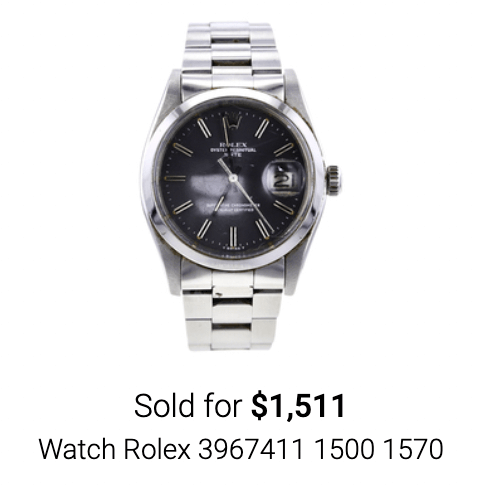
Worthy.com is an online auction site that focuses on diamond and branded jewelry. Itโ€™s also our #1 recommendation for a jewelry auction site. This means that for most people looking to sell jewelry like a diamond engagement ring, bracelet, earrings, necklace, or another piece of jewelry or timepiece, Worthy is the place to beat. The site is very interested in branded items like Tiffany, Cartier and Rolex.

Why do we recommend Worthy above the other options listed below? For a number of reasons:

  • Trust: Worthy has an A+ rating with the BBB and a score of 4.6 out of 5 stars on Trustpilot calculated from more than 3,700 customer reviews.
  • Audience: The only buyers allowed to participate in Worthyโ€™s auctions are professional jewelry buyers who are willing to pay up for truly valuable pieces of jewelry.
  • Control: Sellers have full control over the minimum sale price that will be listed for their item.
  • Ease: Selling your item jewelry through Worthy is as easy as it gets, and you can start the whole process in a matter of minutes. 
  • Safety: Worthy will provide you with a free, trackable, and insured FedEx mailer to ship your jewelry to them for evaluation and eventual sale, and items are insured up to $100,000 from Lloyds of London. 
  • Speed: Once your item sells, youโ€™ll be paid within 24 hours of the saleโ€™s close. The whole process takes about two weeks.

Selling your jewelry through Worthy works like this:

  • Go to Worthy.com, select the type of jewelry you are looking to sell, and click โ€œGet startedโ€
  • Describe the piece of jewelry you are interested in selling. This will include the setting, shape, carat weight, color, clarity, and brand of your item.
  • Enter your name, email address, and phone number, and you will receive an estimated price for your item.
  • Youโ€™ll then be contacted by a member of Worthyโ€™s customer service team to answer any questions you may have and to explain the process moving forward. 
  • If you would like to proceed, Worthy will send you a free, insured FedEx mailer to send your item to them for a formal appraisal. 
  • Ship the item.
  • Your item will then be officially appraised and Worthy will tell you the market value that it believes your jewelry can sell for. This will typically be provided in a range of likely sales prices. As a part of the appraisal process, you will receive a free GIA certificate for your stone(s). 
  • If you would like to proceed with auctioning your jewelry, you will need to set a reserve (or minimum) sale price, and then your item will be listed. 
  • If your item sells, youโ€™ll be paid within 24 hours of the sale.

Read my full review of Worthy here.

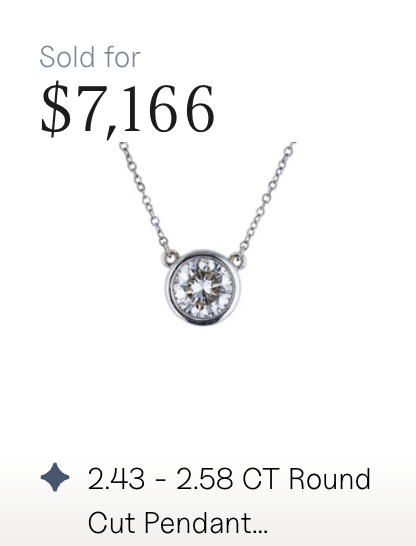
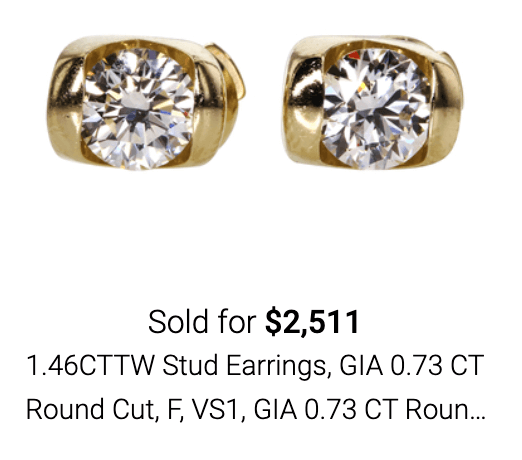
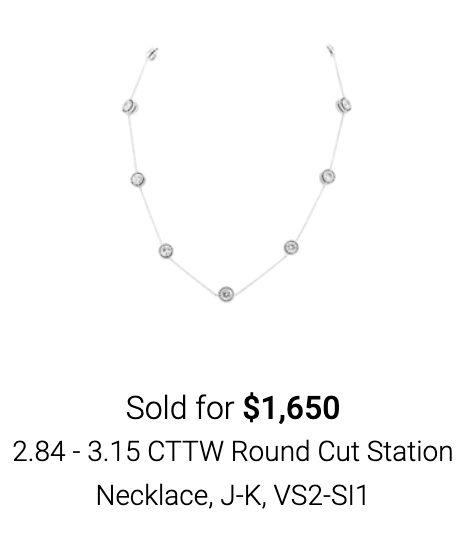
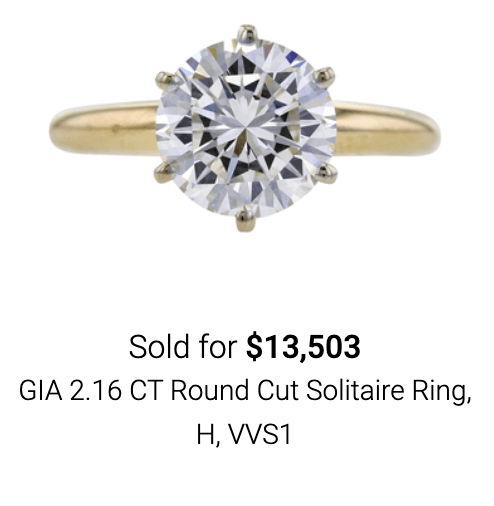
Some recent Worthy auctions:

Sold 12/17/2024
Sold 12/17/2024
Sold 12/16/2024
Sold 2/15/24
Sold 2/27/24
Sold 2/28/24
Sold 3/4/24
Sold 3/4/24
Sold 3/5/24

Of course, Worthy does not accept every piece of jewelry. Typically, they will only accept diamond jewelry, like engagement rings, that will likely sell for at least $1,000. That typically means it will have a center stone that is at least half a carat in size. Thatโ€™s why itโ€™s a great option for auctioning estate jewelry online, since estate jewelry often holds a lot of value.

If your jewelry does not contain a diamond or is worth less than $1,000, you may be better suited selling to an online metal or diamond buyer, such as CashforGoldUSA and its sister site Diamonds USA (formerly CashforDiamondsUSA), both of which have an A+ rating with the Better Business Bureau.

How to sell gold for the highest price

What you need to know about selling silver jewelry and heirlooms

Where and how to sell jewelry for the most money

Diamond resale value: Why is it so low?

Reviews of other online jewelry auction sites

Bidsquare.com review

Bidsquare is an online auction marketplace founded in 2014 that hosts live and timed online auctions from hundreds of auction houses, dealers, and galleries from around the world. The site reports that more than $500 million in bids have been placed on the site for items including jewelry, fine art, antiques, furniture, and collectibles like coins and figurines.

Jewelry brands on Bidsquare.com include Cartier, Tiffany, Louis Vuitton, Chanel, and Dior.

Unlike other auction sites, an individual seller canโ€™t list an item directly on Bidsquare.com.

While you cannot get an appraisal from the site, Bidsquare does offer a directory of its auction house partners, including those that offer appraisal services. 

Bidsquare is accredited by the Better Business Bureau with an A+ rating and 3.9/5 stars on Trustpilot.

How jewelry auctions on Bidsquare.com work 

If you want to list an item on Bidsquare, youโ€™ll have to do so through one of its partner auction houses. Each auction house has its own separate requirements and process of listing an item. 

If youโ€™re looking to bid on the site, you can register for a live auction or place an absentee bid, which allows you to set a max bid for an item if you are not able to bid during the auction period. Bidsquare will automatically bid on your behalf up to your max bid. The site also hosts โ€œBuy Nowโ€ events where you can purchase items at a fixed price. 

Pros of Bidsquare.com 

  • Only partners with 100% vetted auction houses
  • Absentee bidding means bidders donโ€™t have to be present to bid
  • Mobile app for iOS and Android devices 

Cons of Bidsquare.com

  • Individual sellers cannot auction items directly through Bidsquare
  • Does not provide appraisals

Christieโ€™s review

Similar to Sothebyโ€™s, Christieโ€™s is a known and trusted international auction house with locations throughout the world. Christieโ€™s sells jewelry through 26 auctions per year, as well on its website, and through private sales at its โ€œChristieโ€™s Salonsโ€ in London and New York.

These private sale salons are simply showrooms where estate jewelry is for sale at retail prices starting at $2,000.

Some of the most famous pieces of jewelry to pass through the Christieโ€™s auction house include:

  • The Oppenheimer Blue
  • Le Grand Mazarin
  • The De Grisogono emerald and diamond necklace
  • and more

How selling jewelry with Christieโ€™s works

To sell your old jewelry through a Christieโ€™s auction, you will need to first navigate to their website and request an auction estimate. To request an estimate, youโ€™ll need to describe your piece, upload up to three photos of your item, and upload any supporting documentation you may have. 

If your item is accepted by Christieโ€™s, they will provide a free estimate for a likely sale price of your item. A sales representative will contact you to discuss the best venue for selling your item, whether that is through a physical auction, private sale, or online event. 

If your item sells during an auction, youโ€™ll be paid 35 days after the sale of your item, so long as the buyer has made payment. If your item doesn't sell, Christieโ€™s will contact you to discuss either relisting your item in a future auction or to coordinate your collection of the item.

Pros of Christieโ€™s

  • Christieโ€™s is a trusted and well-known brand
  • International customer base 
  • Free auction estimate when you submit photos online
  • A Christieโ€™s sales associate will help you decide which sales method makes most sense for your item: Auction, private, or online sale
  • A- BBB rating

Cons of Christieโ€™s 

  • Christieโ€™s deals almost exclusively with high-value pieces of jewelry such as antique and designer pieces. Itโ€™s a good option if youโ€™re looking for a high-end estate jewelry auction online, but not if you have lower-value items.
  • If Christieโ€™s passes on your item, it will not provide a free estimate. By comparison, Worthy provides a free estimate and GIA certification regardless of whether you ultimately sell through them.
  • It takes 3 to 6 weeks to receive an estimate, which is a long time to wait. You will then need to wait weeks or months to actually sell your item at auction. By comparison, you will receive an initial estimate from Worthy in a matter of minutes, and your item can be listed for auction on the site within 7 days.  
  • Payment takes a long time after sale: 35 days after the close of sale, compared to 24 hours with Worthy.
  • You are responsible for paying for shipping and insurance, etc. of your item.
  • 3.6/5 stars on Trustpilot

What you need to know about selling platinum for the highest price

ebay

ebay continues to be one of the largest online marketplaces for selling new or used items, including jewelry. Founded in 1995, ebay has a B+ rating from the Better Business Bureau (rising from its B in September 2024). 

How ebay auctions work 

To sell on ebay, you have to make a profile and upload pictures/descriptions of the items you wish to sell. You can either list an item under Buy it Now to sell at a set price or put it up as an auction-style listing, where you name a starting price and buyers can bid on your item, driving up the price.

The highest bidder at the end of your auction period is contractually obligated to buy it. ebay typically takes a commission of 10-15% of the sale price.

Pros of ebay 

  • Access to 152 million active buyers
  • List up to 200 items for free every month (you only pay a commission when they sell)
  • Straightforward selling process
  • Fast payment (within 2 business days of sale)
  • ebay app allows you to quickly post new listings
  • B BBB rating (accredited since 1998)

Cons of ebay

  • With 19 million active sellers, you have a lot of competition
  • Most ebay shoppers are bargain hunters, which means you might have trouble selling high-end items at a fair price
  • Must be able to ship items quickly (typically within 24 hours)
  • 1.2/5 stars on Trustpilot based on more than 12,000 customer reviews

Heritage Auctions review

Heritage Auctions is the largest collectibles auctioneer and the third-largest auction house in the world (itโ€™s the largest founded in the U.S.). It was formed in 1976 and is based in Dallas, Texas, though it has offices throughout the world. 

Among other major transactions, it auctioned actor John Wayneโ€™s personal property and movie memorabilia for $5.4 million. 

Heritage Auctions facilitates auctions for a wide range of collectibles, including:

  • Coins and rare currency
  • Fine and decorative art
  • Vintage comic books and comic art
  • Movie posters
  • Entertainment and music memorabilia
  • Jewelry and watches (including estate jewelry auctions online)
  • Vintage and couture handbags
  • Sports Collectibles
  • Historical items
  • Rare books and manuscripts
  • Photography
  • Fine and rare wine
  • Luxury real estate

Heritage Auctions has an A+ accreditation with the Better Business Bureau. 

How selling jewelry through Heritage Auctions works

Heritage Auctions only accepts certain types of jewelry, including:

  • Antique fine jewelry 100+ years old
  • Vintage fine jewelry 50+ years old
  • Fine jewelry owned by a celebrity
  • Large loose gemstones (unmounted diamonds, sapphires, rubies, etc.)
  • Antique and vintage diamond and pearl necklaces

Heritage Auctions recommends people who want to sell their jewelry search the auction archives to determine its potential value. If your item meets one of the qualifying criteria above, you can request a free appraisal through the Heritage Auction website. 

Heritage doesnโ€™t openly publish its seller fees, but most reviews note a 10% or less commission rate. 

Pros of Heritage Auctions

  • 50+ years in business
  • A+ BBB rating (accredited)
  • Large, reputable auction house
  • Accepts a wide variety of collectible items
  • Provides free and confidential estimated valuations of property (fees apply for formal written appraisals)

Cons of Heritage Auctions

  • Exclusively handles high-end jewelry sales (check out CashforGoldUSA/DiamondsUSA and Worthy for a wider range of jewelry sales)
  • Doesnโ€™t accept the following jewelry types: Costume jewelry, hat pins, comic watches or clocks, sterling silver jewelry, ivory jewelry
  • Payments not made until 45 days after auction closes (Worthy pays within 24 hours) 
  • Long shipping times, up to 30 days 
  • 1.8/5 stars on Trustpilot based on only 10 reviews

HiBid review

HiBid is an online auction platform that provides auction services for everything from jewelry to antiques, china and silver flatware and tableware, art, cars, electronics, real estate, and more.

It is operated by parent company Auction Flex, which also operates other auction sites and brands focused on different categories. HiBid is primarily used by companies who are looking to host auctions for their goods, and is not really used by individuals looking to sell single pieces of jewelry.

As of December 15, 2024, HiBid holds an A+ rating from BBB (accredited). It holds 3.9/5 stars on Trustpilot

How selling jewelry through HiBid works

HiBid caters to professional sellers and not individuals. If you are a professional seller looking to list a piece of jewelry for auction on the HiBid platform, you will need to navigate to their website (jewelry.hibid.com) and click on โ€œSell Stuffโ€ in the menu.

You will then need to provide your name, phone number, email address, location, and a brief description of the item that you are looking to sell. A HiBid auctioneer that is local to you will contact you for additional details about your item as well as to answer any questions you may have.

HiBid supports three types of internet bidding, including

  • Webcast Live Bidding: Internet bidders are able to bid in real time against bidders on the auction floor. This will require someone from your company operating the platform to interact with internet bidders.
  • Internet-Only Bidding: This works much like you would find on a platform like eBay. 
  • Internet Absentee Bidding: This allows you to take bids on your items before the auction actually begins, allowing the price to immediately start higher when the auction officially begins.

Pros of HiBid

  • If you are a professional seller such as a jeweler, jewelry store, collector, importer, etc., then a platform like HiBid can make sense for you
  • Variety of online bidding options gives you flexibility when running your sale.

Cons of HiBid

  • HiBid is primarily focused on catering to professional sellers, so the platform is not a good choice if you are an individual looking to sell a single piece of jewelry.
  • HiBid is not a particularly well-known auction brand among everyday buyers. 
  • The website and platform are not very user-friendly. This makes it difficult for both the buyer who is looking for auctions as well as the seller who is looking for information or to list their items.

Invaluable.com review

Invaluable.com is a marketplace of items listed for auction by auction houses around the world. Individual sellers cannot directly list jewelry on Invaluable.com, but instead can list through one of its partner auction houses, which include Sothebyโ€™s, Phillips, and Heritage Auctions. 

Jewelry auctioned on Invaluable.com includes estate and antique jewelry, fine jewelry, and costume jewelry. Some notable brands include Tiffany and Rolex, though the majority of pieces appear to be unbranded.

Items auctioned on Invaluable.com include fine art, jewelry, collectibles, and furniture, with more than 475,000 bids placed each month. If youโ€™re a bidder, Invaluable.com also offers an artist database so you can find items by a specific designer, brand or artist. 

The site has an A+ rating from the BBB for parent company Auction Holdings and 3.8/5 stars on Trustpilot.

How jewelry auctions on Invaluable.com work 

Auction houses pay a commission fee to have their items listed on Invaluable.com, which expands their reach and draws in more bidders. 

Users register to bid during live auctions on the site and can place bids online or via phone during the auction period. 

Pros of Invaluable.com 

  • Access to items from vetted auction houses from around the world
  • Works with some of the top auction houses in the world
  • Mobile app for iOS and Android devices 

Cons of Invaluable.com

  • Individuals cannot directly list items on Invaluable.com
  • Does not offer appraisals

Jewelry-Auctioned review

Jewelry-Auctioned is an online jewelry auction site that specializes in auctioning discount jewelry and gemstones to the siteโ€™s users. The company has been in business since 2005.

Only verified manufacturers and wholesalers are allowed to sell their jewelry through the website, so Jewelry-Auctioned isnโ€™t a good choice for most individual sellers. That being said, buyers can find everything from bracelets and earrings to pearl, necklaces, pendants, rings, watches, and more on the platform.

How selling jewelry through Jewelry-Auctioned works

In order to sell on the Jewelry-Auctioned platform, you will need to be a jewelry manufacturer or wholesaler. If you are, you will need to apply to the companyโ€™s Verified Seller program and meet the following requirements:

  • Must be knowledgeable and passionate about the jewelry trade and industry
  • Must be able to offer competitive prices
  • Provide business and professional references to prove that you own an established business

The application process is extensive, requiring multiple background checks and verification of your identity. If you are accepted, you will be placed on a 3-month probation which limits how many items you can list for sale. Probation will be lifted after 3 months of active selling as long as you have 95% positive feedback, 20 or more positive reviews, and meet other criteria.

Pros of Jewelry-Auctioned 

  • The stringent application process to sell on the Jewelry-Auctioned platform has ensured that the brand maintain a high sense of trust with buyers
  • Commission rates are fairly low: ranging from a high of 10% on sales $1-$49 to a low of 5% on sales of $20,000 or more

Cons of Jewelry-Auctioned 

  • Jewelry-Auctioned only accepts items from verified wholesalers and manufacturers, which means that individuals cannot list their jewelry for sale on the platform. Worthy, on the other hand, allows anyone to submit their jewelry for auction so long as it meets their minimum $1,000 value threshold. 
  • The platform caters specifically to buyers of discount jewelry, which may make it more difficult to sell higher-end pieces.

Live Auctioneers review

Live Auctioneers was founded in NYC in the early 2000s. In 2002, they partnered with eBay to form eBay Live Auctions, and since then have expanded their own platform to include a website as well as Apple and Android apps that buyers can use to bid on auctions of art, jewelry, furniture, antiques, gold coins and silver coins, collectibles, fashion, and more. Auctions take place both in person and online through the platform.

How selling jewelry through Live Auctioneers works

Live Auctioneers does not actually run any auctions itself, but instead acts as an auction platform for professional auction houses. Individuals looking to sell items such as single pieces of jewelry can apply to consign their item by navigating to the website and filling out the form, which will include information like:

  • Description of the item
  • How you acquired the item (inheritance, purchase, etc)
  • The category the item falls into
  • A photo of the item

Your item will then be circulated among the more than 7,000 auctioneers that use the Live Auctioneers platform. If an auctioneer is interested in your item, they will contact you directly with next steps. 

Pros of Live Auctioneers

  • Long history and established brand
  • Accredited with the BBB since 2015 with an A- rating and 4.4/5 stars on Trustpilot
  • Network of more than 7,000 auctioneers
  • 13 million active bidders on the platform ensure youโ€™re getting your item in front of a wide audience

Cons of Live Auctioneers

  • You will only be contacted about your item if an auctioneer in the network is interested. Each auctioneer has their own standards and requirements.
  • Estimates are not included as a part of the consignment process. By comparison, when you submit a piece of jewelry to Worthy you will receive a complimentary estimate as well as a GIA lab report for your diamonds.

Property Room review

Property Room is an online auction site and platform where buyers can bid on and purchase abandoned, seized, stolen, or surplus goods like cars, jewelry, watches, and more. The company was started in 1999.

Though the platform was originally just a place for law enforcement agencies to auction the items in their property and evidence room (where the siteโ€™s name comes from) it has since expanded to include partnerships with fire departments, parks, airports, and municipalitiesโ€”totaling more than 4,000 total partnerships. Today, the site also allows certain select stores to list items, particularly during liquidations.

How selling jewelry through Property Room works

Currently, individuals canโ€™t list their own items for auction or sale on Property Room. The platform is only available for law enforcement and municipal offices, and select retailers. Those interested in partnering with the site can navigate to the website and click โ€œEarn with Property Roomโ€ in order to submit an application, which will ask for:

  • Your name and title
  • The agency or organization name
  • City and state
  • Phone number and email address
  • How many officers in your agency (if applicable)
  • And the specific category of items you are looking to auction (property and evidence, firearms, vehicles)

You will be contacted by a Property Room associate within a week of submitting the application. 

Pros of Property Room

  • A+ BBB rating
  • Makes it easier for law enforcement agencies, fire departments, parks departments, and municipalities to auction lost, seized, abandoned, or stolen property
  • Connects sellers with millions of bidders around the country

Cons of Property Room

  • The platform is not accessible to individual sellers looking to auction off their personal property, whether jewelry or other items
  • In many cases, property is seized from criminals, a concept that some buyers may not be comfortable with

Sothebyโ€™s review

Sothebyโ€™s is one of the most famous and prestigious auction houses. In fact, when you think โ€œauctionโ€ this is probably the one that comes to mind, alongside Christieโ€™s. Sothebyโ€™s focuses primarily on fine art and high-end jewelry, watches (including Rolexes), fashion, collectibles, and even wine.

When it comes to jewelry, Sothebyโ€™s tends to prefer designer pieces from well-known artists and creators, such as Bvlgari, Cartier, Chopard, Hermes, Tiffany, Van Cleef, and others. Sothebyโ€™s boasts that it has sold 4 out of the 5 most expensive jewels ever offered at an auction, including: 

  • โ€œCTF Pink Star,โ€ a 59.60ct oval-cut Fancy Vivid Pink diamond sold in 2017 for $71.2 million at Sothebyโ€™s Hong Kong.
  • โ€œApollo & Artemis diamonds,โ€ a 14.54ct Fancy Vivid Blue diamond and a 16ct Fancy Intense Pink diamond for $57.4 million at Sothebyโ€™s Geneva.

While Sothebyโ€™s is known for its extremely high-selling items, they do accept items of lower value as well. You can currently find pieces of jewelry as low as $1,620 listed on the โ€œBuy Nowโ€ section of their site.

How Sothebyโ€™s jewelry auctions work

To sell your jewelry with Sothebyโ€™s, all you need to do is go to their website and click โ€œSellโ€ in the navigation. You can then request a complimentary estimate online by submitting photographs of your jewelry, along with a brief description.

Within 5 to 7 business days, you will receive a free estimate on the value of your item, and it meets Sothebyโ€™s quality standards and value threshold, the company will then offer placement in one of its scheduled auctions. These auctions take place throughout the year, both in person as well as online. If the item doesnโ€™t meet these standards, then Sothebyโ€™s may offer consignment placement on the โ€œBuy Nowโ€ section of their website. 

You can also request an in-person evaluation of your item by meeting with a specialist in the closest city with a Sothebyโ€™s gallery. These include:

  • New York City
  • Las Vegas
  • San Francisco
  • Geneva
  • Hong Kong
  • London
  • Paris
  • Milan
  • Tokyo
  • Madrid
  • Monte Carlo

If your item sells through an auction, you will be paid 45 days after the auction has closed. If you sell your item through consignment on the โ€œBuy Nowโ€ section of their website, then you will receive payment 30 days after the buyer receives your item. 

Sotheby's has a C- BBB rating and only 1.6 out of 5 stars on Trustpilot.

Pros of Sothebyโ€™s

  • Glamorous association and trusted name
  • For truly high-value items, the venue will attract a high net worth clientele that may help push the final sale price higher

Cons of Sothebyโ€™s

  • Sothebyโ€™s commissions are rather high: between 14.9% and 26%, depending on the final sale price of the items
  • Commissions at international auction houses are typically 25%
  • Sothebyโ€™s only accepts higher-end jewelry, usually only name-brand pieces. CashforGoldUSA/DiamondsUSA and Worthy both accept a wider range of jewelry.

Frequently asked questions about jewelry auctions

How to sell jewelry at auction?

Typically, jewelry auction sites first vet your item to decide whether it meets their criteria before you send it in. More details on how auctions work:

How do jewelry auctions work?

While every auctioneer will have its own auction procedures, the process typically goes like this: 

  • Send your jewelry or diamonds to the auctioneer for evaluation (or take detailed photos)
  • If your items are accepted, youโ€™ll work with the auctioneer to set a minimum auction price
  • Most auctioneers will clean and photograph your items to prepare for auction
  • Your items will be listed over a set period of time, during which buyers can bid on your items
  • Some auctioneers list your items online, while others hold live video or in-person auctions (and some do a combination of both) 
  • Accept or reject bids for your items
  • Receive payment after a set amount of time (Worthy pays you within 24 hours) minus the auctioneer's commission

But before you sell your jewelry or diamonds at auction, you should have them appraised to determine their potential value. 

You can search โ€œjewelry appraisal near me,โ€ but be aware that not every appraiser is an unbiased entity, nor will every appraiser provide you with a report that can be presented to an auctioneer. 

If you want to sell your jewelry for the most money, Worthy offers a free lab report from the Gemological Institute of America, a nonprofit institution that provides an impartial report on the quality of your diamonds and gems. Worthy uses this report to determine the estimated value of your jewelry.

Get started now with a free estimate in minutes from Worthy.com >>

Are online jewelry auctions legit?

The short answer is: Yes, jewelry auctions are just as legit as any other kind of auction. That being said, while they donโ€™t happen very often, auction scams are possible.

On the buying side of the equation, items may be misrepresented, which is typically only a concern with online auctions where you cannot view the whole item for sale. Additionally, itโ€™s possible for prices to be inflated by fake bids. On the selling side, there are fewer risks.

This is why choosing the right auction house or auction site is so important. Reputable auction houses will have protections in place for both the buyer and the seller, and these protections should instill confidence in the entire process. 

Whatโ€™s the difference in price between a jewelry auction and selling direct to a jewelry buyer?

The primary difference lies in the mechanics of how the sale works. 

When you sell to a jewelry buyer, you are selling your item to a single buyer. This means that itโ€™s up to you to ensure that you are getting the best possible price for your item. Usually, this will involve comparison selling, where you will need to seek out offers from a number of different buyers.

When you sell through an auction, you are selling to multiple buyers. This ensures that when the item finally does sell, it goes to the individual who is willing to pay the highest price. The auction process itself can also drive the price higher than you might have gotten through a one-on-one sale, especially in cases where youโ€™ve got a really valuable or in-demand item.

Bottom line: What is the best online jewelry auction?

When evaluating the best online jewelry auctions, Worthy.com stands out as the best online auction platform for jewelry, for a number of reasons: transparent process, excellent reputation, and great customer service. 
With Worthy, itโ€™s also very easy to get a quote and send your item for auctioning. Worthy only sells to a network of professional buyers, who the site notes are more likely to bid higher amounts for high-quality jewelry than the kind of buyers you might find on sites like eBay or elsewhere.

Of course, if you have an extremely valuable piece of jewelry, like a $4 million diamond tiara, you might be better served going with Christieโ€™s or Sothebyโ€™s. But in most cases, for an average engagement ring worth at least $1,000, Worthy is hard to beat >>

Are online jewelry auctions legit?

Yes, jewelry auctions are just as legit as any other kind of auction. That being said, while they donโ€™t happen very often, auction scams are possible.

What is the best auction site for jewelry?

In most cases, Worthy.com stands out as the best online auction platform for jewelry, for a number of reasons: transparent process, excellent reputation, and great customer service.ย 

If you struggle with money โ€” or you have a specific goal to save money going into the new year โ€” following a budget can help you stay on track. 

Budget worksheets provide a basic layout for tracking your monthly expenses and income so you can pinpoint where your money is going and figure out areas where you can cut back on spending. 

Here are free budgeting templates (plus a few paid options) to help you achieve your money goals:

Free printable budget examples

Printable budget templates

Google Sheets budget templates

Easy budgeting apps

Alternatives to free printable templates and Google Sheets

FAQs about budget templates

Free printable budget examples

A budget worksheet should track your monthly income, bills, and expenses to show how much money you have โ€” or donโ€™t have โ€” left.

Seeing how much youโ€™re spending in a visual way can help you set financial goals to adjust your spending and strategize ways to boost savings or pay off debts, including starting a side gig.

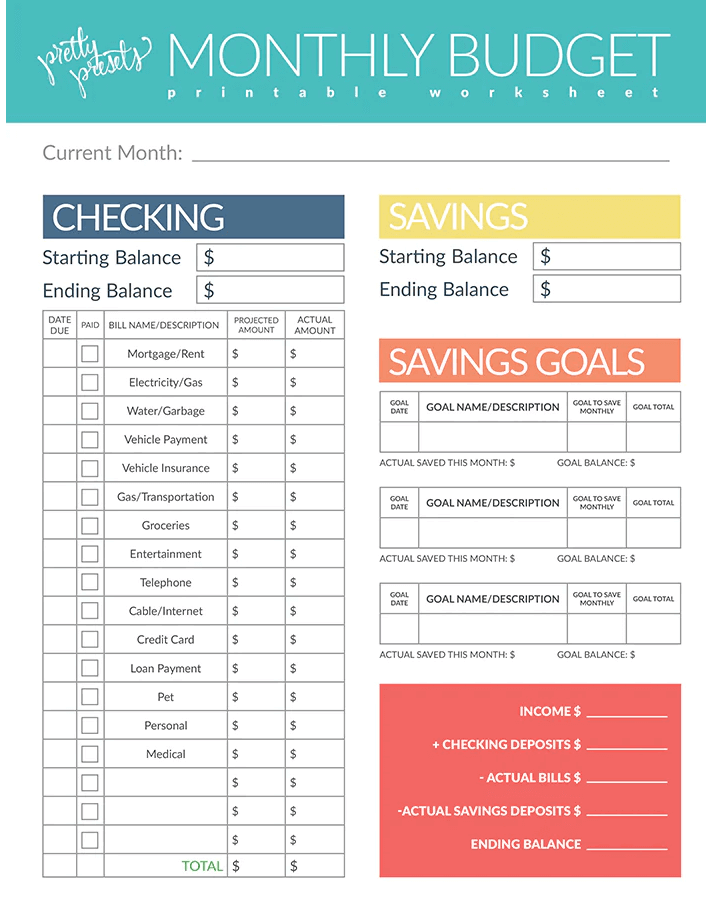
Monthly budget worksheet from Pretty Presets and Actions

Free printable budgets from Pretty Presets.

This monthly worksheet allows you to set a spending estimate and then see how much you actually spend in a number of categories, including: 

There is also a column to track your savings account starting and ending balances each month, so you can work toward savings goals. 

You have to go through a free checkout process to download this worksheet, providing your name and email (phone number is optional). 

Budget binder printables from Thirty Handmade Days

Free printable budgets from Thirty Handmade Days.

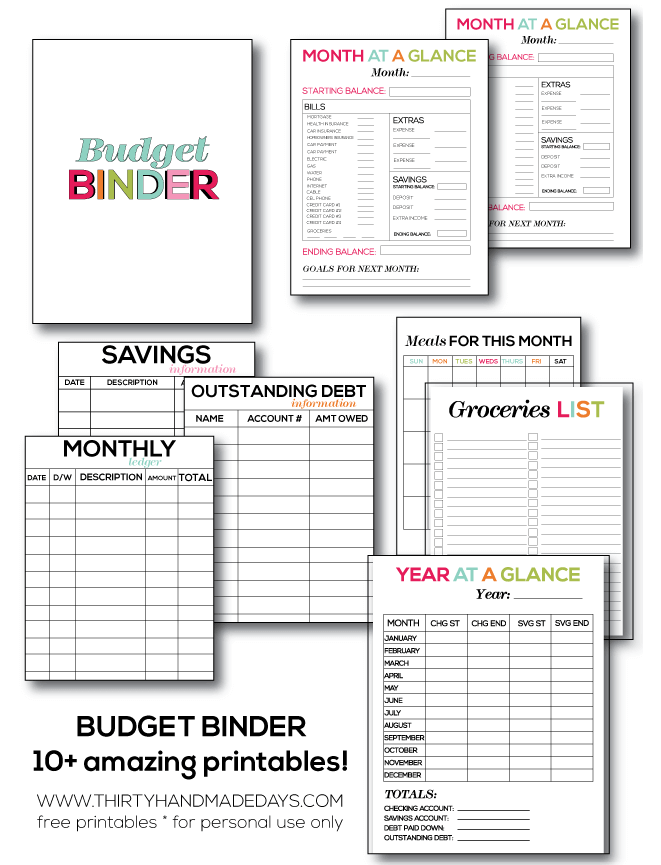
Mique Provost, the blogger behind the Thirty Handmade Days craft blog, put together a budget binder as a way to get her own spending on track. You can get her budget worksheets for free if you subscribe to her weekly newsletter (she notes that you can unsubscribe at any time). 

The 10+ worksheets in this budget binder include: 

  • Monthly spending overview
  • Year at a glance spending overview
  • Savings goals
  • Grocery list budgeting
  • Meal planner
  • Outstanding debt tracker

You can keep these sheets organized in any 1-inch binder and use dividers for each month. Provost also recommends laminating some sheets (like the grocery and meal planning lists) and writing on them with a dry-erase marker so you can use the same ones each month. 

Zero-based budget free printable template from Moritz Fine Designs

Free printable budgets from Moritz Fine Designs.

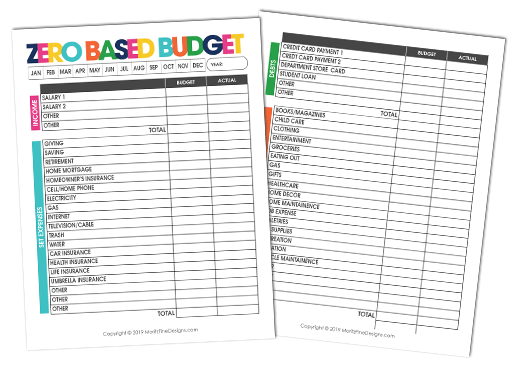
This template created by blogger Heather Moritz is designed for zero-based budgeting (ZBB). The ZBB method helps you track every cent by creating a budget that equals zero after subtracting expenses, savings, and debt from your income.

The two-page printable budget lists detailed sections, including:

  • Income
  • Set expenses like savings, retirement, mortgage, insurance, and utilities
  • Debts like student loans and credit cards
  • Adjustable expenses like groceries, clothes, gas, and entertainment

After providing your first name and email, you can download the template from your inbox.

Make a budget worksheet from the Federal Trade Commission 

Free printable budgets from the Federal Trade Commission.

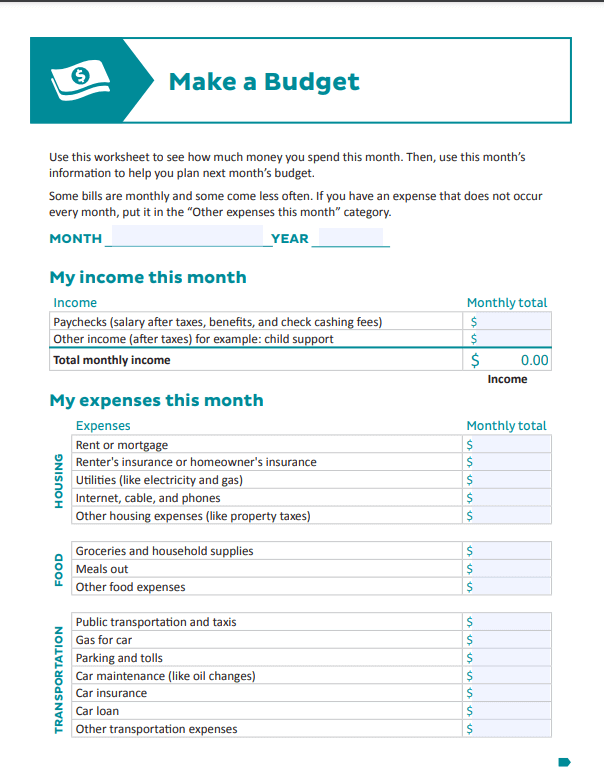
Created by the Federal Trade Commission, this 2-page worksheet helps you figure out how much youโ€™re spending monthly on staple expenses, including:

  • Housing
  • Food
  • Transportation
  • Health
  • Personal and family
  • Finance
  • Other expenses like school costs and credit card payments 

You can download this simple template as a PDF straight from the FTC website.

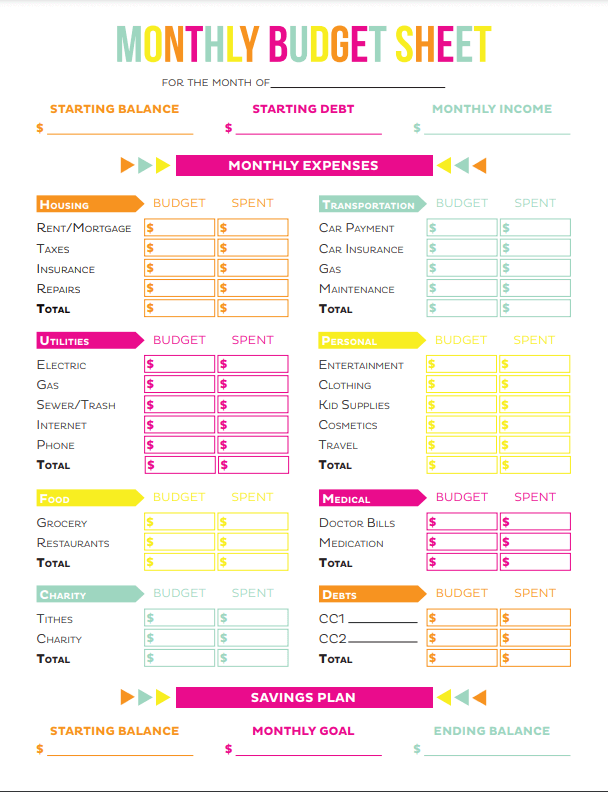
Budget sheet printables from Printable Crush

Free printable budgets from the Printable Crush.

This two-page worksheet includes a monthly budget sheet and a monthly expenses sheet to track specific spending habits. The budget pageโ€™s organized grid layout helps you see all your expenses by category, including:

  • Housing
  • Utilities
  • Food 
  • Charity
  • Transportation
  • Personal (like clothing and entertainment)
  • Medical debts

The sheet can be downloaded directly from the website as a PDF. 

Free printable budget templates

Microsoft Excel Budget Templates

Free printable budgets from Excel.
Free printable budgets designed on Excel.

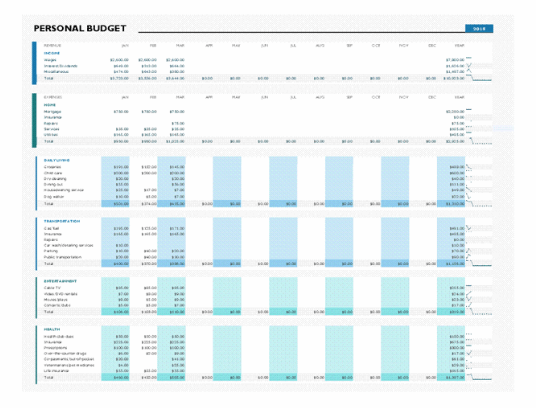
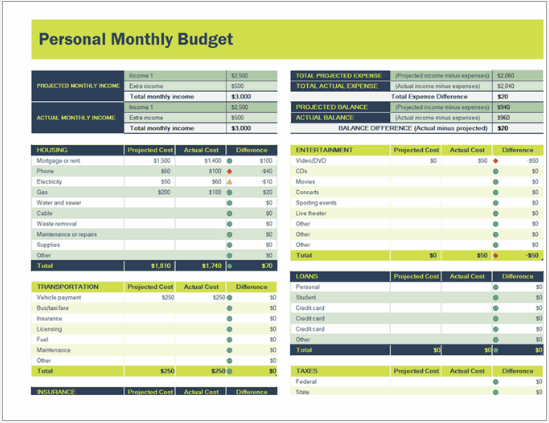
Microsoft Excel offers various personal budget templates to help you create monthly, annual, and event/item budgets. Depending on your needs, templates range from simple spreadsheet formats to aesthetic sheets with graphs and color coding. 

Some Microsoft Excel budget template options include: 

  • Monthly family budget planner
  • Simple personal budget
  • Budget summary report
  • Balance sheet
  • Event budget
  • Holiday budget planner
  • Vacation budget planner 

All of the templates are optimized to be filled out in Excel, but most can be printed. However, these templates are only โ€œfreeโ€ if you already pay for Microsoft 365. There are also premium templates that cost additional money.  

Canva Budget Templates

Free printable budgets from Canva.

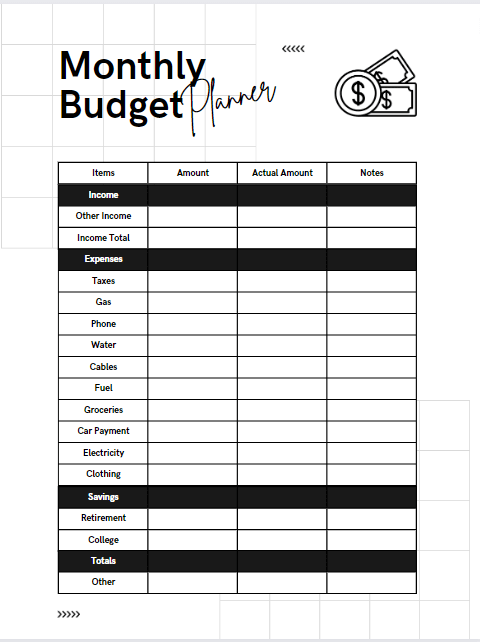
Canva is a free online design program typically used to edit social media posts, but it also offers free budget templates. Templates include simple single-page monthly budget printables, or more specialized pages to create a comprehensive budget binder, including pages for:

  • Debt tracking
  • Savings tracking
  • Expense tracking
  • Monthly budget lists/grids
  • Financial goal tracking
  • Grocery budgets

You can also customize the free budget templates if you want to change colors, fonts, or layouts. To access the free templates, create a free Canva account with your Google, email, or Facebook account. 

Clark Method budget worksheet

Money expert Clark Howard created the CLARK method, a 5-step plan to help you budget for the long haul:

  1. Calculate your income
  2. List your expenses
  3. Analyze your spending and set goals
  4. Record everything
  5. Knock out debt and build savings

Clarkโ€™s free budget worksheet is an editable PDF that includes categories like:

  • Mortgage/rent
  • Groceries
  • Cell phone bill and other bills

Each month, you set a dollar amount for each category and aim to stick within those boundaries. The worksheet also allows you to highlight specific spending categories you want to work on improving. Highlight โ€œNeeds Helpโ€ if you want to focus on that particular category, and if youโ€™re satisfied with it, highlight โ€œLooks Good.โ€

You donโ€™t have to provide your name or email to download the Clark worksheet.

Credit Karma Monthly Budget Templates

Free printable budgets from Mint Google.

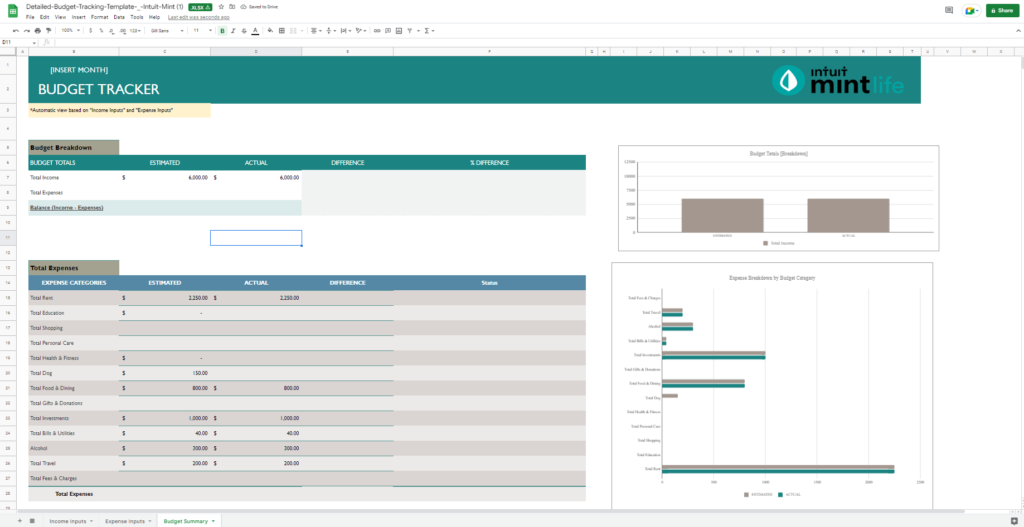
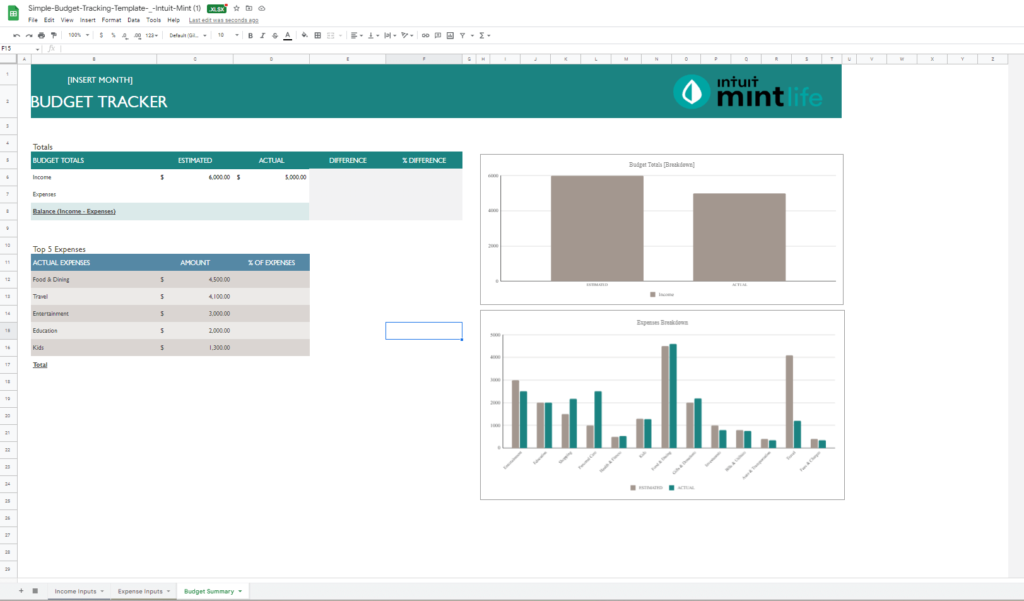
Credit Karma is a free personal finance tool. In addition to monitoring your credit score and accessing your credit report you can use it as a financial tracking app that links your bank accounts, credit cards, and retirement accounts for real-time spending and savings tracking. If you need a visual spreadsheet, Credit Karma offers a simple and detailed monthly budget template for Microsoft Excel or Google Sheets.

The simple budget template includes: 

  • Budget totals for income/expenses/balance
  • Budget/expenses breakdown bar graphs
  • Top 5 expenses budget summary
  • Income inputs chart 
  • Expense inputs chart to track expenses by category

The detailed budget template includes: 

  • Budget totals for income/expenses/balance
  • Budget/Expenses breakdown bar graphs
  • Total expenses budget summary by category
  • Income inputs chart 
  • Expense inputs chart organized by categories and subcategories

You can download either budget template directly as an .XLSX file. Then fill out the template using Microsoft Excel or Google Sheets to customize expenses and categories. You can also connect the templates to the Mint app, so you can streamline your categories and expenses across your spreadsheet and mobile budgeting. 

Evernote budget planner template

Free printable budgets from Evernote.

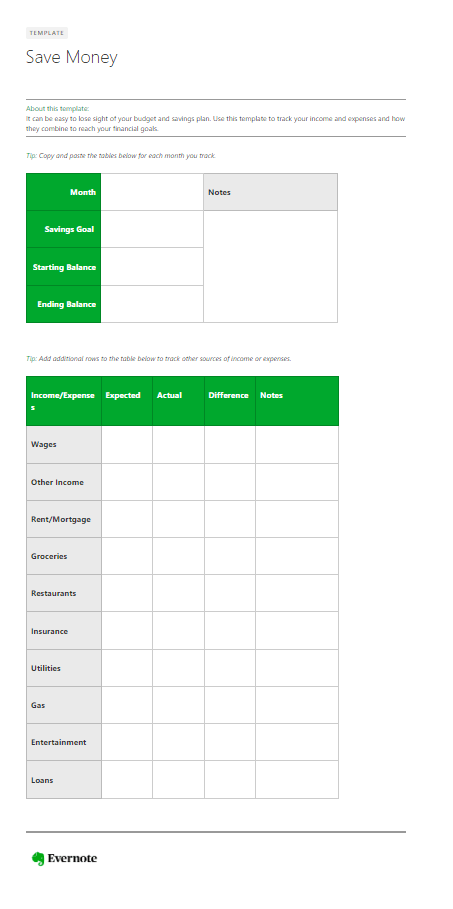
The virtual organizational and productivity app, Evernote, also offers a budget template you can seamlessly include with your notes, to-do lists, calendars, and documents. The budget planner keeps your monthly income and expenses in one digital place, while helping you track savings. You can also customize the template as needed, but it originally includes sections for:

  • Saving goals
  • Starting balance
  • Ending balance
  • Wages
  • Other income
  • Rent/mortgage
  • Groceries
  • Restaurants
  • Insurance
  • Utilities
  • Gas
  • Entertainment 
  • Loans

This template can be a great addition if you already use Evernote and need a budget you can print and use digitally. If youโ€™re new to Evernote, you can create a free account with your email for limited access to the appโ€™s features. But if you want more storage space and features, you can purchase a personal plan for $14.99/month. 

Jotform Tables budget worksheets

The Jotform Tables is a one-stop solution to boost efficiency within your organization. It offers spreadsheets, workspaces, and table templates. You can sign up for free.

If youโ€™re planning to make a budget, Jot Tables has budget templates you can easily use to keep track of your finances and build financial stability for the future.

Some of the budget templates include:

  • Personal Budget Template
  • Weekly Budget Template
  • Monthly Budget Template
  • Restaurant Budget Template
  • Business Budget Template
  • Travel Budget Template

You just have to find a template that best suits your needs. For example, the Monthly Budget Template includes columns for:

  • Projected Expense
  • Description- 
  • Type
  • Actual Expense
  • Difference
  • Total Contribution to Budget
  • Income/Expenses

You can access these budget templates from the Jotform Website.

Money Under 30 budget worksheet

Budgeting doesnโ€™t have to be complicated. David Weliver, the founder of Money Under 30, put together a simple budget worksheet that includes columns for general expense categories like dining, travel and entertainment.

This budget worksheet is available as a downloadable PDF or via Google Sheets. If youโ€™re using the spreadsheet version, go to File > Make a Copy to save a copy you can edit.

Monthly 50/30/20 budget worksheet from Ally  

Free printable budgets from Ally.

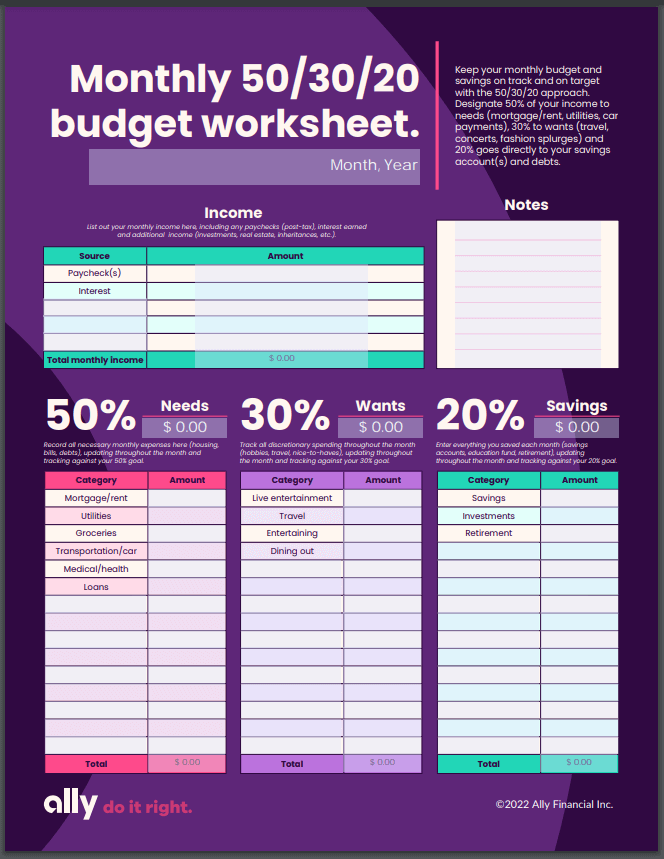
The 50/30/20 budget is a buzzy name for separating your income by 50%, 30%, and 20% into three categories: mandatory expenses, savings and debt payments, and wants. Following the 50/30/20 method, this template from Ally Financial organizes your:

  • Income
  • Needs (like home costs, child care, and groceries) that account for 50% of your income
  • Wants (like nonessential dining out and travel) that account for 30% of your income
  • Savings (like investments and retirement) that account for 20% of your income

You can download the template as a free PDF directly from Allyโ€™s website. Before you print, you can also digitally add additional categories, and the sheet helps you add up your spending. 

Free Google Sheets budget templates

Free printable budgets from Google Sheets.

If you want a template that does all the math for you, Google Sheets offers annual and monthly budget templates. You can also find tons of third-party templates you can customize in Google Sheets. 

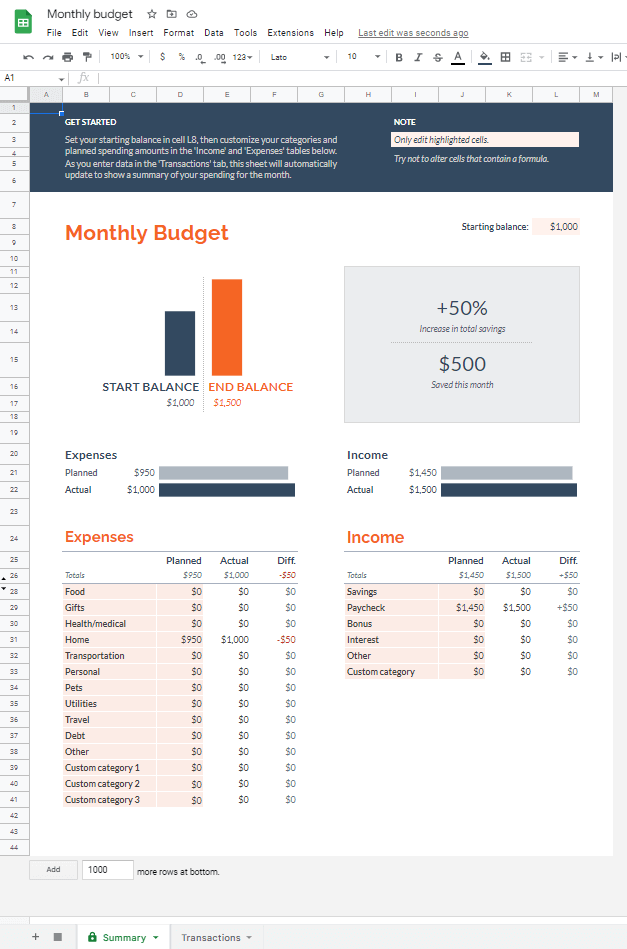
If you stick with Google Sheets, the monthly budget template offers:

  • Expenses section
  • Income section
  • Bar graphs to visualize budgeting wins and losses
  • A separate sheet for specific transactions to calculate total category spend

How do I create a budget template in Google Sheets?

The easiest way to make your own Google Sheets budget template is to start with the monthly budget template. You can find this template by logging into your Google account, visiting Google Sheets, and clicking on the template gallery button near the top right of the page. 

Budget templates are located under the personal category. After selecting the monthly budget template, you can customize the expense and income sections and delete any graphs you donโ€™t want. 

Easy budgeting apps

Apple Numbers

With Apple Numbers, you can use and manage templates on your iPhone and easily create your own budgeting templates on a Mac, iPad, or iPhone to track your income, spending, and savings and take control of your finances.

Apple Numbers have pre-designed and pre-formatted templates designed by professionals, which means theyโ€™re visually appealing and easy to use.

Apple Numbers also has a built-in functionality that automates calculations for an easy and accurate analysis of your spending.

Fold.Money

Fold.Money is another app you can use to allocate funds more effectively and lead a healthier financial lifestyle.

Upon downloading the app, you'll have to provide your phone number for security purposes and to easily recover accounts linked to your number.

Fold automatically pulls your bank transactions from your bank accounts and credit cards in one place so you can say goodbye to manual transaction entry.

Fold calculates the money left to spend after deducting outgoing expenses from the monthโ€™s total income. This way, you can prevent yourself from overspending.

iSaveMoney monthly budget app

iSaveMoney is a free budgeting app that allows you to create unlimited budgets. However, they also offer a Pro version with a free 3-day trial, after which yofvv. vu will be charged $14.99 weekly. The Pro version allows you to export, snap photo receipts, and remove ads. 

Itโ€™s pretty straightforward. Youโ€™ll need to input your budget's start and end dates, along with your initial balance.
Then, youโ€™ll select categories like disposable income and budgeted expenses, which include line items like:

  • Home/rent
  • Daily living
  • Transportation
  • Entertainment
  • Health care
  • Dues/subscriptions
  • Financial savings

Once youโ€™ve set your budget, it will show you your savings and budget spent.

Ivy Wallet Money Manager

The Ivy Wallet Money Manager makes budgeting easy with a simple UI/UX, which earned the app recognition as the Best App in 2021/2022 Charts by the YouTube tech community.

Upon signing up to use the app, which is completely free, you can choose your currency and add banking/other accounts. You can add categories to your spending like:

  • Bills & fees
  • Transport
  • Groceries
  • Car
  • Work
  • Fitness
  • Family

The app also allows you to set payment reminders so you never forget to pay your bills.

Alternatives to free printable templates and Google Sheets

Donโ€™t see a free template or Google Sheets that clicks with your budgeting needs? Or maybe printing them yourself just seems like too much work? Purchasing a budget binder already complete with templates or using a more sophisticated, paid app may be for you. 

Sooez Budget binder with zipper envelopes

For about $10, this compact binder includes:

  • 24 A6-size budget sheets to log expenses/savings by date, description, amount, and balance
  • Eight clear cash envelopes
  • Slots for stowing credit cards
  • 34 different category labels

This binder is ideal if you plan to budget by categories rather than months. Reviewers love the simple customizable system, but some folks donโ€™t like the binder's small size and quality.

Get it on Amazon: 

Clever Fox budget planner 

If you prefer a detailed monthly budget, this $22 bound journal includes a year's worth of budget templates. It also doubles as a financial journal and offers pages to help you plan long-term and monthly financial goals. The planner is undated and includes:  

  • 1 annual financial goals page
  • 1 mindmap planning page
  • 2 strategy and tactics pages to set long-term financial goals 
  • 2 debt tracking pages
  • 12 pages to organize monthly goals, checklists, and income/savings (with a calendar) 
  • 12 monthly budget pages
  • 12 expense trackers
  • 12 monthly budget reviews
  • 2 Christmas budgeting pages
  • 2 annual summary pages
  • 2 pages of stickers
  • An inner pocket for receipts or bills

Reviewers love this plannerโ€™s high-level organization. The pre-printed budget worksheets include basically any expense you can think of, with additional write-in areas. However, some folks with larger handwriting say the planner is too small.

Get it on Amazon: 

Simplifi by Quicken (free trial!)

Simplifi is a budget management website and app available on iOS and Android devices.

With Simplifi, you can:

  • View all of your bank accounts, loans, credit cards, and investments in a single dashboard
  • Get an automatically generated spending plan
  • Track your spending in your own custom categories
  • Set spending limits to reach financial goals

Simplifi is ad free and run by Quicken Inc., a company formerly owned by Intuit (Quickbooks, Quicken Loans, TurboTax). The app costs $3.99 per month.

All personal and financial data in Simplifi is protected using 256-bit encryption.

Start a 30-day free trial with Simplifi >>

YNAB budget app (free trial!)

If youโ€™d rather go digital, You Need A Budget (YNAB) is a budgeting app with an A+ Better Business Bureau rating accessible across your phone, tablet, and computer. The app acts as a pocket-financial advisor and can help you figure out how to save more money, pay off debt, and set financial goals with features including: 

  • Secure connection to your banking accounts to track all your expenses
  • Goal tracking for spending/savings  
  • Detailed budget creator to set your budget and track all your expense categories
  • Smart categorization to create personalized categories of expenses, debt, and savings 
  • Loan calculator
  • Spending reports (with charts) to track categories like rent, groceries, etc.
  • Net worth reports (with charts) to show financial progress from debt to building wealth  
  • Income v expense reports reach any specific financial goals
  • 100+ free budgeting video courses

If youโ€™re unsure whether an app is for you, thereโ€™s a 34-day free trial. After that, you can pay $99/year ($8.25/month and $80 savings) or $14.99/month. 

FAQs about budget templates

How do you make a budget worksheet?

You can create your own budget worksheet using premade templates on Microsoft Excel or Google Sheets. If youโ€™re more design savvy or prefer a prettier layout, Canva offers budget sheet templates you can customize in minutes. You can also use plain old paper and pencil, or designate a notebook for budgeting.

Include each of your monthly expenses on a line, including things like utility bills, rent, loans, car payment, credit card bills, food and gas spending, etc., and figure out how much money you have left at the end of the month. Evaluate your spending and see where you could potentially cut back and how much you can set aside in savings each month. 

How do I create a budget spreadsheet?

You can create budget spreadsheets using Google Sheets or Microsoft Excel. Both offer templates you can customize for your budgeting goals. You can use these digitally to keep track of your money and also print them out. 

Does Google Sheets have a budget template?

Yes, Google Sheets offers a couple of budget templates. To find these templates, open Google Sheets and click on the template gallery button near the top right of the page (itโ€™s to the right of โ€œStart a new spreadsheetโ€). Youโ€™ll find both budget templates under the Personal category. After opening the template of your choice, there are instructions on how to customize the sheet. 

Is there a budget template in Google Docs?

No, Google Docs does not offer a budget template. However, you can access the Google Sheets budget templates via Google Docs. Click three lines on the top left of the page to access the main menu. From there, click โ€œSheets.โ€ 
Is there a budget template in Excel?

Yes, Microsoft Excel offers budget templates โ€” including monthly, annual, and specialized templates for specific saving goals. Once you open Excel, select โ€œTemplatesโ€ on the โ€œNew Workbookโ€ menu. 

Is there a budget template in Word?

No, Microsoft Word does not offer budget templates. However, if you have Microsoft 365, you can access Microsoft Excelโ€™s budget templates. 

How do you create a simple budget? 

Setting up a budget, at its most basic, should include a list of your income and expenses. This will help you identify areas youโ€™re overspending, or see how much money you have left each month.

How do you make a budget worksheet?

You can create your own budget worksheet using premade templates on Microsoft Excel or Google Sheets.ย Include each of your monthly expenses on a line, including things like utility bills, rent, loans, car payment, credit card bills, food and gas spending, etc., and figure out how much money you have left at the end of the month.

How do I create a budget spreadsheet?

You can create budget spreadsheets using Google Sheets or Microsoft Excel. Both offer templates you can customize for your budgeting goals. You can use these digitally to keep track of your money and also print them out.

Does Google Sheets have a budget template?

Yes, Google Sheets offers a couple of budget templates. To find these templates, open Google Sheets and click on the template gallery button near the top right of the page (itโ€™s to the right of โ€œStart a new spreadsheetโ€). Youโ€™ll find both budget templates under the Personal category. After opening the template of your choice, there are instructions on how to customize the sheet.

Is there a budget template in Google Docs?

No, Google Docs does not offer a budget template. However, you can access the Google Sheets budget templates via Google Docs.

Is there a budget template in Excel?

Yes, Microsoft Excel offers budget templates โ€” including monthly, annual, and specialized templates for specific saving goals. Once you open Excel, select โ€œTemplatesโ€ on the โ€œNew Workbookโ€ menu.

Is there a budget template in Word?

No, Microsoft Word does not offer budget templates. However, if you have Microsoft 365, you can access Microsoft Excelโ€™s budget templates.

If you think your boyfriend may be cheating on you, private investigator Ken Childs says the first step is to trust your instincts.

โ€œ90% of the time, people's suspicions are substantiated,โ€ says Childs, whose Los Angeles PI practice frequently deals with requests to catch cheaters. Childs says the rest of the time, itโ€™s the client who is cheating but projecting on their partner.

One quick way to check on a suspicious partner is to run a background check through Instant Checkmate, a public records search service that combs through a large amount of public data, including known aliases, employment history, social media accounts, and criminal and traffic records. The best part? Your boyfriend will never know you looked him up. BBB A+ rating.

Keep reading to learn:                   

Common signs your boyfriend is cheating

  1. Secretive texting
  2. Finding a second, secret phone
  3. Changing passwords/passcodes  
  4. Missed periods of time
  5. Change of clothes โ€“ or other suspicious items โ€“ in the car
  6. Suspicious charges or missing money
  7. Decreased or increased affection
  8. Making lifestyle/physical changes
  9. Change in attitude
  10. Accuses YOU of cheating
  11. Gaslighting you

Cheating apps to look for on your boyfriendโ€™s phone

How can I test if my boyfriend is cheating?

Bottom line: Is he cheating or am I paranoid?

Which apps on your partnerโ€™s phone might be cheating red flags

Is my boyfriend cheating? 11 signs to look for

If your boyfriend is doing one or more of these things, he might be cheating:

1. Secretive texting

Does your partner text with his shoulder turned or suddenly put down his phone when you walk in the room? Does he minimize or close out of tabs on his computer when you walk by, or quickly end phone conversations when you get home?

Beth Ribarsky, a communications professor at the University of Illinois Springfield who studies dating and sexual communication, says that while a partner may legitimately be planning a surprise for you โ€” one of her friends thought her boyfriend was cheating, but he was really planning her a surprise party โ€” more often than not, this is a warning sign.

โ€œIf your partner becomes defensive when you ask to borrow their phone, it should make you question what they might be hiding,โ€ Ribarsky says.

These Redditors share how they caught their boyfriends cheating on them: 

Comment
byu/staccatodelareina from discussion
inAskWomen
Comment
byu/staccatodelareina from discussion
inAskWomen
Comment
byu/staccatodelareina from discussion
inAskWomen
Comment
byu/staccatodelareina from discussion
inAskWomen

2. Finding a second, secret phone

Itโ€™s normal for people to have a second phone strictly for work. However, if you discover your boyfriend has a second phone or phone number and he canโ€™t explain why he has it, you have reason to be suspicious. 

There is even a whole Reddit thread where people who have used second phones to cheat offer advice to other cheaters:

Would you ever get a burner phone for cheating?
byu/throwaway1334565 inadultery

3. Changing passwords/passcodes  

A woman surprisingly staring at her laptop screen. Is my boyfriend cheating? 5 cheating apps and 11 signs to look for. Read them here.

Sometimes passwords have to be changed for security reasons or because they expire after a certain amount of time. However, if you previously shared or knew your boyfriendโ€™s passwords and he wonโ€™t share the new ones, you might have reason to be concerned.

On the other hand, research published in the journal of Motivation and Emotion shows that having autonomy in a relationship is associated with more supportive partnerships. In other words, you shouldnโ€™t demand without good reason to know all of your partnerโ€™s passwords. 

Reddit cheating signs:

Comment
byu/CytoarchitecturalFix from discussion
inrelationships
Comment
byu/CytoarchitecturalFix from discussion
inrelationships
Comment
byu/CytoarchitecturalFix from discussion
inrelationships

4. Missed periods of time

For example, you expected him to be at the gym for an hour, not three hours, or heโ€™s vague when heโ€™s telling you where he was or whom he was with.

According to Doc Brady, an award-winning author and psychologist at The Village Mind and Body Institute in Lady Lake, Fla., if your boyfriend is constantly coming home late or taking a shower as soon as he gets home, those are viable signs of cheating.

Repeated late arrivals after work are also a possible warning sign.

Reddit cheating signs:

Comment
byu/Snakebodhi007 from discussion
insurvivinginfidelity
Reddit signs of a cheating boyfriend about working overtime.
Comment
byu/TheGoodOJ from discussion
inAskReddit
Comment
byu/Snakebodhi007 from discussion
insurvivinginfidelity


How to get over your cheating husband and divorce him

5. Change of clothes โ€“ or other suspicious items โ€“ in the car

If you discover a change of clothes in your boyfriendโ€™s car, especially if theyโ€™re nicer than the clothes he usually wears around you, it might be worth questioning him. If he gets defensive or gives a suspicious response, he might be cheating (or doing something else he doesnโ€™t want you to know about). 

Also look out for items like cigarettes, condoms, suspicious receipts, and things your boyfriend doesnโ€™t normally use. 

Reddit cheating signs:

Found condoms in boyfriends car. We donโ€™t use them.
byu/crazylittlethinglov inrelationship_advice

6. Suspicious charges or missing money

Credit card charges often provide evidence of a cheating boyfriend. For example, jewelry charges for items not purchased for you or a relative are damning line items. 

Another example of suspicious behavior is unexplained or unusually large amounts of money being withdrawn from the bank.

Reddit cheating signs:

My boyfriend took money from our shared bank account
byu/scorpio_22 inrelationship_advice

7. Decreased or increased affection

If he frequently kissed you goodbye or spoke affectionately but no longer does, or your sexual chemistry has fizzled out, that may be a sign your boyfriend or spouse is cheating.

On the other hand, if heโ€™s suddenly smothering you with affection, that may also be a red flag.

โ€œA cheater acts either very cold or overly loving,โ€ Brady says. 

8. Making lifestyle/physical changes

Is he suddenly putting significantly more effort into his appearance? Maybe he is just taking on a healthier lifestyle, but when combined with other signs, it can be a signal something is wrong.

Is he now gargling mouthwash, applying hair gel, sporting a new hairstyle, and splashing on cologne? Consider these changes highly suspicious.

Reddit cheating signs:

Comment
byu/TheGoodOJ from discussion
inAskReddit

9. Change in attitude

If your boyfriend starts to pick fights with you, criticizes you, exhibits a total lack of involvement during a conversation, or generally just seems to be distracted, it may be because heโ€™s cheating.      

If he becomes verbally or physically abusive, you should end the relationship as soon as you can safely do so. You can reach the National Domestic Violence Hotline 24/7 by calling 800-799-7233 or by texting START to 88788.         

10.  Accuses YOU of cheating

Brady says cheaters often become defensive if accused of cheating. 

He says one of their favorite retorts is: โ€œAre you crazy?โ€ 

A cheater may also turn the tables and accuse his partner of cheating.  

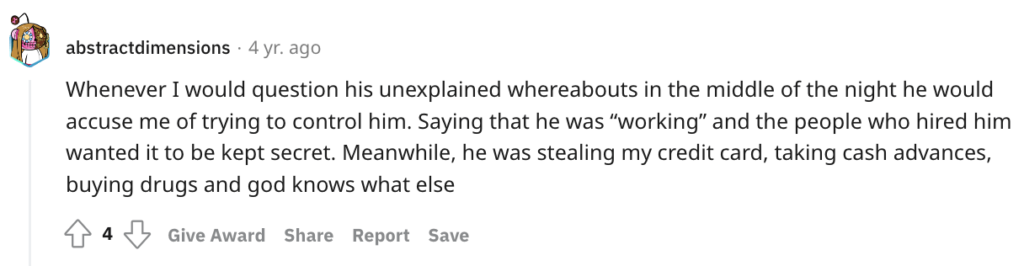
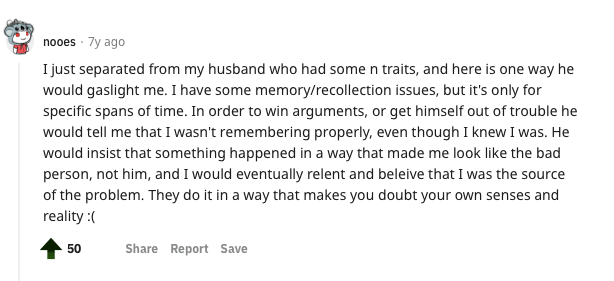
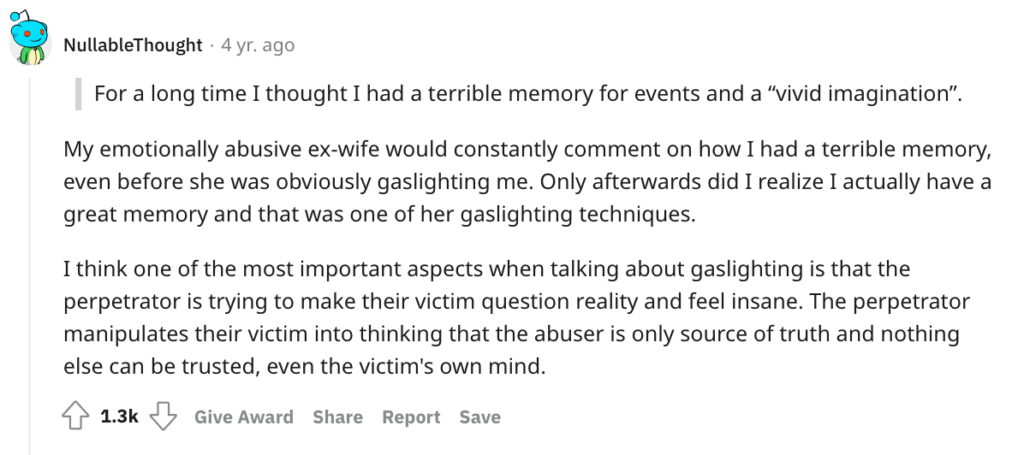
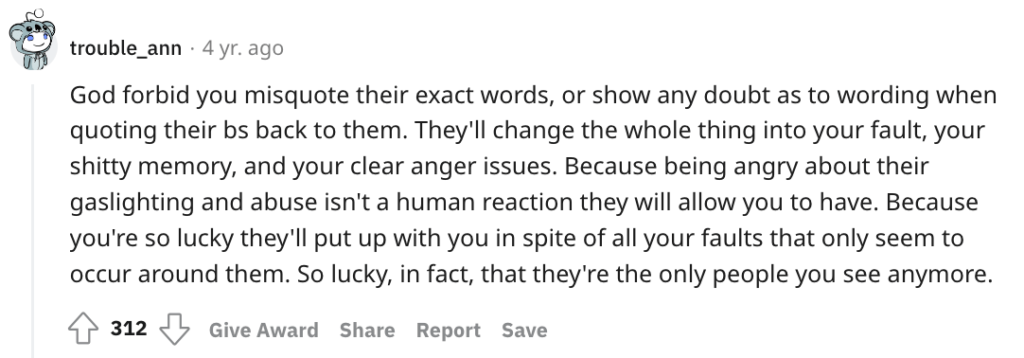
11.  Gaslighting you

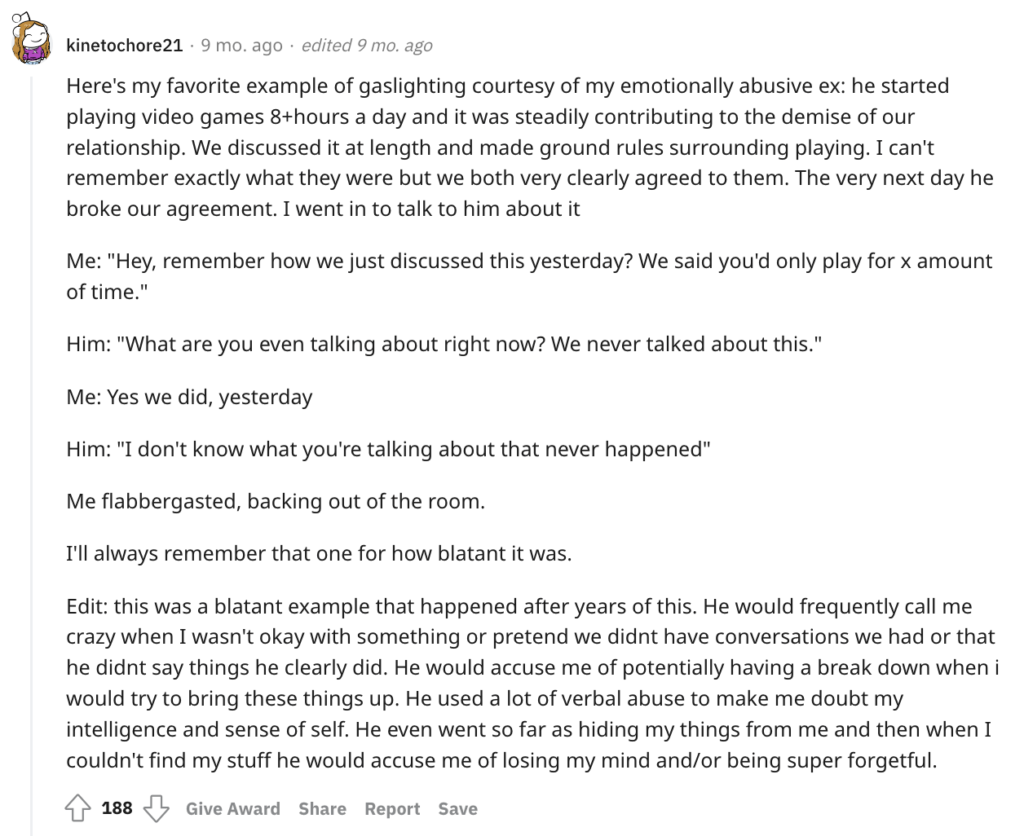
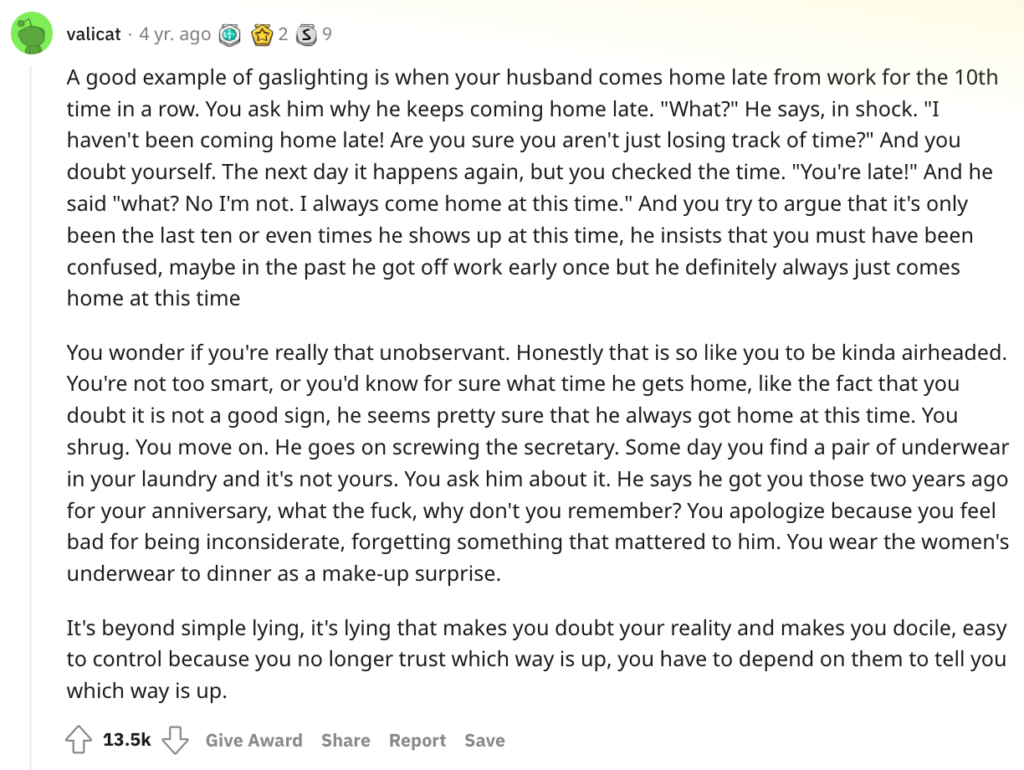
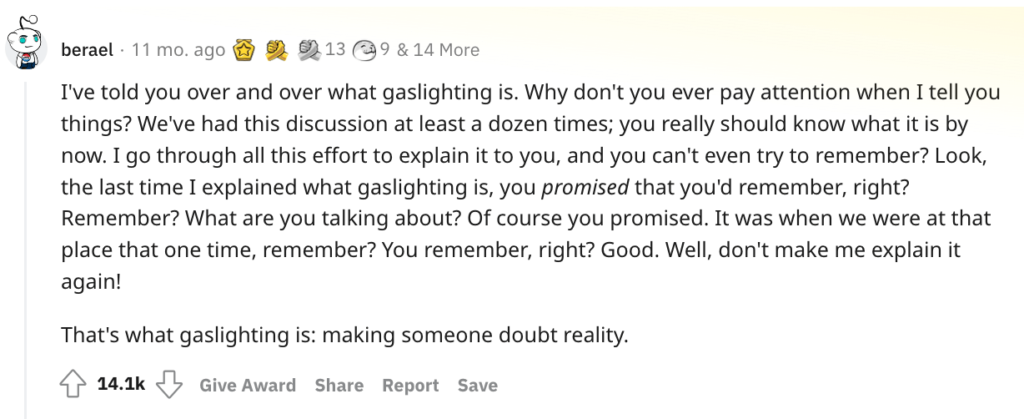
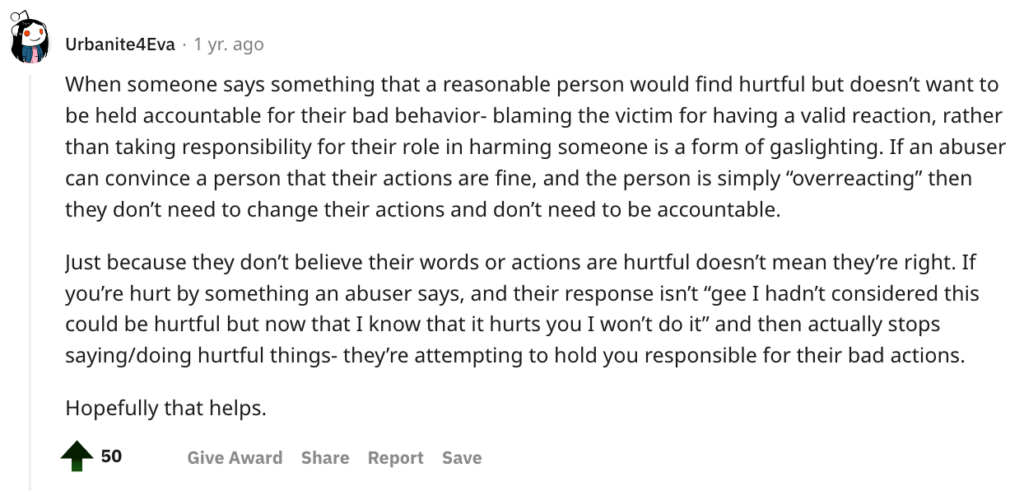
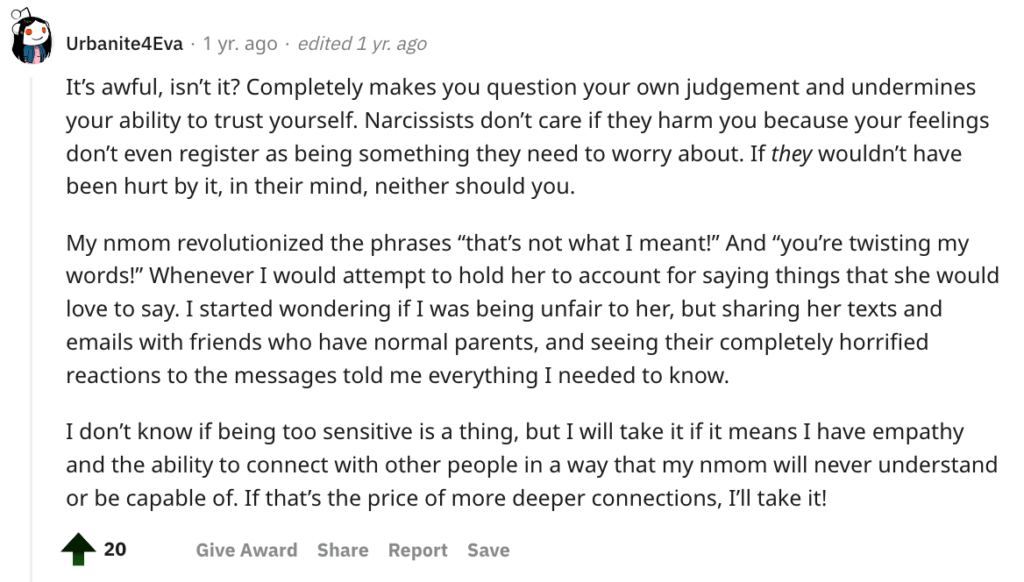
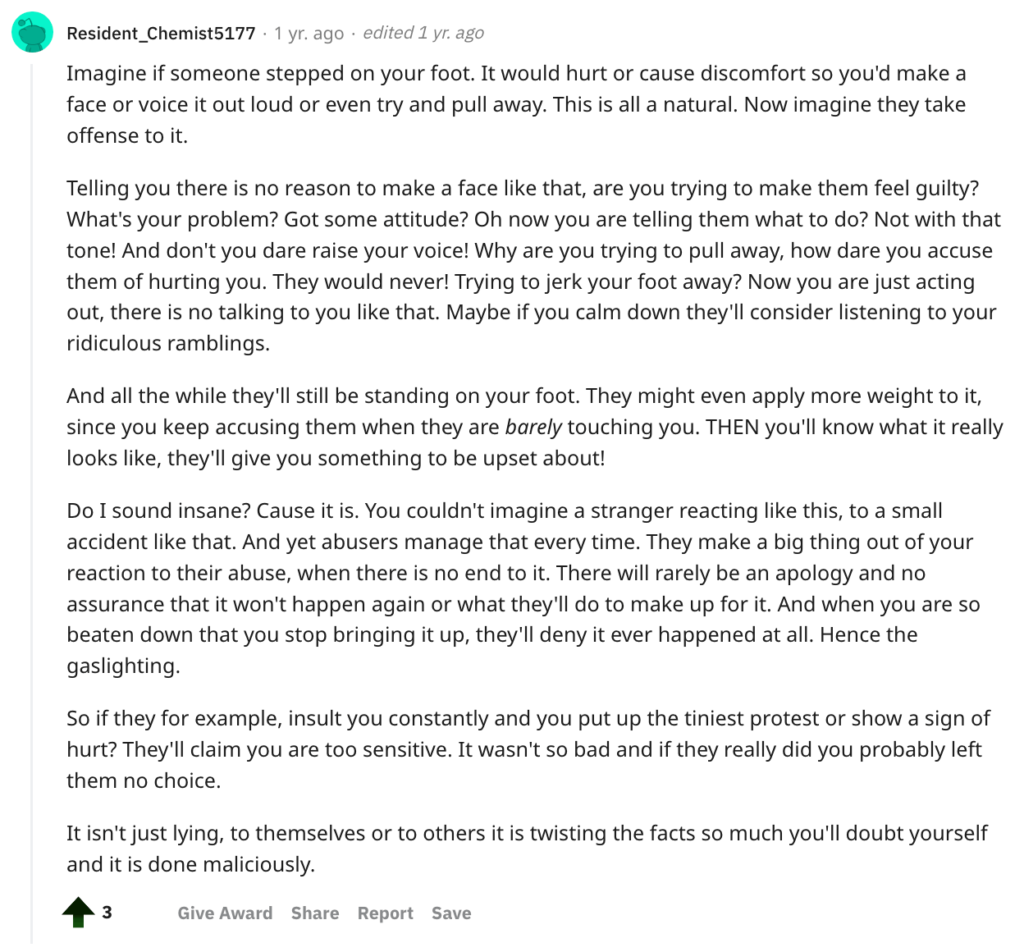
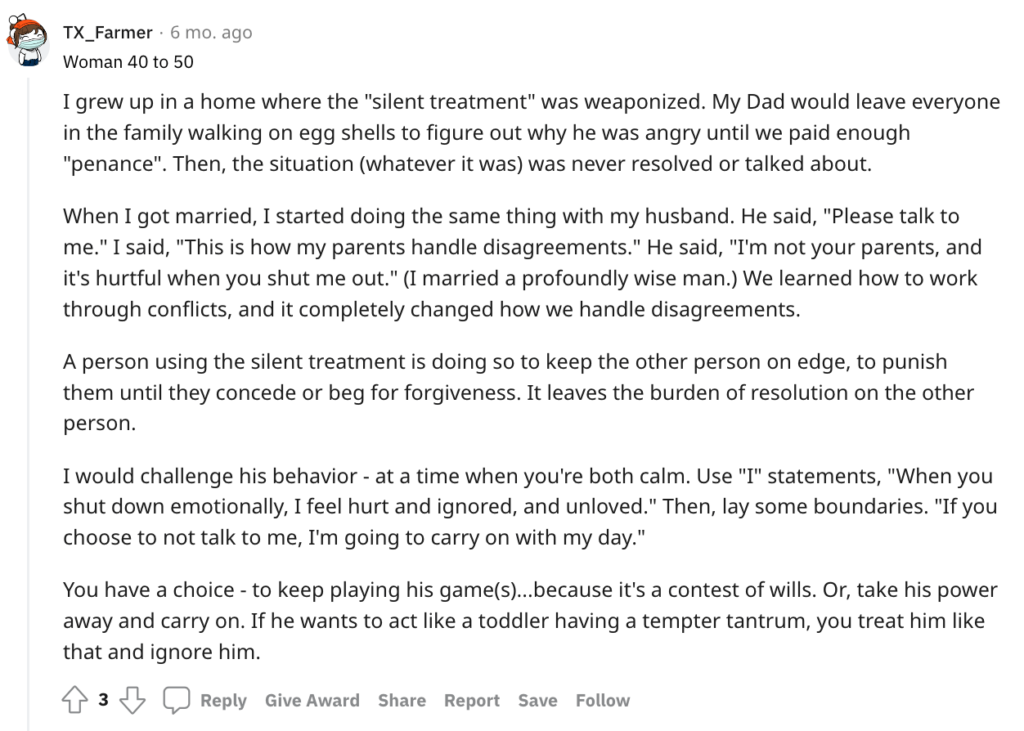
Gaslighting is a form of emotional abuse in which the abuser deliberately tries to make the victim question their own reality and sanity, says Carly Claney, PhD, a licensed psychologist based in Seattle. 

Check out these common signs of gaslighting

Brady says gaslighting is another sign of cheating.

โ€œHere again, the boyfriend will use the โ€˜Are you crazy?โ€™ line, then proceed to try and turn the tables on you โ€” shifting blame, calling you names.โ€

He says cheaters often attempt to plant self-doubt while moving the narrative away from their own deceit.

Reddit cheating signs:                                   

He is gaslighting me and I need someone on my side.
byu/Low-Ad-1651 inrelationship_advice
Comment
byu/FitGirl63139 from discussion
inAskWomen

How to leave your husband or wife

Cheating apps to look for on your boyfriendโ€™s phone

According to a poll by market research and data analytics firm YouGov, one in six dating app users said they were using the app for cheating. 

If your boyfriend has one of these apps on his phone, it could be a sign heโ€™s cheating on you: 

Adult Friend Finder

Adult Friend Finder is primarily a dating site for hookups and casual sex. Swingers and singles frequent the site, as well as people looking to have an affair.

This Reddit user became suspicious of her boyfriend after he received an email from Adult Friend Finder: 

Is my boyfriend cheating on adult friend finder? I am closing escrow in 2weeks. Please help.
byu/cheatingmax inAdvice

Bumble  

A man holding a mobile phone and smiling. Is my boyfriend cheating? 5 cheating apps and 11 signs to look for. Check them out.


Bumble is a swipe left/right dating app built around the concept of allowing women to make the first move. If your boyfriend has the Bumble app on his phone, itโ€™s probably a sign heโ€™s trying to at least talk to other women online, though Bumble also has a mode called Bumble BFF thatโ€™s strictly for finding friends.

This Reddit user was surprised to find Bumble installed on her boyfriendโ€™s phone after three years of dating: 

BF Caught on Bumble
byu/GroundbreakingCash97 indating

Instagram          


Instagram is a social network with over a billion registered users that allows people to share photos and videos. While simply having an Instagram doesnโ€™t mean your boyfriend is cheating, these are some suspicious behaviors on Instagram that may indicate heโ€™s fooling around: 

  • Follows a lot of female accounts and likes/comments on their posts
  • Likes/comments on your boyfriendโ€™s posts from female users you donโ€™t know, especially if the same person is consistently liking or commenting on your boyfriendโ€™s posts
  • Has a private account you didnโ€™t know about


These are some examples of cheating on Instagram posted on Reddit: 

My (24F) boyfriend (24M) made a secret Instagram account to follow girls from his past.
byu/sjsksl inrelationships
Comment
byu/HeckinWhimsical from discussion
inAskReddit
Comment
byu/HeckinWhimsical from discussion
inAskReddit

Snapchat

Snapchat is a communication app that allows users to send pictures, videos, and messages that disappear after a certain amount of time โ€” which makes it a perfect app for cheaters who donโ€™t want to leave behind a digital paper trail. 

If your boyfriend has Snapchat, itโ€™s not immediately a red flag. However, if you notice heโ€™s being secretive with his phone or doesnโ€™t use the app to interact with you, it might be a sign heโ€™s cheating. 

This Reddit user noticed his boyfriend was being suspicious about a specific friend sending him Snapchats: 

Cheating thru Snapchat?
byu/Gloomyfacce inrelationship_advice

Tinder

A man seriously checking his mobile phone. Is my boyfriend cheating? 5 cheating apps and 11 signs to look for. Check them out here.

Tinder bills itself as the โ€œtop free dating app,โ€ with more than 70 billion matches since it launched in 2012. Tinder has a reputation of being an app for hookups, so if your boyfriend has Tinder downloaded on his phone, itโ€™s a big red flag. 

These Redditors said their partners cheated on them through Tinder: 

Caught my boyfriend on tinder
byu/Short-Bit4981 inrelationship_advice
Could you guys help me figure this out? Boyfriend cheating on Tinder and instagram (32M)
byu/Throwaway5387643763 inrelationships

8 causes of and reasons for divorce

How can I test if my boyfriend is cheating?

Michael J. Dellโ€™Olio, a licensed private investigator with John Cutter Investigations, says that in his 30 years of investigating, heโ€™s learned that women possess the most amazing radar device โ€” intuition. 

โ€œIf you think heโ€™s cheating, he probably is,โ€ Dellโ€™Olio says.

If you think your boyfriend might be cheating, Dellโ€™Olio says these are some ways to check:

  • Ask to use his phone or computer. If he acts hesitant or seems nervous while youโ€™re using it, thatโ€™s a red flag. If he refuses to let go of his phone and never lets it out of his sight, you may have a problem. If you discover a second phone, it begs the question โ€” why does he have it?
  • Check his car mileage to see if he is actually going where he tells you.
  • If he says heโ€™s going to the gym after work, drive by to see if his car is there.
  • Check the pockets of jeans in his laundry pile. Are there suspicious ATM or store receipts?
  • Pay attention to bank/credit card statements if you have a shared account. 
  • Check his car for items like earrings, condoms, receipts, and other suspicious items. 
  • Be wary of continual excuses like flat tires, working late, extra time at the gym, stopping at the ATM, going out with friends after work, etc. 

The โ€˜Big 4โ€™ signs of a toxic marriage: When should you leave one?

Bottom line: Is he cheating or am I paranoid?

If you are suspicious your boyfriend is cheating, your intuition may be correct. However, if youโ€™ve been cheated on in past relationships, you may just be projecting those fears into your current relationship. 

Before you confront your boyfriend about cheating, look for common signs of cheating like: 

  • Secretive phone/computer use
  • Staying late at work/going out more frequently
  • Change in affection or sexual interest    

If you accuse your boyfriend of cheating without legitimate proof, he may not want to continue a relationship with you based on a lack of trust. 
Run a background check through a site like Instant Checkmate or Truthfinder. Look for phone numbers you didnโ€™t know about, recent traffic violations he didnโ€™t tell you about, and any secret social media accounts. Check out our Instant Checkmate review.

Finding people online: 9 sites to use and 4 expertsโ€™ tips

Making ends meet is more difficult with the cost of inflation. And even though consumers have seen some recent relief in certain sectors, such as gas and clothing, financial experts are predicting overall costs will remain high well into next year.  

Unfortunately, there are only so many hours in a day, and with work and family responsibilities, trying to earn more cash by trading hours for dollars often isnโ€™t feasible. 

If youโ€™re financially struggling and short on time, here are 20+ ways to get free money to help pay bills:

Free money, stuff and services

Free money from the government

Free money from charities

Free money from selling stuff

Free money for renting stuff

Make money from apps

Meanwhile, if you really want a new job or side hustle, here are some guides for you:

Same-day pay jobs
Best high-paying jobs without a degree
Quick career certificates

Free money, stuff and services

Check out these posts on free and low-cost resources for low-income individuals and families:

Help for single moms: 16+ resources$500 monthly single mom grant
Free laptopsScholarships for single moms
Free carFree Christmas gifts
Free smartphoneBest jobs moms can do from home
Free wifiFree and low-cost prescriptions
Free formulaFree clothes
Free toysFree gift cards
Free gasFree daycare
Free preschoolFree prescription glasses
Free Christmas moneyTutoring and homework help
Health insuranceFree food
Low-income home loansFree or cheap dental care
Free money for billsFree hearing aids
Free ridesBuy a house as a single mom
Free bedsFree bus passes
Free bus ticketsSingle mom loans
Free roadside assistanceFree ipad
Free car seatFree car inspections
Free furnitureAffordable movers
Free help with tax preparationFree cable
Free internetFree car insurance
Free vet care

Free money from the government

These are a few of the government programs that help low-income individuals and families: 

TANF

The Temporary Assistance for Needy Families program provides grant funds to states to help needy families with expenses, such as child care assistance. To apply, you have to meet the following qualifications: 

  • Resident of the state where you apply
  • Unemployed or underemployed
  • Low or very low income
  • U.S. citizen, legal alien or qualified alien
  • Have a child 18 or younger, currently pregnant, or at least 18 and the head of your household

LIHEAP

The Low Income Home Energy Assistance Program helps families with their utility bills. Depending on your location, you could get help with the following: 

  • Bills for electricity, natural gas, propane, wood, or fuel oil
  • Priority assistance for households in danger of losing heating or cooling
  • Heating and cooling equipment repair and replacement
  • Natural disaster assistance

To get help, call 1-866-674-6327. Representatives are available Monday-Friday from 9 A.M. to 7 P.M. EST. 

Learn more ways to get help with utilities and home repair.

Emergency Rental Assistance Program

If youโ€™re struggling to pay your rent or utility bills, the Emergency Rental Assistance Program provides funding. Although you donโ€™t need a signed lease to qualify for assistance, you do need to have an agreement to pay rent for your house, apartment, mobile home, or other dwelling. Other requirements include:

  1. At least one household member has:
  • qualified (or should qualify) for unemployment
  • lost income 
  • owed large expenses or had other financial hardships
  • a household income below a certain threshold (varies by location) 
  1. At least one household member is at risk of becoming homeless or would face challenges if seeking out a stable place to live

You can find rental assistance programs in your area through the Consumer Financial Protection Bureau. We also put together resources that help with security deposits and free housing for single moms.

Free money from charities

The Salvation Army

Your local Salvation Army can help you apply for the following types of emergency assistance: 

  • Rent or mortgage payments
  • Electric bills
  • Gas bills
  • Water bills
  • Clothing
  • Food 
  • Medicine
  • Transportation

Catholic Charities USA

Even if you arenโ€™t Catholic (or religious at all), one of Catholic Charities USAโ€™s 167 local agencies may be able to help you with household expenses. Qualifications vary by location. For example, the Pittsburgh Catholic Charities branch offers rent and utilities assistance for residents living within 200% of the Federal Poverty Guidelines. 

Modest Needs

Modest Needs provides financial assistance to individuals or families who are working but struggling to make ends meet. It receives its funding from crowdsource fundraising efforts. These are the qualifications for assistance:

  • 18 years or older
  • Legal U.S. or Canadian resident
  • Application for assistance is for you or another household member 
  • Household has at least one bank account or has filed a federal tax return within the past two years
  • You have regular access to the internet to check email and the Modest Needs website each day while your application is processing
  • A signed lease agreement if you rent your home
  • Ability to pass Modest Needโ€™s income and employment tests

Rent for Moms

Rent for Moms, founded by Black women and other marginalized genders, helps Black moms pay rent and utilities during the holiday season. The grassroots nonprofit started in December 2020 and has helped more than 70 single Black moms across the U.S.

If you are a single Black mom who needs help paying rent or utilities this holiday season, applications are open until 11:59 p.m. Eastern Time on December 25, 2023. If you are accepted, a coordinator will contact you. All payments are made directly to your landlord or utility provider.

Also, check out our post on charities that help single mothers

Free money from selling stuff

If you have things around your house you no longer need, you can make money (and increase space in your home) by selling them. Pawn shops and consignment stores โ€” including online consigners like Poshmark and Mercari โ€” are good places to sell.

You can also sell items for free locally on these apps: 

Facebook Marketplace

Facebook Marketplace allows Facebook users to post items for sale for free, which saves you from losing profits to fees other platforms charge. Prohibited items include health care-related items and animals, including those for adoption.

Nextdoor

Nextdoor is another free platform where you can list and sell personal items and handmade goods. Nextdoor does not allow the sale of gift cards or items that are part of an incentive program, such as Scentsy or Mary Kay. 

OfferUp

OfferUp, a website and app for local buyers and sellers similar to Craigslist, is also free to use. Through its app, you can take a picture of the item you want to sell and list it. Then, potential buyers can message you through the app. Youโ€™ll also be able to view each potential buyerโ€™s profile, including their transaction history and ratings. 

Check out our post on 33 things to sell to make money from the stuff around your house and sites like Craigslist (some of which charge selling fees). We also put together a list of selling apps.

What to do with old clothes: 11 tips to recycle, repurpose, and resell

Free money for renting stuff

Neighbor

If you have an extra space youโ€™re not using, such as a garage, storage shed, or extra bedroom, you could make money each month renting it through Neighbor.com. Although listings are free, youโ€™ll pay a 4.9% + 30 cents monthly processing fee for renting out your space. 

Getaround or HyreCar

Getaround and HyreCar are two services that allow you to rent out your car when youโ€™re not using it. These services work better for people who have spare cars they donโ€™t often use. 

Spinlister

You can make up to $500 per month renting your bike, surfboard, paddleboard, snowboard or skis. The platform allows you to set your own rental rates, but this is the suggested rate for a bicycle: 

  • Hourly: $7
  • Daily: $20
  • Weekly: $100

Listings are free on Spinlister, but the company takes 17.5% of your listing fee every time you rent out your ride.

Make money from apps

Some apps will pay you money for taking surveys, online shopping, or even playing games:  

Survey Junkie

In your spare time, you could earn money by taking surveys. It wonโ€™t be a lot, but it could help make ends meet. For example, Survey Junkieโ€™s website gives an earnings example of completing three surveys per day to make $40 per month. Survey Junkie members can cash out starting at $5, with the option of cash via PayPal or bank transfer or choosing from a variety of gift cards. 

Inbox Dollars

Inbox Dollars pays cash to members for tasks such as shopping, completing surveys, using apps, playing games, and exploring new products and services. Earnings will vary according to task, but to give you an idea, the Inbox Dollars website states that most surveys for money pay 50 cents to $5 and take five to 25 minutes to complete. 

Branded Surveys

Branded Surveys is another option to earn cash for sharing your opinion. Once you reach 500 points, you can have your earnings deposited directly into your PayPal account within one to three days. 

Alternatively, you can earn cash while playing games! Check out Playtime.

Check out more apps to make money on our post about how to get free money instantly and cash back apps to scan receipts.

Has anyone ever said something to you thatโ€™s made you question your reality? If so, you might be the victim of gaslighting, a form of emotional abuse in which the abuser deliberately tries to make the victim question their own reality and sanity.

โ€œThis can be done through manipulation, withholding information, or making false statements,โ€ says Carly Claney, PhD, a licensed psychologist based in Seattle. 

Gaslighting โ€” which was just named Merriam-Websterโ€™s 2022 Word of the Year โ€” can happen to anyone in any type of relationship, though itโ€™s most often associated with romantic relationships. 

Gaslighting can be subtle and difficult to spot, but it can also have a major impact on your mental health and wellbeing. If youโ€™ve been the victim of gaslighting, you can connect with a certified mental health professional through BetterHelp.com. Read our review.

Keep reading for common examples of gaslighting, along with expert advice on what to do if you think youโ€™re being gaslighted:

#1 Most common gaslighting example: โ€œThat never happened.โ€

2.  โ€œYou're being paranoid.โ€

3. โ€œYouโ€™re misremembering things.โ€

4. โ€œYou're overreacting.โ€

5. โ€œYou're just being sensitive.โ€

6. โ€œYouโ€™re acting crazy.โ€

7. โ€œYou should get some help.โ€

8. โ€œYou made that up.โ€

9. They give you the silent treatment.

10. They make you question your relationships.

What to do if youโ€™re being gaslighted

Gaslighting FAQs

#1 Most common gaslighting example: “That never happened.”

One of the most common examples of gaslighting is when the abuser tries to make their partner question something that happened, Claney says. 

โ€œFor instance, they may deny ever saying something that their partner knows they said, or they may claim that their partner is โ€˜imagining thingsโ€™ when they talk about something that happened,โ€ she explains.

The gaslighter might tell you that they didn't say something hurtful to you, even if you have proof in the form of a voicemail or text message.

โ€œThis destructive process starts to make you doubt your own sense of reality, and eventually you become unsure about your own perceptions and memory,โ€ explains Holly Schiff, Psy.D., licensed clinical psychologist based in Greenwich, Conn.

Some Reddit users shared their own gaslighting examples on this Reddit thread, which does a good job clarifying what gaslighting is (and isn't):

Can we talk about what gaslighting actually is, AND what it isnโ€™t?
byu/AnchovyZeppoles inTwoXChromosomes
Reddit signs of gaslighting about playing video games.

2.  “You're being paranoid.โ€

Another sign of gaslighting is when the abuser dismisses your feelings by telling you that youโ€™re โ€œbeing paranoidโ€ when you bring up a situation or behavior that was upsetting to you.

โ€œThe gaslighter is trying to create a false narrative, usually one in which they are not at fault and did not do anything wrong,โ€ Schiff says.

Reddit gaslighting examples: 

Reddit signs of gaslighting about working late.
Reddit signs of gaslighting about being late from work.

3. โ€œYouโ€™re misremembering things.โ€

Another common form of gaslighting is when someone tries to convince you that your perceptions and memories are incorrect.

โ€œAn example of this could be your partner insisting that you didn't tell them the date of your parents' 40th wedding anniversary party, so they've made plans to go on a fishing trip that weekend, even though you know you've discussed the party several times and have it on your shared calendar,โ€ says Miriam Geiger, LMFT, LPCC, a licensed psychotherapist in California and Illinois.

Sometimes, a gaslighter may lie about completely innocuous things in order to keep the victim in a state where theyโ€™re questioning their reality.

โ€œThere is no obvious reason for their behavior, which only adds to the victimโ€™s confusion,โ€ Geiger says. โ€œWhy would someone lie about finishing the last of the orange juice?โ€

Reddit gaslighting examples: 

Reddit signs of gaslighting example.
Reddit signs of gaslighting about ex husband.
Reddit signs of gaslighting about having a vivid imagination.
My husband gaslights me constantly- how do I get it to stop?
byu/Tltlr7434 inAdvice

4. “You're overreacting.”

Sometimes when confronted over problematic behavior, gaslighters may accuse you of blowing the situation out of proportion as a way to deflect.

โ€œYour partner might tell you that you always overreact when you tell them to slow down when they go 50 miles above the speed limit, even though this is obviously not an unreasonable request,โ€ Geiger says.

Reddit gaslighting examples: 

Reddit signs of gaslighting about misquoting someone.
Reddit signs of gaslighting about overreacting.

5. “You're just being sensitive.”

Another example of gaslighting is when the abuser tries to minimize your feelings by telling you youโ€™re being too โ€œsensitiveโ€ or โ€œemotionalโ€ when you confront them about their words or behaviors.

โ€œThey may say you took something the wrong way or that they were just joking and not being serious,โ€ Schiff says. โ€œAgain, theyโ€™re not taking accountability for their behavior and words and blaming you for how you responded and reacted.โ€

Reddit gaslighting examples: 

Reddit signs of gaslighting about questioning your own judgment.
Reddit signs of gaslighting about rational reactions.

6. โ€œYouโ€™re acting crazy.”

One strategy gaslighters use to deflect criticism is to put the accuserโ€™s sanity or mental health into question. They do this by saying the person is overreacting and using terms to describe them like โ€œcrazy,โ€ โ€œinsane,โ€ or โ€œpsychotic.โ€

โ€œPsychologically, this is damaging because how you view yourself influences your thoughts, feelings, and behavior,โ€ Schiff says.

Reddit gaslighting examples: 

Reddit signs of gaslighting about fighting.
Reddit signs of gaslighting about being crazy.
Reddit signs of gaslighting about questioning your sanity.

Co-parenting with a narcissist ex? Hereโ€™s what to do

7. โ€œYou should get some help.โ€

The abuser may take it one step further and suggest you seek out counseling or therapy for the problems in your relationship.

โ€œThis is a way of saying that they think the problems in the relationship are your fault and they accept no responsibility for any conflict,โ€ Schiff says.

Reddit gaslighting examples: 

Reddit signs of gaslighting about a toxic partner.

8. “You made that up.”

Another way to call someoneโ€™s sanity into question in order to deflect blame is to tell them theyโ€™ve completely made something up. This is a common theme when parents gaslight their children.

Note that lying in general is not the same as gaslighting, though it can be a red flag. If someone tells a lie, then tries to cover that lie by making the other person question what they knew to be true, thatโ€™s gaslighting.

โ€œA parent may gaslight their child by denying that they said something hurtful, or by claiming that the child is โ€˜imagining thingsโ€™ when they talk about an event that occurred,โ€ Claney says.

Reddit gaslighting examples: 

Reddit signs of gaslighting about surgery.
Reddit signs of gaslighting about an abusive partner.

9. They give you the silent treatment.

A common gaslighting example is when someone stonewalls you or ignores you until you give up or apologize. 

โ€œIf someone consistently uses the silent treatment as a form of punishment or shuts down conversations when they get uncomfortable, take note,โ€ Geiger says.

Another sign of gaslighting is when the person has to win every argument.

โ€œIf someone in your life can't just โ€˜agree to disagreeโ€™ and hounds you or throws a tantrum until you give in, you may be dealing with a gaslighter,โ€ Geiger says. 

Reddit gaslighting examples: 

Reddit signs of gaslighting about giving the silent treatment.

10. They make you question your relationships.

Abusers often try to isolate their partners from family members and friends, and one of the ways they do this is by making their partner believe untruthful things about the people they love. 

Reddit gaslighting examples: 

Reddit signs of gaslighting include isolating people from friends.

What to do if youโ€™re being gaslighted

When dealing with a gaslighter, understand that it is likely their behavior wonโ€™t change. The best thing you can do is set boundaries and stand up for yourself. If the gaslighter is your spouse, sometimes that means considering whether you should leave the relationship or get a divorce.

โ€œThis may mean distancing yourself from the individual or working with a counselor to address your own mindset and learn healthy coping skills,โ€ Geiger says.

She says it's important to remember that while they may try to damage your confidence and make you doubt yourself, you have the power to decide how you respond and what kind of person you want to be.

If you're concerned that you might be dealing with a gaslighter, recognizing whatโ€™s going on is the first step to regaining your confidence and sense of self-worth, she notes. 

โ€œIt can be hard to tell how โ€˜badโ€™ gaslighting is when you're in the middle of it, which is why seeking out support from a qualified couples therapist or even individual therapist can help you gain some clarity,โ€ Geiger says.

Journalist Ariel Leve discussed in a TED talk some of the strategies she used as a child to survive her motherโ€™s toxic parenting:

5 signs of an unhappy marriage (and how to save it)

Gaslighting FAQs

What is gaslighting?

Gaslighting is a form of psychological abuse in which a person deliberately manipulates another into doubting his or her own perceptions and memories. The term comes from a 1944 movie called โ€œGaslight,โ€ in which a wealthy woman is slowly driven mad by her husband, who manipulates her into thinking that she is losing her mind so he can gain control of her money.

In the film, one of the husbands' manipulation tactics is to secretly turn off and on their homeโ€™s gaslights. 

โ€œHe then denies that anything is wrong when his wife says that the lights are going on and off, causing the wife to doubt her sanity, which is how this dangerous behavior got its name,โ€ Geiger says.

Gaslighting can make the victim question their own perceptions, emotions, and judgment.

โ€œThe victim may even begin to believe that he or she is going crazy and will try to hide the abuse from friends and family,โ€ Geiger says. โ€œIn extreme cases, this can make him or her more dependent on the abuser and can result in depression, anxiety, and PTSD.โ€

How do you tell if someone is gaslighting you?

Someone who is gaslighting you might make you doubt your own reality, discredit your experiences and feelings, make you feel like you're crazy, try to control your behavior, and isolate you from friends and family. 

A gaslighter may also need to win every argument and may stonewall you or give you the silent treatment until you give up and apologize.

What are common gaslighting phrases?

Examples of common gaslighting phrases include: 

  • โ€œThat never happened.โ€ 
  • โ€œYouโ€™re overreacting.โ€ 
  • โ€œYouโ€™re imagining things.โ€ 
  • โ€œYouโ€™re just being sensitive.โ€ 
  • โ€œYou made that up.โ€ 
  • โ€œItโ€™s all in your head.โ€ 
  • โ€œYouโ€™re crazy/insane/psychotic.โ€ 
  • โ€œYouโ€™re being paranoid.โ€
What is gaslighting?

Gaslighting is a form of psychological abuse in which a person deliberately manipulates another into doubting his or her own perceptions and memories.

How do you tell if someone is gaslighting you?

Someone who is gaslighting you might make you doubt your own reality, discredit your experiences and feelings, make you feel like you're crazy, try to control your behavior, and isolate you from friends and family.

What are common gaslighting phrases?

Examples of common gaslighting phrases include:ย 
– โ€œThat never happened.โ€ย 
– โ€œYouโ€™re overreacting.โ€
– โ€œYouโ€™re imagining things.โ€

In a world of direct deposits and money transfer apps that make sending and receiving cash easy and instant, paper checks have fallen to the wayside. 

However, if you do receive a paper check, there are lots of places to cash them โ€” the easiest and cheapest of which is your own bank or credit union.

Get a fee-free checking account at Discover and get 1% cash-back on debit card purchases.

If you donโ€™t have a bank account, you can cash a check at Walmart in most states for a minimal fee.

If you have a smartphone, you can also cash a check through Paypal, with funds available within 10 days for no fee (or a $5 minimum fee for immediate funds). 

Keep reading for a list of other places to โ€œcash checks near me.โ€

12 free printable budget worksheets and Google Sheets templates

Where else can I cash a check? 

If youโ€™re looking for โ€œcheck cashing near me,โ€ these are some options:

Check cashing stores โ€œnear me:โ€

Where canโ€™t I cash a personal check?

Check cashing FAQS

What else can you use to cash a check?

Banks or credit unions

Although cashing a personal check at a bank where you are an account holder is likely the easiest and cheapest method, itโ€™s not always an option. Your bank might not be open or โ€” like millions of other Americans โ€” you might not have a bank account.  

According to the FDIC, the number one reason people donโ€™t open bank accounts is because they donโ€™t have enough money to meet minimum balance requirements. 

If you need money to open a bank account, check out these posts: 

Giant Eagle check cashing

Giant Eagle has approximately 200 retail store locations across Ohio, Pennsylvania, West Virginia, and Maryland. The store will accept personal checks made out to cash for no fee, with a limit up to $30. However, you have to apply and be approved for a Giant Eagle Advantage Card first. 

Youโ€™ll also need a valid driverโ€™s license or a state or military photo ID to be eligible to cash checks. 

Giant Eagle also accepts payroll and government checks after a verification and registration process. Service fees apply except for child support checks. 

Other personal checks, such as one written to you by another party, are not accepted. 

You can also write a personal check payable to Giant Eagle as a form of payment in the store. Checks can be written for up to $30 more than the purchase amount to receive as cash back. 

HEB check cashing

HEB, a grocery chain with over 420 stores in Texas and Mexico, cashes personal checks at their customer service desk for amounts up to $200 for a $2 fee. 

Publix check cashing

Publix has over 1,300 stores in the Southeast, and you can cash personal checks at all store locations. Youโ€™ll need a driverโ€™s license or a state or military photo ID to be able to cash checks. According to a store representative, it can cost up to $4 to cash a personal check up to $500. Fees vary per check amount and by store. 

Walmart check cashing

To cash a personal check at Walmart, youโ€™ll need to have a valid photo ID and visit the customer service or Money Services center. Walmart will cash a two-party personal check for up to $200, with a maximum fee of $6. This is available in all U.S. states except: 

  • Connecticut
  • Delaware
  • Florida
  • Hawaii
  • Illinois
  • Indiana
  • Maryland
  • Minnesota
  • Mississippi
  • New Jersey
  • New Mexico
  • New York
  • Ohio
  • Rhode Island
  • Tennessee
  • West Virginia
  • Wisconsin

Check cashing stores โ€œnear me:โ€

Although you can Google the search phrase โ€œcash check near meโ€ or โ€œpersonal check cashing near meโ€ to find check cashing stores nearby, hereโ€™s a handy list of check cashing stores, plus requirements and fees. 

ACE Cash Express

ACE Cash Express has over 850 locations across the U.S. At ACE Cash Express, you can cash personal checks with a valid photo ID. Fees range from 2%-10%, depending on location. A managerโ€™s approval is required for personal checks written for more than $200. 

According to an ACE Cash Express manager, you might not be able to cash a personal check over the weekend because agents must verify the availability of funds with the issuing bank.  

Amscot

Amscot, also known as The Money Superstore, has 238 locations in Florida. The store will cash personal checks for a 9.9% fee or a $3 minimum, whichever is more. So it will cost you $19.80 to cash a $200 check. When cashing a check at Amscot, you may be asked for any or all of the following information:

  • Name
  • Address
  • Birthdate
  • Valid government-issued photo identification
  • SSN, TIN or alien identification number
  • Transaction details
  • Additional identifying documents

The Check Cashing Store

The Check Cashing Store charges a 10% fee to cash personal checks. In some states, thereโ€™s also a per-item fee of 69 cents to $1.99. In Florida, thereโ€™s no additional per-item fee, but the check-cashing fee differs depending on whether you want to cash a one- or two-party personal check: 

  • Fee for a one-party personal check: 10% or a $5 minimum
  • Fee for a two-party check: 4.9% or a $5 minimum

Requirements for cashing a personal check vary by store, so call ahead to find out what you need to bring.

Check Into Cash

Check Into Cash has more than 650 locations across 25 states. At Check Into Cash, you can cash a personal check for a 10% fee. According to store personnel, there is no limit on the amount of the check. 

Money Mart

Money Mart is the sister store of The Checking Cashing Store. Like The Check Cashing Store, standard check cashing fees vary by state, and an item fee will often apply. Money Mart and The Check Cashing Store charge the same fees. 

Youโ€™ll pay a 10% fee to cash personal checks, and in some states, a per-item fee of 69 cents to $1.99. In Florida, the fee for a one-party personal check is 10% with a $5 minimum, and the fee for a two-party check is 4.9% with a $5 minimum.

Speedy Cash

Speedy Cash has more than 200 locations across the U.S. It cashes all types of checks, including personal checks, for a 10% fee. When you visit a Speedy Cash store, be prepared for the agent to verify your ID, the check, the person who wrote it and the amount. 

Where canโ€™t I cash a personal check?

The following stores do not cash personal checks: 

  • Albertsonโ€™s 
  • CVS 
  • Kroger
  • Martinโ€™s Foods 
  • Target
  • Walgreens
  • Winn Dixie
  • Samโ€™s Club
  • Costco

Get a fee-free checking account at Discover and get 1% cash-back on debit card purchases.

Check cashing FAQS:

Can you cash a check at an ATM?

You can cash a check at some ATMs. For example, if you have an account and a Regions ATM card, Regions CheckCard or a Regions Now Card, Regions Bank will allow you to cash a check at one of its DepositSmart ATMs. The fee that will apply depends on the amount of the check and whether the check was issued from a Regions Bank account. 

However, Regions Bank notes that approval to cash a check may take up to an hour, and you might have to complete the transaction at a banking branch instead. 

Can you cash a check at a pawn shop?

When you ask yourself, โ€œWhere can I cash a check?โ€ you probably donโ€™t immediately think of a pawn shop, but some pawn shops will allow you to cash a personal check. 

For example, Fastcash Pawn and Checkcashers in Pawtucket, R.I., cashes personal checks for 2%-10% of the checkโ€™s value. However, FirstCash, which has more than 2,800 locations across 25 U.S. states, does not offer check-cashing services. The best thing to do is call ahead to find out if any of the pawn shops in your area cash checks and also ask about fees. 

Can you cash a check at any bank?

It depends. If neither you nor the person who wrote the check has an account at the bank where youโ€™re trying to cash the check, itโ€™s likely the bank will refuse to cash it. If youโ€™re not an account holder at a bank, it's best to visit the bank that the check was issued from. 

Also, if you are trying to cash a check at the payerโ€™s bank and youโ€™re not an account holder, you might have to pay a flat fee or a percentage fee based on the checkโ€™s amount. There might also be a limit on the value you can cash. For example, if you are not an account holder, Bank of America charges an $8 fee to cash a check of more than $50 thatโ€™s drawn from a Bank of America personal account. 

How can I cash a check without a bank account?

If you donโ€™t have a bank account and arenโ€™t able to cash the check at the issuing bank, you can consider asking a trusted friend or family member with a bank account if you can endorse the check over to them to cash. If the person agrees, he or she will need to contact the bank and ask if they will accept a signed-over check and find out the requirements. 

To sign over the check, follow these steps: 

  1. Endorse the back of the check in blue or black ink by signing your name in the designated area. 
  2. Underneath your signature, write โ€œPay to the order of:โ€ 
  3. Write the name of the person to whom youโ€™re signing the check over after the colon. 
  4. Ask the person to sign his or her name underneath the โ€œPay to the order of:โ€ line.
  5. Once the person cashes the check, you can receive the funds. 

What else can you use to cash a check?

If you donโ€™t have a bank account and your online search for โ€œcheck cashing open near meโ€ doesnโ€™t yield any useful results, you can cash a check online or through a checkless account such as the following:

Ally

You can open an account with an online-only bank, like Ally, to cash your check. Once youโ€™ve opened your account, youโ€™ll have access to Ally eCheck deposit, which will allow you to snap photos of your check and deposit it from your smartphone. 

If you deposit a check by 4 p.m. EST, the funds should be available the next day. 

Chime

Chime is a financial technology company that offers a full-featured deposit account. Chime allows account holders who have received at least $1 in qualifying direct deposits to use the Mobile Check Deposit feature without a fee.

Brinks

Prepaid cards, like Brinks Money Prepaid Mastercard, are another way to cash a personal check. With the Brinks card, you order the card and activate it. Then, you can download the app and add check funds to the card through the Brinks mobile app. 

It can take as little as three to five minutes or up to an hour to have a checkโ€™s funds approved so you can use them. If you choose to expedite the funding, the greater of 5% of the check amount or a flat $5 fee will be deducted from your check before loading the funds onto your card. 

GreenDot

All debit cards issued by Greendot Bank offer mobile check deposit or cashing. Fees will vary depending on the debit card you have. For example, if you have the Go2Bank Debit Card, personal check cashing incurs a 5% fee, with a $5 minimum. 

Ingoยฎ Money

You can download the Ingo Money App and link your Paypal account, prepaid card or bank account to cash a check. You can submit personal checks in amounts from $5-$5,000 for approval in Ingo Money App as long as the check is made out to you, endorsed by you and the check is drawn on a bank account in the U.S. or a U.S. territory. The fee for personal checks is 5%, with a $5 minimum. 

Transact by 7-Eleven app

With the Transact by 7-Eleven app, you can use Mobile Check Load to load funds from a personal check to your Transact Prepaid Mastercard. Funds approval from checks usually takes three to five minutes but may take as long as an hour. If you choose to expedite the funds from your personal check, a fee of 5% of the total check amount or $5, whichever is greater, will be deducted from your check. 

PayPal

With the PayPal app and a PayPal Balance account, you can cash checks. Funds will be available within minutes for a $5 minimum fee or within 10 days for free. 

NetSpend

The NetSpend Prepaid Debit card allows users to use the Mobile Check Load via the NetSpend Mobile App. Checks might be approved in as little as three to five minutes, or it might take up to  one hour. Standard mobile check load is free. 

If you choose to expedite the check load, the fee is the greater of 5% of the check amount or $5 and will be deducted from the checkโ€™s amount before loading it onto your card.

Can you cash a check at an ATM?

You can cash a check at some ATMs. For example, if you have an account and a Regions ATM card, Regions CheckCard or a Regions Now Card, Regions Bank will allow you to cash a check at one of its DepositSmart ATMs. The fee that will apply depends on the amount of the check and whether the check was issued from a Regions Bank account.

Can you cash a check at a pawn shop?

Some pawn shops will allow you to cash a personal check.

Can you cash a check at any bank?

It depends. If neither you nor the person who wrote the check has an account at the bank where youโ€™re trying to cash the check, itโ€™s likely the bank will refuse to cash it. If youโ€™re not an account holder at a bank, it's best to visit the bank that the check was issued from.

How can I cash a check without a bank account?

If you donโ€™t have a bank account and arenโ€™t able to cash the check at the issuing bank, you can consider asking a trusted friend or family member with a bank account if you can endorse the check over to them to cash. If the person agrees, he or she will need to contact the bank and ask if they will accept a signed-over check and find out the requirements.