scroll top

Co-parenting can be overwhelming, or even toxic. Luckily, there’s an app for that. Keep reading to learn more.

Emma’s quick take on co-parenting apps

What to look for in a co-parenting app

What is the best co-parenting app? Answer: Our Family Wizard

Best app for tracking co-parenting expenses: Onward

Best app for co-parent communication: Our Family Wizard

Best app for a child custody calendar: Our Family Wizard

Reviews of more paid co-parenting apps

Reviews of other free co-parenting apps

Bottom line: Are co-parenting apps worth it? 

Emma’s quick take on co-parenting apps

Co-parenting apps can simplify scheduling, keep everyone on track. The right app might even make co-parent communication, schedules, activities and contacts easier and more effective — which is great for kids, moms, dads and even step-parents and grandparents. 

Interested in 50/50 parenting? Read my book, The 50/50 Solution: The Surprisingly Simple Solution that Makes Moms, Dads and Kids Happier When Parents Split (Sourcebooks, March 26, 2024):
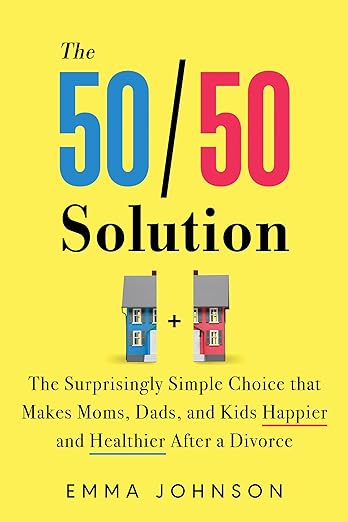
Cover of The 50/50 Solution book by Emma Johnson.

What to look for in a co-parenting app

A quality co-parenting app will help you keep track of important appointments, document kid drop-off/pick-up, tally expenses, show proof of payment, compliance and non-compliance, and share information and photos about the children's days.

What is the best co-parenting app? Answer: Our Family Wizard

Our #1 recommendation for a co-parenting app is Our Family Wizard. This is one of the oldest, and most widely used co-parenting apps, and has all of the recommended features, plus high user reviews. Our Family Wizard is also widely accepted by family courts — many of which require parents to use it. 

Start your free 30-day trial of Our Family Wizard now >>

Why OurFamilyWizard is our top choice for best co-parenting app

  • A+ Better Business Bureau rating for its parent company Avirat
  • Approved by the most courts out of all co-parenting apps
  • Our Family Wizard costs $149.99 for the Essential plan, $216 for the Premium plan, or $299.88 for the Max plan per year, per parent, and has a 30-day risk-free trial — a price that is in-line with other co-parenting apps.
  • Our Family Wizard offers discounts for military families, and free for low-income parents.
  • Parents can also add unlimited other people, including kids, grandparents, bonus / step parents, babysitters and nannies, as well as attorneys and mediators.
  • In the event that you must submit records to a judge, mediator or attorney, Our Family Wizard allows you to download submissible records.
  • Unique ToneMeter helps you type emotion-free texts and emails to your ex by flagging inflammatory words — before you hit send.

Learn more in our OurFamilyWizard review.

Or, learn more about Our Family Wizard now >>

One of the first co-parenting apps, OurFamilyWizard lets you and your ex keep financial records, store and share info (“New babysitter’s number is…”), and contribute to an online diary. Its “message board” function lets you and your ex chat about the kids and keep each other up to date (“Leaving the birthday party now, will have Sadie back to you within half an hour”).

OurFamilyWizard has a tool called ToneMeter that can help improve co-parenting communication.  The ToneMeter scans your texts as you write them, and points out “emotionally charge phrases” so that you can think – and maybe rewrite – before you send a message. Sorta a babysitter for the parents.  

Once you sign up and login, OurFamilyWizard will give a monthly overview of co-parenting, including money spent (or reimbursed), number of messages sent/received and the percentage of time the kids were with you.

Available for Apple and Android, OurFamilyWizard has a 4.2 rating on Google Play and a 4.5 rating on the App Store. 

OFW price

  • $149.99 for the Essential plan, $216 for the Premium plan, or $299.88 for the Max plan per year, per parent
  • 30-day risk-free trial
  • Babysitters, kids, step-parents, grandparents, attorneys can be added for free
  • Our Family Wizard offers discounts for military families
  • Free for low-income parents.

Check out Our Family Wizard now (free to try) >>

Or, read our review of OurFamilyWizard.

Is the Our Family Wizard co-parenting app court-approved?

Ask your attorney or judge, but OFW is approved by the most courts in the country out of all the co-parenting apps — and many judges require parents use it (and may attorneys highly recommend it).

Best app for tracking co-parenting expenses: Onward

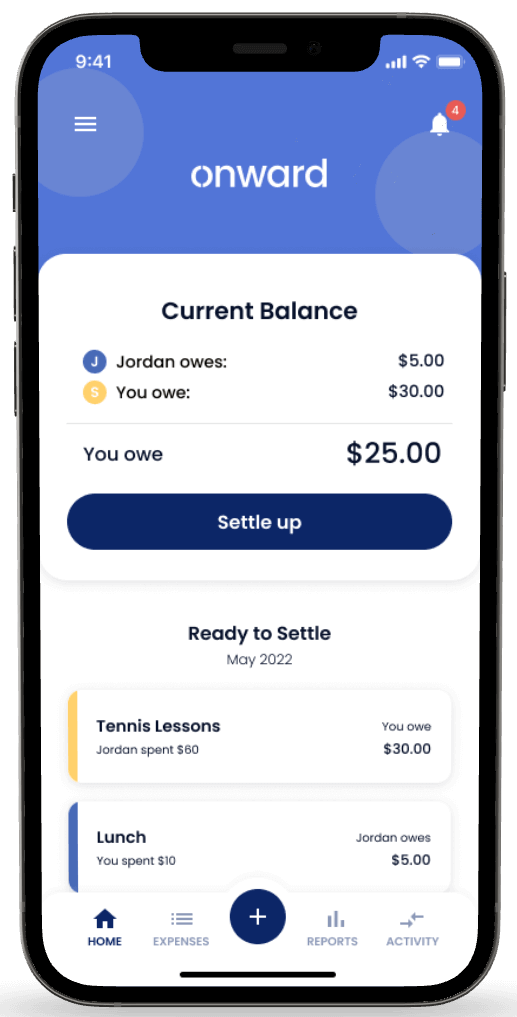
Onward is a co-parenting app that helps parents share their kids' expenses without awkward interactions. The app allows you to:

  • Add expenses
  • Upload receipts
  • Pay each other back
  • Track your spending
Onward co-parenting app dashboard.

We like Onward because it's easy to use and secure. The app allows you to categorize your expenses so you can visualize how you're spending money on your kids.

Onward has 4.5 out of 5 stars on the App Store and 3.8 on Google Play. Here's what app users like about it:
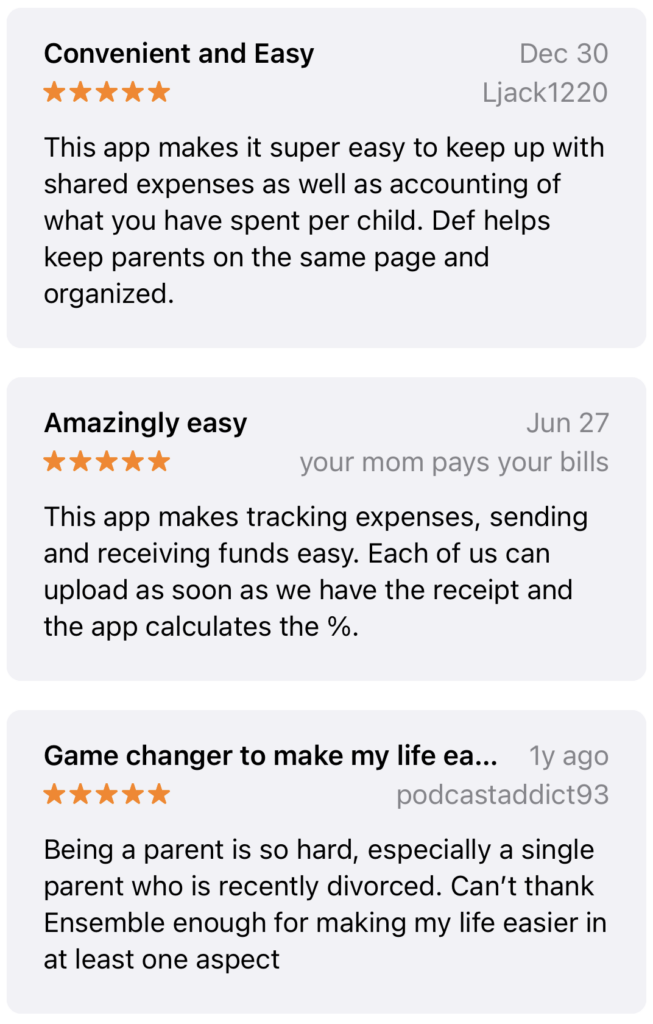
Onward co-parenting app reviews.

Onward has a 30-day free trial, then it starts at $9.99 per month.

Best app for co-parent communication: Our Family Wizard

Co-parent communication involves more than just texting. Scheduling, negotiating inevitable schedules changes, expenses, documents, contacts and more are also critical. Our Family Wizard does a good job of addressing these challenges.

Some single moms and dads use apps because a lawyer, judge or mediator mandated them to facilitate parallel parenting. But even with amicable divorces, co-parenting apps can be a great way to communicate,  stay organized and have a better relationship with your child’s other parent. 

Technology can go a long way in smoothing a path forward to a collaborative, peaceful co-parenting relationship.

Court-monitored communication? Get a co-parenting app

Best app for a child custody calendar: Our Family Wizard

Again, Our Family Wizard wins, thanks to the child custody calendar integration with the messaging, ability to request, accept and refuse change requests, as well as recording and requesting of expenses.

A definitive list of 7 co-parenting boundaries you need to know

Reviews of more paid co-parenting apps

Search for “co-parenting apps” on GooglePlay or iTunes and you’ll be instantly overwhelmed. I’ve narrowed the field for you …

Custody X Change app review

Custody X Change has features typical of co-parenting apps, such as shared calendars and secure parent-to-parent communication. A useful feature is its custody plan template, which can save both cash and aggravation. For example, you might forget about expenses like school supplies, or that drop-off/pick-up transportation should be shared equally.

Custody X Change has three versions, all of which install directly from the browser, but there is no app. 30-day money-back guarantee.

Free: Limits on what you can save, print and share.

Bronze: $8/mo. or $97/yr.:

  • Create your schedule
  • Get a written parenting plan
  • Journal what happens
  • Up-to-date notifications

Silver: $12/mo. or $147/yr.:

  • All Bronze benefits
  • Create your schedule
  • Get a written parenting plan
  • Journal what happens
  • Up-to-date notifications
  • Calculate time and overnights
  • Prove your time with graphs
  • Get reimbursed for expenses

Gold: $16/mo. or $197/yr.:

  • All Silver benefits
  • Time calculations
  • Tracking extra and denied time
  • Private journal for recording events

Is the Custody X Change co-parenting app court-approved?

Custody X Change is recognized by some courts.

Talking Parents review

This one’s a hybrid: TalkingParents is a co-parenting communications tool that has a free website version (where you will see ads), as well as a paid version for Apple and Android apps.

Both free and paid versions have messaging, a shared calendar and personal journal. The paid app also has features like file storage and unlimited downloads for conversations and journal records — which you may want or need for court appearances or mediation with your attorney. 

Paid versions cost $9.99 (Standard) or $24.99 (Premium) per month. For free memberships, you can pay a one-time $9.99 fee for 24-hour access to download messages, calendar or expense PDFs. Certified versions of these records start at $29.99, plus 19 cents per page for Premium.

Depending on your needs, Talking Parents may be more expensive than OurFamilyWizard.

TalkingParents has a 3.0 rating on Google Play and a 4.4 rating on the App Store.

Is the Talking Parents app free?

Yes, there is a free version, but with the paid version you have access to download messages and the calendar.

Is the Talking Parents co-parenting app court-approved?

TalkingParents is approved in many districts, but you should ask first.

21 parenting apps

coParenter review

This app has the expected features, such as a shared calendar, document library and check-in records. However, coParenter has something unique: a team of child specialists, mediators, therapists and retired judges on hand, ready to provide conflict resolution help in real-time. You can also ask for co-parenting coaching with any issues, and tips on effective co-parenting communication.

CoParenter offers a free 30-day trial. It costs $12.99 per month. You can get an annual plan for $119.99 per year for one parent, or $199.99 per year for two parents. It has a 3.2 rating on Google Play and a 3.6 rating on the App Store.

Is the coParenter co-parenting app court-approved?

coParenter is approved by some courts.

OurFamilyWizard can help you, learn more now.

2Houses review

The 2Houses app has the usual features, such as a shareable calendar, expense tracking, messaging and document storage.

If you’ve got kids with more than one ex, the website version of 2Houses lets you set up different “families” on the same account. And if an ex isn’t interested in joining the platform, you can invite a step-parent or other relative to step up.

2Houses costs $14.17 per month total ($169.99 billed every 12 months), for both parents, and has a 14-day free trial. It has a 2.9 rating on Google Play and 4.0 on the Apple App Store.

Is the 2Houses co-parenting app court-approved?

Whether 2Houses is approved by your court requires you ask the court.

Single mom resources

WeParent review

Like other co-parenting apps, WeParent is designed to manage the ins and outs of separated/divorced parenthood. Features like a shared calendar, the custody schedule, secure messaging and document storage keep everything in one place.

You create an account, then link in your co-parent and anyone else you’d like; it’s possible to do group messages as well as co-parent communiqués.

There’s a 14-day free trial; after that, WeParent costs:

  • Monthly: $9.99 / month
  • Annual: $99.99 / year
  • Lifetime: $199.99 / one-time

WeParent has a 3.7 rating on the Apple App Store and a 2.8 rating on Google Play.

21 parent control apps

Is the WeParent co-parenting app court-approved?

WeParent is recognized by many courts.

50 scholarships and grants for single moms

OurFamilyWizard can help you, learn more now.

Custody Junction review

Custody Junction is an older co-parenting website, with no app, and a very dated interface. There are other apps for a similar price of $47 per year.

Is the Custody Junction co-parenting app court-approved?

Maybe.

Fayr app review

Fayr has been on the market since 2018, and is already a leader in co-parenting apps. Founder Michael Daniels secured co-parenting advocate Gwyneth Paltrow as an investor and advisor by winning the Shark Tank-like show “Planet of the Apps.” 

Fayr has features very similar to Our Family Wizard, with a calendar, scheduling features, expense tracking, a file vault, geo-location, and private messaging feature. 

Fayr pricing:

  • $9.99 monthly
  • $99 if paid annually
  • $399 for a two-year subscription

Fayr has a 4.0 on the App Store and 3.1 rating on Google Play and as of November 2024, the app's last update was April 7, 2025. 

Is the Fayr app court approved?

Fayr is court-approved in some locations.

For less than $200, Amy McCready's self-directed online program Positive Parenting Solutions gets rave reviews by parents who say it changed their families. Read our review — and whether it is worth it.

OurFamilyWizard can help you, learn more now.

Alimentor 2 review

Alimentor 2 is at its heart a child custody calendar app. It can be used in preparation of a child custody case, or to monitor compliance once an agreement has been reached. Right now, it’s only available for iPhone and iPad. It comes with a number of features that co-parents find helpful, including:

  • Custody calendar. This details not only the planned custody calendar, but also documents any deviations from your visitation agreement.
  • The ability to track parenting time. In addition to logging drop off and pick up hours, you can also track the total number of hours and overnights the child spends with each parent.
  • Call history. To track child/parent calls, their duration, and any unanswered calls.
  • Expense tracking. To track what you’re owed, what you’re due, what you’ve spent. You can export this to a spreadsheet. 

To use the app, you’ll need to make a one-time payment of $4.99.

Is the Alimentor 2 app court approved?

The fact that Alimentor 2 bills itself as a “child custody calendar app with court admissible reports,” implies that it is court approved. 

Reviews of other free co-parenting apps

AppClose review — totally free co-parenting app

Available for Apple and Android, AppClose is the only completely free co-parenting app in this list. Often billed as an alternative to OurFamilyWizard, AppClose has been around a long time and reports tens of thousands of users.

Along with features like messaging, shared calendars and the ability to create a shared parenting plan, AppClose has its own built-in payment platform, “ipayou,” with an integrated expense tracker. You or your ex can scan in receipts and request reimbursement, and then settle up electronically.

AppClose allows you to export (for free) all communication and calenders.

Messaging is done by text within the app, which you can do with your co-parent, alone or in a group chat with other family members or caretakers you can add (also for free). The messages are time- and date-stamped. Another feature, AppClose Solo, lets you send notes to people who aren’t connected through the app, through text, e-mail or social media.

AppClose is indeed totally free, but users report the calendar is not user-friendly, and overall user experience is poor compared to paid competitors. 

AppClose has a 4.6 rating on Google Play and a 4.7 rating on the Apple App Store.

OurFamilyWizard can help you, learn more now.

Is the AppClose co-parenting app court-approved?

AppClose is approved in many courts, and many family attorneys recommend it, but you should make sure it is accepted by your judge if you are required to use a co-parenting app.

FamilyTime app reviews: Is FamilyTime a good app for parental controls?

Bottom line: Are co-parenting apps worth it? 

Many families choose to use a co-parenting app because it keeps all the co-parenting info and communication in one place. Others are required to use it by court order. Others opt to use general technology like text, Google calendars and Venmo to communicate with their kids’ other parent. Whatever method, tech is essential in successful co-parenting. Check out OFW free now >>

Read more of our guide for better co-parenting and co-parenting tips.

Feeling hopeless in dealing with your co-parent? Read: How co co-parent with a narcissistic or toxic ex

What is the best co-parenting app?

Our #1 recommendation for a co-parenting app is Our Family Wizard. This is one of the oldest, and most widely used co-parenting apps, and has all of the recommended features, plus high user reviews.

Are co-parenting apps worth it?

Many families choose to use a co-parenting app because it keeps all the co-parenting info and communication in one place. Others are required to use it by court order. Others opt to use general technology like text, Google calendars and Venmo to communicate with their kids’ other parent. Whatever method, tech is essential in successful co-parenting.

This may come as a revelation, but if you’re a mom who is stressed, overwhelmed, and overworked, you don’t have to stay that way. 

Meditation is a stress-relieving tool that works, and it’s easy to learn. The best part? You can meditate in the comfort of your home — or car, or local park, or a quiet corner of your office.

We pulled together the best tools and strategies to help you learn to meditate and to set your life on a calmer path:

Shonda Moralis' quick take on why moms should meditate

What is meditation?

How to meditate (without expensive books or classes)

Which type of meditation is best?

  1. Mindfulness meditation 
  2. Spiritual meditation 
  3. Focused meditation
  4. Movement meditation
  5. Mantra meditation
  6. Transcendental meditation
  7. Progressive relaxation
  8. Loving-kindness meditation
  9. Visualization meditation

Meditation resources for moms

Mindfulness skills and exercises to reduce stress, anxiety, and pain

Bottom line: Learn to meditate for a better life

Take a deep breath, and keep reading:

Author and Mom Shonda Moralis offers a quick take on why moms should learn to meditate

Shonda Moralis, author of Breathe, Mama, Breathe and a mom herself, says meditation can be “life-changing” for busy moms everywhere — and you only need a few minutes a day. 

“Research shows that kids whose parents meditate are more well-behaved, calm, and happier,” she says. “The children do not even need to meditate themselves. It is powerful, evidence-based, and must be experienced first-hand to feel the wide-ranging benefits.”

Moralis adds that her own relationship with her children was drastically enhanced by meditation — and it inspired her to write her book. 

To learn more and experience meditation for herself, Moralis enrolled in her local hospital’s 8-week Mindfulness-Based Stress Reduction (MBSR) program. Part of the homework was to meditate 30 minutes a day. 

“At the time, my daughter — who is now 20 — was 3. Within weeks, I noticed so many positive changes. I slowed down a notch (which was not easy to do as a Type-A mom) and found I was actually more productive and efficient,” she says. 

Moralis says she had more energy and patience with her daughter because she wasn’t as stressed and enjoying life more in general. 

“I was hooked,” she says.

What is meditation?

In the simplest terms, meditation is “a method for drawing your awareness away from the external world and into your internal world,” says Philip Clift, a yoga studio owner, meditator and contributor to the podcast, “The Astral Hour.” 

Based in Knoxville, Tenn., Clift has been teaching clients to control their breath and focus their minds for more than three decades. 

He says that in today’s world, people are constantly bombarded with information and media, in addition to managing our interpersonal relationships. 

“Meditation allows you to intentionally move into your own personal experience,” Clift says. “It allows you to resonate with the present moment, which you can’t do if you’re distracted by external factors.” 

Why learn to meditate? What are the benefits of meditation?

Meditation has multiple benefits. Some of them are physical, and others are emotional and mental. 

According to the National Center for Complementary and Integrative Health, there’s evidence that meditation may reduce blood pressure, as well as symptoms of irritable bowel syndrome and flare-ups in people who have had ulcerative colitis. It may also ease symptoms of anxiety and depression and help people with insomnia.

“Meditation enhances every aspect of your life,” Clift adds. “We can become very distracted and imbalanced by coping with daily stressors. Meditation is a way of moving past that.” 

Is therapy worth it? Best online therapy sites

How to meditate (without expensive books or classes)

So how do you start meditating? First of all, you don’t need any fancy equipment or even a teacher; you can learn to meditate all by yourself. 

In fact, you might have been meditating already without realizing it. Exercising, a hot shower, daydreaming — anything that takes you away from outside stimulation counts as meditation, Clift says. 

“Once you learn the techniques, you can apply them easily to your daily life,” he says. “Paying attention to your breath is the best place to start.”

Yes, you can absolutely teach yourself to meditate — you just need a couple of simple techniques, like knowing the right way to breathe. Once you’ve mastered meditative breathing, you can move on to more “complex” techniques, if you choose. But breathing is the base of any meditative practice. 

Check out this video from Epworth HealthCare in Tyrone, Pa., that provides 5 minutes of mindful breathing exercises:

How do beginners learn to meditate?

Maybe you’ve always thought that meditation meant you had to “stop thinking,” which sounds difficult, especially as a busy mom. But Clift says the point is not to stop thinking — it’s to create a focal point to think about. This focus is known as mindfulness. 

What does it mean to have a focal point? 

“You can visualize something; you can listen; you can focus on the movement of your breath or your hands,” Clift says. “But making your breath your focus is the best place to start. Most of us are not focused on the quality of our breathing, and taking a full breath, down into your navel, is enough to focus most people.”

“I'm too busy with the kids to meditate!”

Even busy moms can find time to focus, Clift insists. Think about those moments in the evening when you’re trying to get things done after your kids are in bed. Yes, folding clothes and rinsing off dinner dishes can be meditation for moms.

Cliff’s advice?

When you’re doing these tasks, coordinate your breathing with what you’re doing and allow your mind to focus. 

“Become tuned in with the scent of the detergent,” Clift says. “If you can find a single point of focus — your breath, a scent — then you can transform your regular activities into more of a meditative practice.”

Moralis adds, “Mindful breaks are designed to fit seamlessly into your day without you having to stop and have alone time. You can take a mindful break while you are folding laundry, waiting in line at the grocery store, or while reading books at bedtime. As a second-time mom myself, I knew there was no way I’d be meditating 30 minutes a day with a newborn, but I wanted to keep mindfulness part of my daily life. So I designed 5-minute mindful breaks.”

Getting over the initial hump

Aside from learning the right breathing technique, Clift suggests moms who want to learn meditation start by exercising – yoga, stretching, running or anything that quiets the mind and grounds the body. 

“If you aren’t grounded in your body, it’s hard to contain your mind,” Clift says. “I recommend basic yoga or some kind of movement. Even something as simple as pushups and sit-ups.”

Meditation techniques beyond beginners

Once you’ve learned to quiet your mind and focus, you can try more “sophisticated” meditation activities, such as visualization. But don’t jump ahead and try to advance too quickly; all meditation types are beneficial to your health. 

Which type of meditation is best?

Several types of meditation exist, but the one you should stick with is the one that resonates with you, Clift says. Basically, the nine different “types” of meditation are similar in that they all require you to focus your mind, but on different focal points. 

“They all involve drawing awareness to your internal world,” Clift says. “One of the nine is going to work better for you than it would for someone else.”

The nine types of meditation

1. Mindfulness meditation 

Mindfulness is the most popular (and simplest) type of meditation. It simply involves observing your thoughts as they cross your mind, while breathing intentionally. 

2. Spiritual meditation 

Do you pray? Praying counts as meditation. Practiced for centuries by various religions, spiritual meditation can help you feel more connected with whatever higher power you believe in. 

3. Focused meditation

Once you’ve learned breathing techniques, try focused attention meditation, or FAM. The journal Frontiers in Psychology describes it as selecting a focal point, such as a candle flame or photograph, and focusing intently, trying not to let your mind wander. 

4. Movement meditation

If you’re jogging or practicing yoga, you can practice movement meditation. Focus your mind on the movement of your body rather than your thoughts. 

5. Mantra meditation

Repeating a positive mantra, such as “I will ace this job interview,” is a type of meditation, especially paired with intentional breathing. 

6. Transcendental meditation

This meditation type is similar to mantra meditation, but instead of focusing on a phrase, transcendental meditation can use just a sound, like the “om” in yoga. 

7. Progressive relaxation

Another body-focused type of meditation, progressive relaxation involves tensing, then releasing, your muscles. The National Library of Medicine describes it as “actively contracting muscles to create tension and progressively releasing …until participants acquire complete relaxation.”

8. Loving-kindness meditation

A loving-kindness meditation involves focusing on positive feelings for your loved ones: friends, kids, parents or just people in general. 

9. Visualization meditation

For this type of meditation, envision something positive in your mind, such as a beautiful seashore or a flower — then focus and breathe. 

Positive Parenting Solutions review: Is it worth it?

Meditation resources for moms

Books, apps, podcasts and YouTube videos are all great meditation resources to help you get started. For the following list, we’ve scouted content that has a high user rating or that has been endorsed by reputable practitioners and organizations. 

If you’re looking for a comprehensive app to learn to meditate, we recommend downloading the Yours app, which provides tailored content to help you become more mindful, including: 

  • Interactive breathing clocks
  • Sleep stories, music, ambient soundscapes, nature sounds, and more
  • Mindfulness meditation courses to help you reduce stress and anxiety
  • Psychological advice on mental health topics
  • Hundreds of hours of yoga videos with guided experts

Yours is currently only available for iOS devices.

Meditation for sleep

These are our picks to help you relax and fall asleep.

Meditation for sleep apps

  • Calm (4.8 Google Play rating / 4.8 App Store rating)
  • Relax and Sleep Well Meditations (4.8 Google Play rating / 4.8 App Store rating)
  • Medito: Meditation and Sleep (4.8 rating Google / 4.9 App Store rating)
  • Calm Sleep (4.5 rating Google / 4.8 App Store rating)

Meditation for sleep books

Meditation for sleep podcasts

Meditation for sleep YouTube videos

Meditation for manifestation 

Manifestation is all about putting your dreams and aspirations into the universe and making them a reality.

Meditation for manifestation apps

Meditation for manifestation books

Meditation for manifestation podcasts

Meditation for manifestation YouTube videos

Meditation for self-love 

Need to boost your confidence and find more joy in life? Check out our picks for self-love meditation and read our 5 tips for Self-Care Sunday to refresh and recharge yourself.

Meditation for self-love apps

  • Headspace (4.4 Google Play / 4.9 App Store)
  • Shine (4.8 Google Play / 4.7 App Store)
  • Calm (4.8 on Google / 4.8 App Store)
  • Aura (4.6 on Google / 4.7 App Store)

Meditation for self-love books

Meditation for self-love podcasts

Meditation for self-love YouTube videos

17 affirmations for confidence: How to feel confident and sexy when you feel old, fat and gross

5 insights on how to feel sexy, even if you think you’re overweight

Meditation for kids

Want to bring some calm to your entire family? Check out our picks for meditation for kids.

Meditation for kids apps

Meditation for kids books

Meditation for kids podcasts

Meditation for kids YouTube videos

Meditation for teens 

Give your teens a break from social media stress and help them unwind after a busy day at school.  

Meditation for teens apps

  • Headspace (4.4 Google Play / 4.9 App Store)
  • Calm (4.8 on Google / 4.8 App Store)
  • Smiling Mind (4.1 on Google / 4.5 App Store)
  • Shine (4.8 Google Play / 4.7 App Store)

Meditation for teens books

Meditation for teens podcasts

Meditation for teens YouTube videos

Meditation courses

Mindfulness skills and exercises to reduce stress, anxiety, and pain

Want to feel calmer right away? Try these quick versions of the meditation techniques from Clift. 

  1. Breathe deeply in and out of your abdomen for several minutes. 
  2. Focus your eyes on an object and breathe deeply, gently guiding your focus back to the object if you wander. 
  3. Engage in gentle movement, such as rolling your shoulders, and breathe deeply. 
  4. Try repeating a simple, positive mantra such as “I will feel good today.” Remember to breathe. 
  5. Tense, then release, all the different muscles of your body as you breathe. 

If you're really struggling with your mental health, connect with a certified mental health professional through BetterHelp.com. Read our review.

Bottom line: Learn to meditate for a better life

Meditation is one of the best ways to improve your outlook and decrease stress and anxiety. Whether you try one method or multiple methods, you will reap the mental and physical benefits. 

As Clift says, “Meditation allows you to intentionally move into your own personal experience.”

Moralis adds:

“I believe we women, especially moms, have super powers. In order to be our best selves (which does NOT mean perfection), we need to access a bit of calm each day. We need to breathe before we can be empowered to achieve. We deserve it, and our families deserve it.”

What is meditation?

In the simplest terms, meditation is “a method for drawing your awareness away from the external world and into your internal world,” says Philip Clift, a yoga studio owner, meditator and contributor to the podcast, “The Astral Hour.”

What are the benefits of meditation?

According to the National Center for Complementary and Integrative Health, there’s evidence that meditation may reduce blood pressure, as well as symptoms of irritable bowel syndrome and flare-ups in people who have had ulcerative colitis. It may also ease symptoms of anxiety and depression and help people with insomnia.

Can you teach yourself to meditate?

Yes, you can absolutely teach yourself to meditate — you just need a couple of simple techniques, like knowing the right way to breathe.

How do beginners learn to meditate?

Maybe you’ve always thought that meditation meant you had to “stop thinking,” which sounds difficult, especially as a busy mom. But Philip Clift, a yoga studio owner and meditator, says the point is not to stop thinking — it’s to create a focal point to think about. This focus is known as mindfulness.

How do you meditate as a mom?

Even busy moms can find time to focus, Philip Clift, a yoga studio owner and meditator, insists. Think about those moments in the evening when you’re trying to get things done after your kids are in bed. Yes, folding clothes and rinsing off dinner dishes can be meditation for moms.

Which type of meditation is best?

Several types of meditation exist, but the one you should stick with is the one that resonates with you. “They all involve drawing awareness to your internal world,” Philip Clift, a yoga studio owner and meditator, says.

The trend has been fast and intense: In the years I've been dating as a single mom, there has been a steep uptick in young guys looking for older single moms.

If you want to go out with a younger guy, go out with a younger guy. Maybe for a fun drink. Maybe for a hot roll in the hay — once or regularly. And who knows, maybe for the long term. The only rules about young guys looking for older single moms are those you make for yourself. Enjoy!

Where older women can find younger men to date:

Common questions that older women have about dating younger men:

Is it common for an older woman to date a younger man?

Why would an older woman date a younger man?

Why are younger men attracted to older women?

Tips for older women interested in dating younger men

How much of an age gap is OK?

My experience as a cougar (and advice for older women)

Is it common for an older woman to date a younger man?

In 23% of straight couples who live together in the United States, the woman is older, and 64% of heterosexual couples, the man is older, according a poll of more than 37,000 couples by the polling site FiveThirtyEight.

In the remaining 13 percent, the partners are less than 12 months apart in age — essentially the same age. 

The number of wives who are married to young men is rising dramatically — from 9% in 1964 to 15% today, according to the Census Current Population Survey. 

But how many women are dating or sleeping with younger men today vs., even a few years ago? 

According to a 2003 AARP survey of 3,500 older singles, 34% of women aged 40 to 69 say they prefer to date younger men, and 14% of women age 50 to 59 prefer dating men in their 40s or younger. 

Two decades later, Match.com’s survey revealed 81% of women are open to dating someone 10 years younger than they are, and nearly 90% of men are interested in dating someone 10 years older.

Why would an older woman date a younger man?

Twice in my late 30s I dated younger men. I was involved for a few months each with men who were 3 and 5 years my junior, and in both cases they were really, really lovely people, hyper-bright, ambitious and both were about 700% better looking than me. Both were great experiences.

Even if I would stare at them across the bar table or at their head on my pillow, rub my eyes and think WTF is going on here?!, my ego, I admit, was like a sow in shit …mmmmm … prrrrrr … meow … oink!

Reasons older women date younger men can include:

  • It's a huge compliment when a younger man desires you
  • You are both looking for fun, no commitment
  • It's taboo to date younger guys — and that's exciting
  • Weird kinks rooted in childhood trauma
  • Mutual attraction, no need for explanation
  • You fell in love, and love knows no age

But what is unique is the increased number of younger men seeking to date older women.

What is significant about this trend is that a) younger men historically have not been interested in older women — especially moms. After all, youth in every culture is prized in mating, as biology favors young junk. b) The uptick in this young-dude interest is so swift – and the age gaps significant.

I'm not the only one to notice. A few weeks ago my friend Perri emailed me:

I have a question for you. I just joined a dating site, and love it. But why am I being contacted by so many men who are 21 to 28 years old? I'm 42!  Can I date younger men in my 40s? Can I date men who are more than 10 or 15 years younger? It's crazy. I don't look my age but it's there in my profile, so no guessing is involved. Is this a dare to screw an old chick? That said, I'm meeting a guy tonight to play pool. He's great, makes me laugh, we have similar careers and education and the conversation is very easy and uncomplicated. But still – I'm perplexed! 

I admit, I'm perplexed too. So I did some research. And by “research,” I started quizzing the Benjamin Braddocks who hit me up online.

[Dating coach says:  Single moms are hot on the successful single man market]

Why are younger men attracted to older women?

While younger man dating older women may be increasing thanks to changing social mores, there are many reasons young guys like older women:

  • Older women aren't interested in kids, and unwanted pregnancy may not even be a risk
  • Older women are looking for fun and pleasure — not just a husband and father material
  • Younger men prefer dating older women because we are more experienced and confident about sex and our bodies
  • Because we are more experienced, a young man who pleases us feels assured and confident in bed

The first one was a super-buff 24 year-old whose profile said he speaks English and Hebrew, works in finance and photos showcased him hanging with a dolphin and jamming at karaoke with his bros.

His dating profile included:

Screen Shot older women dating younger men

Here's what this fine young man said:

how find cougar - older woman dating younger guy
dating younger guys in your 40s
how to meet hot moms
single mom young guys cougar

Oh boy, that one wasn't too introspective — or maybe he was just really horny and desperate himself? Anyway, the next exchange wasn't terribly valuable for gaining insight (though note his comments about looking for someone independent). A dark, handsome 27-year-old with a scrubby face and almost zero info in his profile engaged me in this exchange:

how old is too old to date?

Third one? A charm.

This 27-year-old advertising exec was again, super-cute, and his profile funny, smart and thoughtful. You know, the kind of guy I wouldn't think twice about dating. After he ‘liked' me, I jumped right to business:

inappropriate age difference

legal age to date Screen Shot 2016-01-10 at 4.50.24 PMtoo much age gap date?Screen Shot 2016-01-10 at 4.51.47 PMage matter dating?benefits dating cougar meet younger men to date too old for me calculatormaximum age difference for marriage relationship age gap rule

Into older men? Do’s and don’ts for dating an older man

Tips for older women interested in dating younger men

Some advice from members of Millionaire Single Moms on Facebook:

It depends on what you’re looking for. I have a FWB who is 18 years my junior. It’s just for fun. We both know that. He does learn things from me, and honestly, I learn from him, too. We have similar interests and opinions, so we have some solid conversations. He’s also a snuggler, which I enjoy.

We don’t have many expectations, which is what makes it work. If he’s out with friends (under non-lockdown conditions), I don’t get upset. And if I have my kids, he’s fine that I can’t meet up. We don’t go on dates, just talk and have sex.

We both know the other could meet someone and want to date. I’m done having kids, and he will want to start a family one day. There are no hard feelings surrounding this. The way we do it works for us. I don’t think it would if either one of us wanted a serious relationship with the other.

Alysia

Depends on why you are dating. As long as he’s mature and in a similar life place it could work long-term. Short-term, they could be fun energy!
Kim

Post-divorce, my longest relationship (4 years) was with a man 11 years my junior. My current boyfriend is 8 years younger. I prefer younger men now, largely because the men my age and older are just not as active as me, and I don't find many of them physically attractive now.

Make sure you are on the same page as far as what you want and what you want from the relationship. I'm not having more kids, if that's something they want it's a no-go. I've found many of the younger men (we are talking 30's here, not 20's) interested in dating an older woman are men that don't care to have their own children.

Katie

Also, don't forget to be safe, do a background check if you need to.

How much of an age gap is OK?

Are both people of legal age in your state? That is an important first question.

When it comes to what is a socially acceptable age difference, a rule of thumb is is the ‘half your age plus seven' rule. This equation is:

[your age] / 2 + 7

So, if you are 40, divide your age by 2, and add 7, to get 27 — the rule dictates it is reasonable to date someone aged 28 and older.

Some things to consider when it comes to age and dating, include:

  • Do you care what others think?
  • What is the goal of dating? Is it something casual (in which case age matters little) or serious, long-term partnership? If the latter, then, a big age difference calls for discussions about:
    • Desire for children, and how those kids will be cared for physically and financially if one person is very old
    • Feasibility of conception as it relates to age
    • The younger partner's interest in caring for an aged partner
    • Likelihood of decreased sexual desire and function that may not be aligned
    • How to manage any disapproval from family and friends
    • Likelihood lifestyles and interests may diverge as time goes on

Best dating apps and sites for single moms

My experience as a cougar (and advice for older women)

Take it from me: all of the sudden they've started to approach me online dating sites.  I'm 39 and these guys are in their 20s. Opening lines include:

“I'm a Columbia Law student, so while I might be younger, I'm clearly smart and ambitious.”

“Ur hot.”

“You look like you're fun. Want to teach me something?”

“Open to fun times with a young stud?”

As well as perfectly thoughtful messages that remark about my profile, interests or photos. The gamut. If I respond, does that make me a cougar?

Bit of background: All the men I've been involved with in my life were my age or older (in one case, way, way older but I'll elaborate on that in another post).

Update: Read the comments. The 31-year-old and I were dating.
8 rules for dating a single mom

Is it common for an older woman to date a younger man?

In 23% of straight couples who live together in the United States, the woman is older, and 64% of heterosexual couples, the man is older, according a poll of more than 37,000 couples by the polling site FiveThirtyEight.com.

Why would an older woman date a younger man?

– Reasons older women date younger men can include:
– It's a huge compliment when a younger man desires you
– You are both looking for fun, no commitment
– It's taboo to date younger guys — and that's exciting
– Weird kinks rooted in childhood trauma
– Mutual attraction, no need for explanation
– You fell in love, and love knows no age

Why are younger men attracted to older women?

While younger man dating older women may be increasing thanks to changing social mores, there are many reasons young guys like older women:
– Older women aren't interested in kids, and unwanted pregnancy may not even be a risk
– Older women are looking for fun and pleasure — not just a husband and father material
– Younger men prefer dating older women because we are more experienced and confident about sex and our bodies
– Because we are more experienced, a young man who pleases us feels assured and confident in bed

How much of an age gap is OK?

Are both people of legal age in your state? That is an important first question. When it comes to what is a socially acceptable age difference, a rule of thumb is is the ‘half your age plus seven' rule.

Looking for a side job or hustle? 

Whether you want an easy gig you can do from home (like completing surveys) or you’re looking for a fun job outside of the home (like dog walking), you don’t need to spend hours combing through job boards. 

Steady app has helped more than 3 million people find quality gigs and jobs, earn bonuses and manage their finances.


Keep reading to learn:

What is Steady?

Is the Steady app legit?

Steady app reviews

Is Steady free?

What does the app Steady do?

How does the Steady app work?

How do you earn money on Steady?

Gigs you can find on Steady

Is it safe to link my bank account to Steady?

Pros of the Steady app

Cons of the Steady app

Steady app alternatives

What is Steady?

Steady is a mobile app that connects people with full-time, part-time, work-from-home, and seasonal gigs. You can filter opportunities based on your location, skills, interests, and schedule. 

Steady also works with advertisers that give you money when you complete offers. With the “income boosters” feature, you can earn cash rewards when you do things like sign up for a new bank account or refer a friend to join the app. 

When you connect your bank account, you can also track your income on Steady and see how much money you’ve made over time.

Is the Steady app legit?

Steady is a legit app. The company was founded by Adam Rosman, a former investment banker, and has been around since 2017. 

The app has more than 4 million downloads and tens of thousands of reviews on the App Store, Google Play, and Trustpilot. Although you can find complaints, the overwhelming majority of Steady app reviews are positive. 

Steady app reviews

Steady reviews on the App Store

Steady has a 4.6/5-star rating and more than 20,000 reviews on the App Store. 

Many reviewers praise the app’s simple, easy-to-use interface and the company’s attentive customer service. 

However, some users do note that it can take a long time for cash rewards from completed income boosters to show up in their bank accounts. 

Steady reviews on Google Play

Steady has a 4/5-star rating and more than 38,000 reviews on Google Play. 

Reviewers say the app is easy to navigate and that job listings on the app are legitimate. 

Google Play users also mention delayed payouts from income boosters. 

Steady app Trustpilot reviews

Steady has a 3.6/5-star rating and more than 2,700 reviews on Trustpilot. 

Reviewers like the app’s income tracker tool and income boosters feature and note how easy it is to find job opportunities.

There are complaints from some users about slow payments or not being paid after completing income boosters. 

Is Steady free?

Steady is free to download and use. While this wasn’t always the case, you can now access all of the app’s features without paying for a subscription.

Keep in mind that some income boosters require you to spend money to earn a cash reward, but you can just skip those if you’d prefer not to spend any money. 

What does the app Steady do?

The Steady app shares job opportunities, tracks your income, and allows you to earn cash rewards so you can reach your financial goals.

Steady aggregates job openings from all over the web so you can search through relevant opportunities in one place. 

To track your income, you’ll have to link your bank account. Once you do that, you can view how much you make each month and which jobs paid you the most. 

To earn cash rewards, you’ll need to complete offers from Steady’s advertisers. These include things like opening up a debit card and switching your car insurance.

Personal check cashing “near me:” 19 places to go

How does the Steady app work?

If you’re thinking about trying Steady, here’s a rundown of how the app works:

  • Sign up for an account. Once you download the app, you can create a free account. You’ll be asked to provide basic information, like your name, phone number, and email address. 
  • Link your bank account. This allows you to track your earnings in the app. This isn’t required, but doing so is the only way to manage your income streams through the app.
  • Search for side hustles. You’ll then be asked a series of questions so Steady can match you with relevant gigs. These questions include what type of work you’re looking for, what licenses and certifications you have, and what languages you speak. Once you answer the questions, you’ll be able to scroll through opportunities tailored to your interests and experience. 
  • Apply for jobs. If you see a job you’re interested in, click on the “Apply” button in the app. You’ll be taken to a third-party site to complete the application. 
  • Work and get paid. If you get hired for a gig, you’ll be paid directly by the company you work for. 

How do you earn money on Steady?

There are a few different ways you can earn money on Steady. First, you can apply for jobs through the app. 

Most of the hourly jobs listed on Steady are in the $15 to $25 per hour range. Once you land a job, you’ll be paid directly through the company you work for. 

Some jobs on Steady have a sign-on bonus. For example, you can currently earn an extra $15 when you sign up to be a caregiver on Care.com or an extra $30 when you complete your first Uber Eats delivery. 

The other way you can make money is by completing income boosters. These are offers from Steady’s advertisers that give you a cash reward. 

You can receive anywhere from $5 to $150 in bonuses. You’ll need to link a bank account to Steady and set up direct deposit to get your cash reward. 

According to Steady, its members earn around $5,500 in additional yearly income after joining the app. 

11 local and online jobs that don’t require a background check

Gigs you can find on Steady

You can find all sorts of work on Steady. The app breaks down gigs into four main categories: 

  • Anytime/seasonal work like rideshare driving (Uber, Lyft) and food delivery (UberEats, DoorDash)
  • Work-from-home jobs, including proofreading transcribing, tutoring, pet sitting, and filling out surveys
  • Part-time jobs like fast food and grocery store positions
  • Full-time jobs in industries like customer support and insurance

There’s always a level of risk when you give an app access to personal information such as your bank account. Steady says they can’t guarantee the security of your personal information transmitted through their website. 

Steady does protect and encrypt your bank account information via a Secure Socket Layer (SSL), the standard technology for keeping an internet connection secure and safeguarding your personal information. 

Pros of the Steady app

The Steady app has multiple benefits:

  • Fast and simple to sign up. Once you download the app and create an account, you can start browsing jobs.
  • Free to use. All of the features on the app are free to access without any subscription fees.  
  • Easy to find gigs. Steady pulls opportunities from across the web into one place, which you can filter based on your experience and interests. 
  • Multiple ways to make money. In addition to finding work through the app, you can also earn cash rewards by completing offers through Steady’s advertisers. 
  • Easy to manage your income. The income tracker tool allows you to manage your monthly earnings in one place and see which jobs paid you the most.

Cons of the Steady app

There are also a few drawbacks to the Steady app. These include:

  • Individual job applications. When you’re ready to apply for a gig, you’re taken to the hiring company’s website to complete an application. That means you have to fill out an application for every job you apply to. 
  • Pay isn’t listed for every gig. Some jobs don’t list pay, and there’s no way to filter search results based on salary. 


  • Search results tend to favor the same few jobs. Regardless of the filters you select, you tend to see the same jobs (like food delivery with UberEats) in the search results. 
  • No budgeting features. While you can track your income, there isn’t any way to manage and track your expenses. 

Steady app alternatives

There are few apps and websites with similar features to Steady. 

FlexJobs is an online job board that lists more than 30,000 flexible jobs, many of which can be done remotely. You do need to pay for a subscription to see the full job listings and apply for gigs. Subscriptions range from one week for $9.95 to one year for $59.95. 

Fiverr and Upwork are online marketplaces for freelancers. Popular categories on these websites include writing, editing, graphic design, and virtual assistance. After signing up for free, you can create a profile and list your services and how much you charge. Clients can search profiles and hire you for work.  

TaskRabbit is an app for freelancers and contractors. Popular categories on this app include moving, delivery services, and personal assistance. After signing up for free, you can create a profile and list your services and how much you charge. TaskRabbit will then connect you with clients looking for on-demand services. 

Swagbucks is a cashback website that allows you to earn cash rewards in various ways. Similar to Steady’s income boosters feature, you can earn money by filling out surveys and shopping online. It’s free to sign up and use this website. After creating an account, you can start completing offers right away.

You can always also apply directly to companies featuring part-time work. Create a free account with Care.com now, for example.

Struggling financially? Check out these helpful and free resources for low-income families and individuals:

Help for single moms: 16+ resources$500 monthly single mom grant
Free laptopsScholarships for single moms
Free carFree Christmas gifts
Free smartphoneBest jobs moms can do from home
Free wifiFree and low-cost prescriptions
Free formulaFree clothes
Free toysGovernment assistance for single moms
Free gasFree daycare
Free preschoolAffordable dentures
Free prescription glasses10+ charities that help single mothers
Free money
What is Steady?

Steady is a mobile app that connects people with full-time, part-time, work-from-home, and seasonal gigs. You can filter opportunities based on your location, skills, interests, and schedule.

Is the Steady app legit?

Steady is a legit app. The company was founded by Adam Rosman, a former investment banker, and has been around since 2017.

Is Steady free?

Steady is free to download and use.

What does the app Steady do?

The Steady app shares job opportunities, tracks your income, and allows you to earn cash rewards so you can reach your financial goals.

How do you earn money on Steady?

There are a few different ways you can earn money on Steady. First, you can apply for jobs through the app. The other way you can make money is by completing income boosters. These are offers from Steady’s advertisers that give you a cash reward.

Modern life is hectic enough. Divorce makes it even more complicated. A family organization app can turn your out-of-control existence into an orderly, well-planned life.

Cozi app is one of the top-reviewed and most-used family organization apps on the market. According to its website, more than 20 million people currently use this free app Cozi.

Although many divorced families use it, Cozi app is not specifically designed for separated families, which is why it’s not our top choice co-parenting app.

Our Family Wizard ranked #1 on our list of best co-parenting apps this year. Why?

  • Superior technology with a great user experience
  • A+ Better Business Bureau rating for parent company Avirat
  • Glitch-free (or close to it) interface
  • Widely recognized by courts 
  • Tools to help with scheduling, communication, check-ins, sharing milestones, and more
  • Add-ons like increased storage and ToneMeter, a tool to help reduce conflict
  • Ability to give access to family lawyer or mediator
  • Competitive cost, with military discount, financial assistance, and money-back guarantee

Still curious if Cozi is right for your family? Here’s what you should know:

What the Cozi app is

How much the Cozi app costs

How the Cozi app works

Cozi is a co-parenting planner

Who would benefit from using Cozi Family Organizer?

Cozi app pros and cons

Cozi app reviews

Frequently asked questions about Cozi

Other apps for co-parenting and family organization

The bottom line on the Cozi app

What is Cozi Family Organizer?

Cozi is a family organization app focusing on a shared calendar and an innovative list-making function that can be tailored to just about any use, for any family. The app has been around since 2006, and it's 100% free.

(There's a premium version, with more features, and it doesn't cost much. But focus on that “free” part for a minute, especially if your post-divorce finances are still in recovery.)

How much does the Cozi app cost? Is Cozi really free?

It doesn't have to cost anything, since there’s a free version. This one has ads, but that’s how the company can afford to give away its product.

Cozi pricing (for the premium version):

The premium version of Cozi costs $29.99 per year, or about $2.50 a month. It should pay for itself easily in terms of “no more paying fees for missed appointments” or “no more stopping at the convenience store for something you forgot to buy at the supermarket.”

How does the Cozi app work?

Cozi lets up to a dozen people share (and add to) your family’s calendar, which gives an at-a-glance description of your day. Never again will you forget a birthday, miss a special event or accidentally double-book your kids (or yourself). Grandparents can check the dates for soccer games or the school band concert. Add a babysitter or nanny to your Cozi account to keep everyone organized.

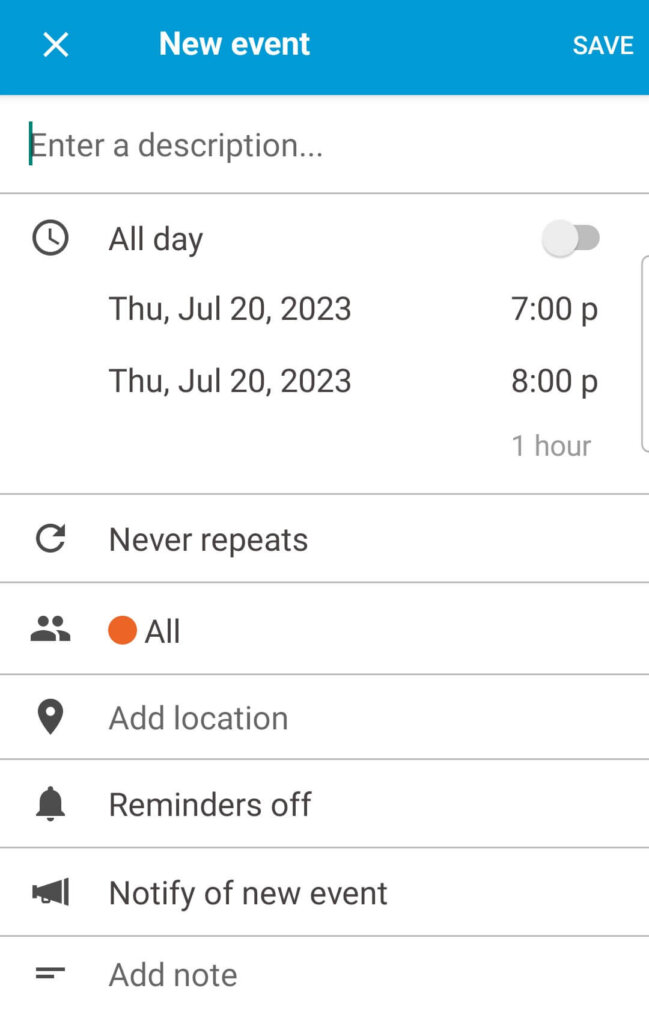
View of the Cozi calendar where you can add events and reminders.

You can set up e-reminders to get you and your ex to the parent-teacher conference on time.

Cozi allows you to create shared events and set reminders.

In addition to a shared calendar, the Cozi app lets you create custom lists to make sure everything gets done: chores, homework, shopping, party or vacation planning, and even remembering to take advantage of seasonal produce.

Cozi has a “list library” of prefab planners. If you can’t find one that matches a particular need, just create a list and call it whatever you like: “Books That I Swear I’ll Read This Year,” say, or “What Needs to Get Done Before Summer Camp Rolls Around.” 

Court-monitored communication? Get a co-parenting app

Cozi is a co-parenting app (sort of)

Unlike products like Fayr, Our Family Wizard and Talking Parents, Cozi is not a co-parenting app per se.

Its basic features, such as the shared calendar and appointment reminders, do lend themselves to co-parenting situations. However, it doesn’t have features like in-app communication, expense tracking, and time-stamped documentation of drop-offs and pick-ups.  

If you and your ex are getting along and communicating via text works for the two of you, then maybe all you need is a calendar you can share with each other, other adults and the kids themselves (once they’re old enough). In that case, Cozi app could work just fine.

And if you’re not getting along? Only you can judge whether it’s a good idea to provide a contentious ex access to your household’s daily schedule. You might also want those co-parenting app features like time-stamped documentation and the ability to account for every dime you spend on your kids.

How to co-parent successfully with your ex

Cozi is a co-parenting planner

Whether or not you loop in your ex, the Cozi app is great for family organization because it helps you: 

Tame the chaos. Used correctly, Cozi lets you take charge of your life. You won’t miss appointments, forget to buy milk and bread, or accidentally create scheduling conflicts (kiddo can’t see the dentist if she’s at a softball clinic that day). And unlike a co-parenting app, Cozi has specific features to keep your household running smoothly.

Get ahead of things. The list library offers step-by-step guidance for things like chores, budgeting, meal planning, vacation prep and making mornings less stressful. (Hint: Some lists are designed specifically for kids.)

Keep everyone informed. A family organization app is not just for “real” family like your folks, aunts and uncles and grandparents. It can also be a vital tool for people who care for your children either literally (nanny, babysitter) or figuratively (your BFF who’s an adored “auntie” to your kids).

21 best parenting apps this year

Cozi has a co-parenting calendar

Cozi’s shared calendar should of course include the days and times you drop off/pick up the children. Other special activities or events – going trick-or-treating, attending a parent-teacher conference – could also be added.

Again, Cozi does not have an in-app communication system. You and your ex will have to use text, e-mail or phone to discuss any co-parenting issues that pop up.

Cozi app helps manage parent schedules

Parents who check Cozi regularly won’t miss minor or major events in their kids’ lives. They won’t accept a work assignment or dinner invitation on the fly, only to find out that it’s the same night as the school talent show.

Even the set-in-stone aspects of co-parenting (which days at whose home, or agreed-upon holiday sharing schedule) may need some tweaking. Suppose you need a medical procedure and the first available appointment is two months away – and checking Cozi, you see that’s during “your” week. So you quickly text your ex to arrange a custody swap, then accept the appointment.

FamilyTime app reviews: Is FamilyTime a good app for parental controls?

Cozi app has your to-do lists

Things are much more likely to get done if they’re written down and/or assigned to a specific person. These can be big-ticket items such as spring cleaning or vacation planning, or simple chores like “empty dishwasher” and “put your backpack where no one will trip over it.”

That’s why Cozi has a “list library” that could make your household run more smoothly. A couple of the cooler ones:

Kids’ Checklist – Disorganization causes a lot of arguments and hurt feelings. Help your kids take charge of their days with to-do lists for Night Before School, School Morning Routine and After School. There’s also a morning and evening checklist just for summer, and a spring cleaning chore list.

FlyLady Cleaning List – Maybe you’re already familiar with the FlyLady, who blogs and does YouTube videos about cleaning and home organization. If not, let Cozi introduce you. These lists divide your home into five distinct zones and give simple, actionable tips on getting the place clean and keeping it that way.

Cozi app helps with shopping lists

Not everyone has the time (or the inclination!) to cook every meal from scratch. However, food is one of the budget categories with the most wiggle room – and let’s face it, a lot of takeout is loaded with fat, salt and sugar. If you could cook even one-third of your family’s meals, you’ll save both money and empty calories.

Cozi has two features designed to help you get healthy meals on the table faster. First, search your favorite recipe site(s) for quick-fix possibilities. Next, use Cozi’s “Recipe Box” feature to import the recipe for that yummy-looking quinoa salad or the Easy Chicken Pad Thai. Now you can call the recipes up any time, whether you’re at home or sharing a beach house for the week.

Cozi has built-in recipe ideas to make meal planning easier.

Or at the supermarket: The Recipe Box feature lets you add the ingredients you’ll need to a grocery list. If you own an Amazon Echo or Alexa product, you can ask the device to update, either for a recipe or just restocking staples: “Alexa, add peanut butter and yogurt to my grocery list.”

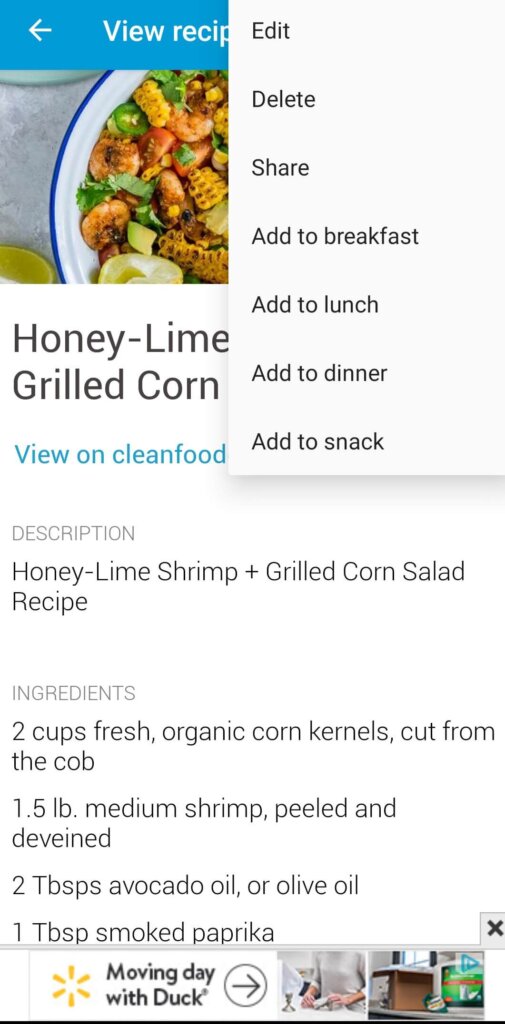
Cozi lets you add recipes to your recipe box manually or from website links.
Updating a recipe on Cozi.

You can also use the Recipe Box to plan a week’s worth of meals at a time, and buy all the ingredients at once. Bonus: If your kids are old enough to use the app, they’ll already know what’s for dinner and won’t keep asking you.

Another useful feature: When you call up a recipe and start chopping and mixing, the app’s “Cooking Mode” keeps the screen open. That’s a good thing, because you won’t have to use your marinade-sticky fingers to power the device back up.

Cozi app has a school supplies list

Your kid’s school might send home a supply list, or post one on its website. But it doesn’t hurt to have Cozi’s list as a head start. That way you can stock up when you see this stuff on sale. (Those big office supply stores have crazy-cheap specials starting in late summer.)

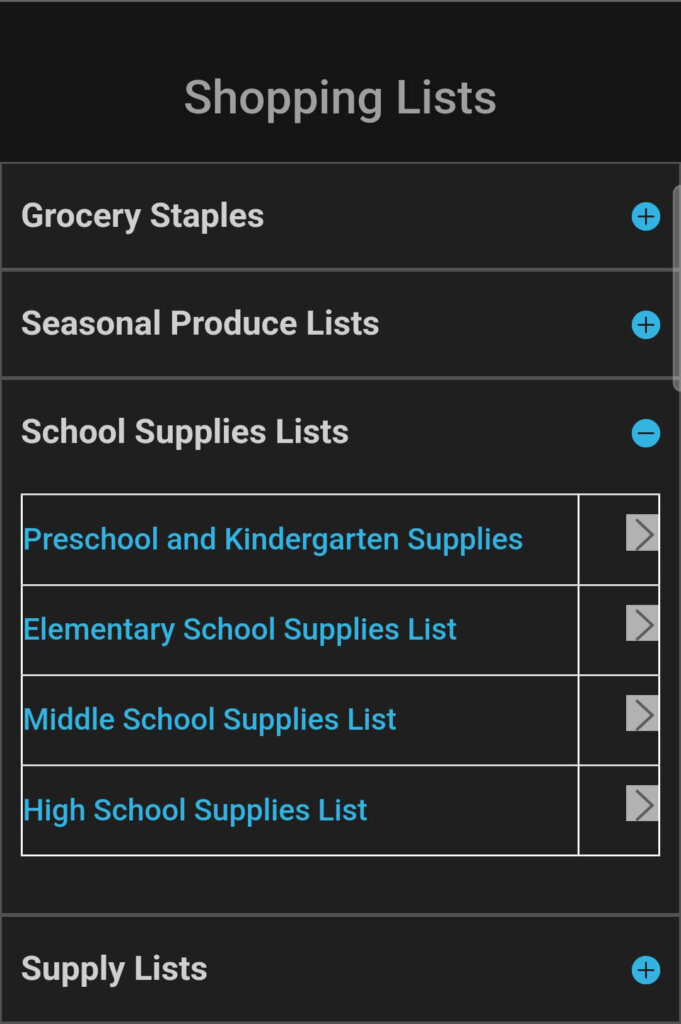
Cozi helps you build a shopping list.

Cozi provides lists for four age groups, including kindergarten/preschool. And if your school wants you to supply something that’s not mentioned? You can edit the list any way you like.

Cozi app has lists for packing

When you’re preparing to hit the road, things can get pretty hectic. It’s easy to space out things like pajamas or extra bands for your kiddo’s braces. (True story: I once forgot to pack underwear. Only once, though.) Replacing these things once you get to where you’re going is an expense you don’t need.

The Cozi lists for packing includes obvious stuff like jackets and toiletries (and underwear) but also items you might forget to grab, such as contact lens solution, razor, tampons (sometimes your body surprises you!), pain relievers and an umbrella.

And speaking of packing…

Cozi app helps manage travel

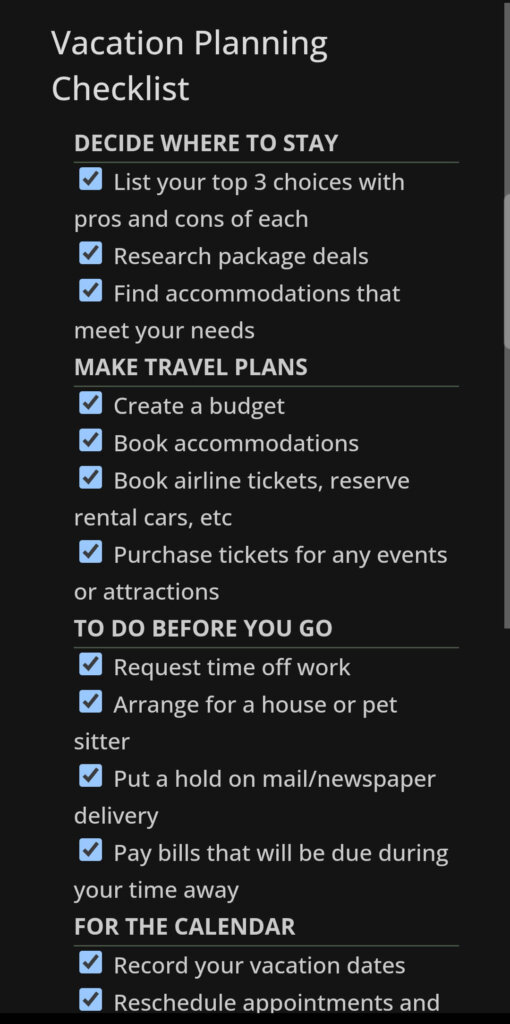
The app’s “Vacation Planning Checklist” reminds you to do stuff like create a travel budget (rather than just spend willy-nilly), look for good travel package deals, put a hold on mail delivery, line up a pet sitter and – oh yeah! – ask for the time off from work so you can go.

Cozi has pre-fab lists that help you to plan and stay organized.

Another option, the “Family Camping Checklist,” includes essentials most people would think of on their own. But you might not think about super-useful things like a cutting board, aluminum foil, plastic bags or an extra bin for washing dishes – until you need them.

Even otherwise intelligent people sometimes forget the obvious stuff, such as trashbags or matches to light the campfire. (Another true story: A friend who grew up in the great outdoors once forgot the can opener while camping as an adult. Whoops.) Having a prefab list that specifies “soap” and “insect repellant” will make your camping trip a lot more pleasant.

Best Cozi Family Organizer co-parenting app features (free!)

The free version of the Cozi app provides features such as:

  • Shared family calendar, which can communicate with Google Calendar, iCal, Outlook, Apple Calendar and other programs
  • List-making options – use their prefab “list library,” or customize lists that meet your household’s needs
  • “Family Journal,” a place to share photos and captions of things that made you smile (these can be shared with others)
  • An appointment reminder function  

Cozi app’s best premium features

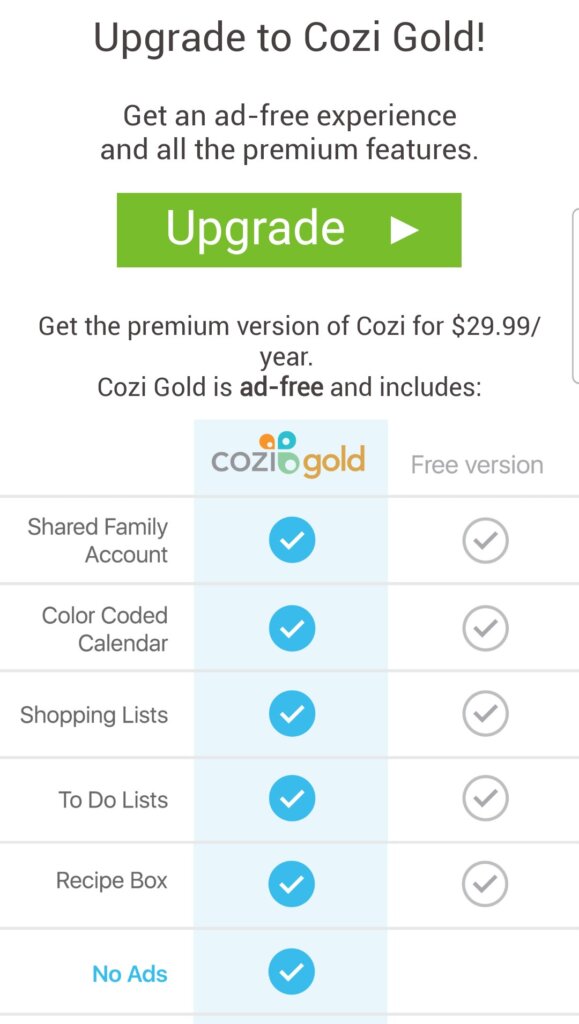
Signing up for Cozi Gold.

The paid version, “Cozi Gold,” costs $29.99 per year, and includes all that plus:

  • No ads!
  • Up to three reminders per appointment, which can save you some dough (no need to pay for that doctor’s visit you missed) as well as time (not having to wait an extra two weeks for a rescheduled appointment).
  • View the whole month’s calendar on one screen, or adjust it to see what’s in store for busy weekends.
  • Calendar change notifications: If you cancel an event or just wrote down the wrong time and need to change it, everyone will be informed
  • Shopping mode: When you check items off your grocery list, they drop to the end of the list
  • Calendar search: This feature lets you find anything you’ve ever put onto your family’s calendar.
  • A family address book to keep everyone’s contact info handy
  • Birthday tracker: Keep everyone’s birthday handy, too
  • Premium customer support, which means if you ever need help with the app your email will be answered ahead of those sent by non-premium members

Who would benefit from using Cozi Family Organizer?

Anyone who wants to keep their households running smoothly would benefit from using Cozi. The home organization app can help you keep it all together not just in the short term (Do we need cereal?) but also the long run (This year we WILL have a less-stressful Christmas).

Cozi Family Organizer app pros

  • Calendar keeps appointments and activities organized, and can be synced with other apps like iCal and Google Calendar
  • You can add in other family members or people important to your kid’s life
  • Single-password account
  • There’s a free version
  • Free two-week trial of the premium version

Cozi Family Organizer app cons

  • The free version has ads (minor annoyance, but still)
  • No in-app communication system, expense tracking or other features commonly associated with co-parenting apps
  • No virtual “vault” to store important documents such as birth certificates, insurance card or vaccination records; you can, however, upload these things to the Family Journal section

Cozi app reviews

Cozi has hundreds of thousands of excellent reviews.

Cozi app reviews on Google Play

Cozi app reviews on the App Store

Frequently asked questions about Cozi

Is the Cozi app free?

While Cozi has a good free version, there is also a premium version that includes appointment reminders, no ads, and other features.

Is the Cozi app safe?

Yes, Cozi is safe, and takes standard measures to protect your privacy and billing information. However, like most sites, Cozi does collect data on you for use of marketing, contact and other purposes.

Can Cozi send text reminders?

Premium members can change the settings to allow for text reminders for appointments and calendar change alerts.

Other apps for co-parenting and family organization

As noted, Cozi isn’t specifically a co-parenting app. If you need more features than Cozi has to offer, here are a few other possibilities.

Cozi vs. Google Calendar

While Cozi is free, it makes its money by showing you ads. Google Calendar is really just free — no ads. Cozi also allows you to upgrade for a fee — while again, Google Calendar is all just free.

Many ask is Cozi better than Google Calendar? It depends on what you want your app to do. Cozi does win in that it allows you to assign and share tasks, while Google wins by virtue of being Google, and being fully integrated into other Google products including Gmail, Drive, Docs and Cloud storage.

Cozi app vs. Our Family Wizard

Our Family Wizard is one of the first-ever apps for co-parenting, and is most often recommended or ordered by family court judges, mediators and attorneys.

While Cozi is focused on general family organization, planning and communication, OFW is really narrowly honed in on divorced and separated families, easing conflict and streamlining schedules and communication.

For example, Our Family Wizard's “Tone Meter” follows along as you write to your ex and points out “emotionally charged phrases” that you might not be aware you’re using. It also lets you store and/or share contact info for family members, doctors the school, coaches and other contacts that co-parents may need. Screenshot and share receipts within the app.

Our Family Wizard produces a monthly overview of the number of messages you sent or received, how much money you spent (or were reimbursed for spending), and how much time the kids spent with each parent. 

OFW starts at $144 per year per parent (or $259 for two years), although relatives, nannies/sitters and the kids themselves can be added for free. Parents can individually add others to the mix, including mediators and attorneys. Try Our Family Wizard for free for 30 days. Discounts for military families, as well as fee waivers for those who qualify for financial reasons. Learn more about OurFamilyWizard.

Cozi app vs. Talking Parents

TalkingParents costs $9.99 to $24.99 per month per parent for iOS and Android, but it also has a free website version if you’re on a budget. (The website has ads.)

The free and paid versions both have shared calendar, a personal journal and a messaging function. The paid version has additional features, like file storage and unlimited downloading of the journal and your conversations. These functions can be important when it comes to mediation or court appearances.

The bottom line

A family organization app can completely change your life. Instead of having to remember every important detail each week (let alone three months from now), you can just put it in Cozi’s hands. Knowing it’s all written down lets you relax a bit and enjoy your life.

In addition, Cozi’s lists will let you organize numerous aspects of your life, from planning a birthday party to what you’ll need for next summer’s vacation. Bonus: Since some of the lists are designed for kids, your children can start taking (age-appropriate) responsibility for their lives.In short: Cozi can’t remove the stressors from modern family life, but it sure can keep them organized.

What is Cozi Family Organizer?

Cozi is a family organization app focusing on a shared calendar and an innovative list-making function that can be tailored to just about any use, for any family. The app has been around since 2006, and it's 100% free.

How does the Cozi app work?

Cozi lets up to a dozen people share (and add to) your family’s calendar, which gives an at-a-glance description of your day.

Who would benefit from using Cozi Family Organizer?

Anyone who wants to keep their households running smoothly would benefit from using Cozi. The home organization app can help you keep it all together not just in the short term (Do we need cereal?) but also the long run (This year we WILL have a less-stressful Christmas).

Is the Cozi app free?

While Cozi has a good free version, there is also a premium version that includes appointment reminders, no ads, and other features.

Is the Cozi app safe?

Yes, Cozi is safe, and takes standard measures to protect your privacy and billing information. However, like most sites, Cozi does collect data on you for use of marketing, contact and other purposes.

Can Cozi send text reminders?

Premium members can change the settings to allow for text reminders for appointments and calendar change alerts.

If you have an old engagement ring sitting around — maybe one your former spouse gave to you or that you gave to your former spouse — selling it can be a great way to move past that relationship and make some money in the process.  

Louped, formerly I Do Now I Don’t, is an online jewelry marketplace that will either buy your jewelry directly or allow you to list it at your own price to online buyers — sort of like ebay for diamond and other fine jewelry.

Is this online jewelry seller legit? Yes — but there are better places to sell your jewelry. Keep reading to find out why. 

What you should know about Louped:

My quick take on Louped

How Louped got its start

What are the basics of Louped

How Louped works

Pros of Louped

Cons of Louped

How the service stacks up against sites like Louped

Louped reviews

Bottom line: Should you sell your jewelry using Louped?

Emma’s quick take on Louped, an online site to sell your jewelry

The concept behind Louped is good, and the site did some work to improve its client satisfaction ratings since rebranding from I Do Now I Don't, though it has since fallen off. Louped improved its Better Business Bureau rating from an F to a B-, but it now sits at a D-. Louped also boasts 4/5 stars on Trustpilot (though both review sites still list its name as I Do Now I Don't).

However, when you’re selling something as valuable as a diamond ring, you want to sell it to a reputable online diamond buyer that will get you the most money possible. Most of the top online diamond and jewelry buyers boast A+ ratings and have more consistently positive online reviews.

Louped also does a few things that put it lower on my list of online diamond buyers:

  • Does not cover the cost of shipping or insuring your item
  • Charges a $20 return fee if you reject an offer that was the same or higher than the initial offer after you send in your jewelry

How Louped got its start

Louped founder Josh Opperman started I Do Now I Don't on the heels of his own heartbreak and frustrating attempt to sell his fiancée’s engagement ring when she ended their relationship.

When he tried to sell the ring, the most he was offered was 30% of what he paid for it. He started I Do Now I Don’t to help people get more money for their unwanted diamond rings.

The site's new name, Louped, is a nod to a few things:

  1. Jeweler's loupe (a magnifying device used by jewelry makers)
  2. Symbolism of a ring’s circle
  3. Closed loop of repurposing or recycling existing items

What are the basics of Louped

Louped is a unique entry in the online jewelry-selling space because it allows you to sell your diamond jewelry in two different ways:

  1. Accept a direct offer on your jewelry directly from Louped, or
  2. List your diamond on their online marketplace, where you can sell directly to a retail buyer — much like online consignment sites Poshmark and Mercari.

How Louped works

Whether you want to accept a direct offer or list your jewelry on Louped's marketplace, the process starts the same.

From the home page, click “List an item” to create a free account. Once you set up your profile, click “Sell” from the main navigation bar to input information about your jewelry (type, stone qualities, any side stones, photos, videos, etc.):

Within 24 hours, an in-house buyer will email you two preliminary offers on your jewelry — one to sell directly to Louped and a suggested listing price for your item.

Selling directly to Louped

If you decide to accept a direct offer, send your item to Louped (at your own expense) for an in-house evaluation, at which point you will receive a final offer for direct purchase.

If the final direct offer is below the preliminary offer and you decline the new offer, then Louped will return the item to you at no additional cost. If the final offer is not below the preliminary offer and you still choose to decline, you will be charged $20 for its return.

If you accept the offer, payment will be issued to you by check on the 15th of the following month.

Selling on the Louped marketplace

If you choose to list your item on the Louped marketplace, you'll create a listing and set a price (Louped recommends following the price they suggested, though it is ultimately up to you).

If your item sells, you must ship it to Louped at your own expense. They recommend using USPS, as the company insures packages for up to $25,000.

Upon receipt, Louped inspects your item to ensure that it matches the description in your listing. If it does not, then they will contact the buyer and let them know the results, at which point the buyer can either accept the item, request a refund, or negotiate a different price. 

Payments are issued on the 15th of the following month after the sale.

Louped charges a commission between 10% and 20% depending on the sale price of your item:

Additionally, a VIP selling service is available at no extra charge for items that are valued at $5,000 and higher. VIP listings receive an appraisal certificate, insured shipping, complementary cleaning and photography of the item, and are designated with a crown icon on the marketplace. This service comes with a flat 25% commission. 

Pros of Louped

  • Choice between direct sale or marketplace listing
  • Possibility to sell item for much more through online listing
  • You choose the sales price 

Cons of Louped

  • Not accredited by the BBB
  • Website is confusing and the sales process is not always clear
  • Direct sale is based off of a single, in-house evaluation
  • Payment is slow
  • Only accepts listings of at least $250 on marketplace
  • VIP selling service is only available for items valued to be worth at least $5,000 
  • Unless you opt into VIP selling service, you are responsible for shipping and insurance costs
  • $20 fee if you change your mind about accepting a direct offer that's the same or higher price than your initial estimate

Offering multiple routes to sell your jewelry, Louped has made a name for itself in the second-hand diamond jewelry space. But for a number of reasons listed above, it isn’t our top choice for either direct sales or for auctioning. 

How the service stacks up against sites like Louped

Louped takes a relatively different approach to selling and buying diamond jewelry. But how does it stack up against other top diamond buyers?

Louped vs Diamonds USA

Louped require that all listings have a value of at least $150.
However Diamonds USA (and its sister sites CashforGoldUSA and CashforSilverUSA) is our No. 1 recommendation for selling fine jewelry and metals, as they do not require a minimum value to purchase your diamond or diamond jewelry and pay for free, insured round-trip shipping. Diamonds USA pays within 24 hours of an accepted offer. 

All three companies accept all kinds of diamond, gold, gemstone, platinum and silver jewelry, plus gold and silver coins, flatware, watches, scrap, and gold bullion. Louped only deals in diamonds and fine jewelry. 

Where to sell gold online and locally: What our investigation found

Louped vs Worthy

Louped and Worthy are similar in that they each offer an online marketplace through which you sell your diamond or jewelry. How these platforms work, however, is substantially different. 

Louped platform lets you sell directly to a buyer, similar to ebay. You list your item and, if someone is interested, they will make you an offer and you can accept or not.

Worthy’s platform, on the other hand, connects you to wholesale buyers that bid on your item through an anonymous auction. How much you earn will therefore be dependent upon whatever multiple professional diamond buyers are willing to pay—opposed to a single retail buyer. 

Additionally, when you choose to list your item through Worthy, Worthy performs certain services completely free of charge, all of which are the IDNID sellers’ responsibilities:

  • Cleaning
  • Photographing
  • Shipping 
  • Insurance
  • Lab report 
  • Posting
  • Description

These services are only available on Louped if your item is worth at least $5,000 and you opt into the VIP selling process, which charges a high commission of 25%.

Finally, while Louped pays just once a month, on the 15th of the month following a sale. Worthy pays within several business days of making a sale.

Read our Worthy.com review.

Louped vs myGemma

myGemma, formerly WP Diamonds, is one of the oldest and most reputable places to sell your diamond ring, loose diamonds, jewelry, and watches. myGemma is accredited and has an A+ Better Business Bureau rating, while Louped has a D- rating and is not accredited. 

Louped is a marketplace where online buyers can purchase your unwanted diamond jewelry at a price you set. myGemma is a diamond wholesaler that directly buys your diamond jewelry then sells it to consumers on its e-commerce platform, where you can also buy and sell luxury handbags and other accessories.

myGemma accepts luxury jewelry brands and diamonds larger than 1/2 carat. The minimum price for Louped Marketplace listings is $250.

Read our myGemma review.

Louped reviews

Louped reviews are a mixed bag depending on which review site you check. The company has 4/5 stars on Wedding Wire and 3/5 stars on Facebook, though it only has 3.67 stars on the Better Business Bureau site. I did notice that most negative I Do Now I Don’t reviews were posted in 2020, when the company told customers it was dealing with pandemic-related delays. 

BBB reviews of Louped

Though the company has been around for more than 13 years and is led by Chris Del Gatto, a well-known figure in the diamond industry, Louped is not accredited with the Better Business Bureau and has a low D- rating with only 3 reviews, the most recent one from April 2024.

I Do Now I Don't BBB 1-star review.

Trustpilot reviews of Louped

Louped has a 4.4/5-star rating on Trustpilot. Most recent reviews are positive, though some older reviews indicate issues with delayed payments. 

I Do Now I Don't Trustpilot 4-star review.
I Do Now I Don't Trustpilot 1-star review.

Reddit reviews of Louped

There aren’t many reviews of Louped on Reddit. I could only find one thread asking for advice about buying on the site, and all of the responses appear to be from people who never used it:

Experience with I Do Now I Don't (secondhand ring site)?
by inweddingplanning

Bottom line: Should you sell your jewelry using Louped?

In my opinion, there are better, more reputable online jewelry buyers, so I don’t recommend selling your jewelry on Louped. 

And for loose diamonds and diamond jewelry at any price point (and fast payouts), I recommend Diamonds USA. Get a free estimate today >>

Wherever you decide to sell, learn more about how to sell diamonds for the highest price first. And check out my roundup of the 8 best online diamond buyers.